Audi A5 Android Auto Infotainment Review — Real-Time Maps & More
Service Price
$40–80
Estimated price · Actual price may vary by shop
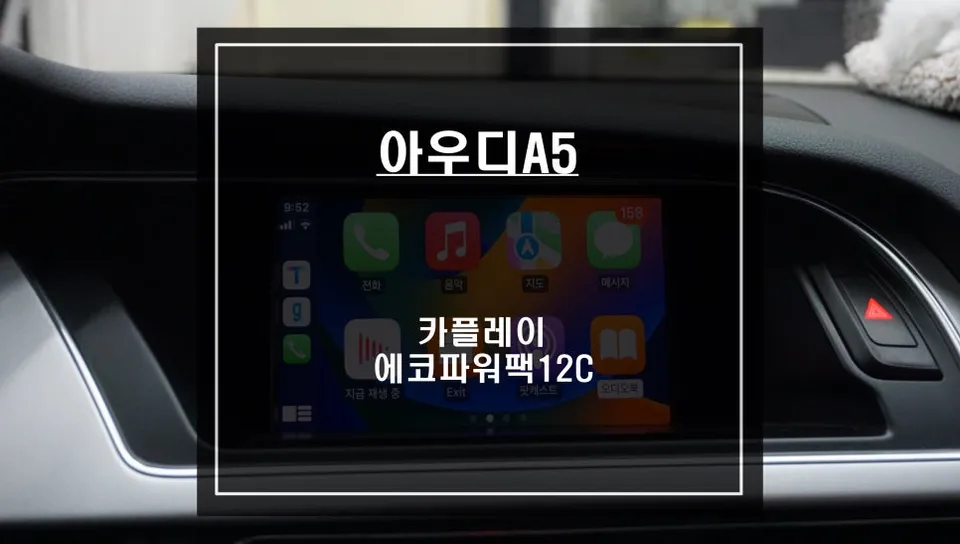
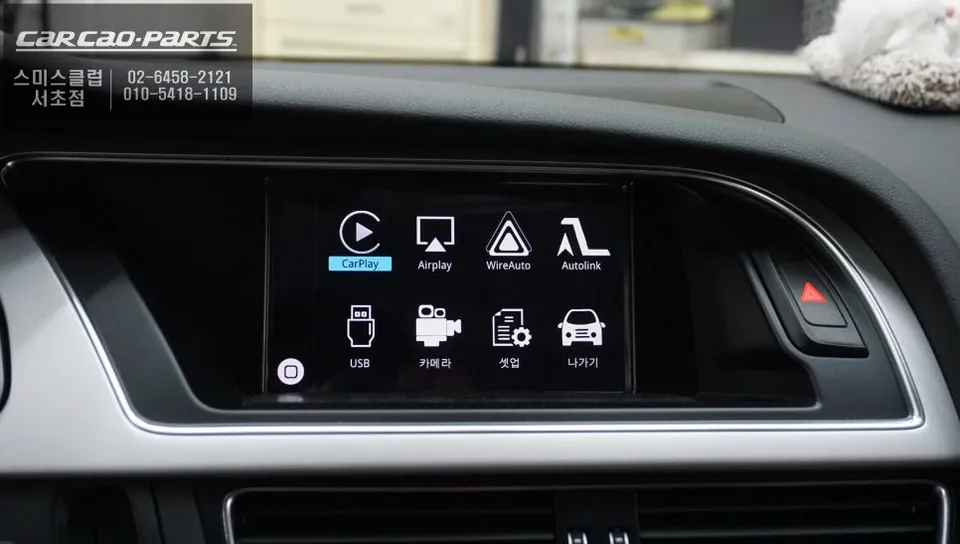
Audi A5 Carplay Module: Evolving to Smartphone Navigation
Modern car owners often face a dilemma: "Is the factory navigation system truly worth it?" Even in premium vehicles like the Audi A5, the built-in navigation can suffer from a lack of real-time traffic data and slow map updates. While mobile apps like TMAP and KakaoMap offer far superior speed and accuracy, constantly checking your smartphone while driving is a hassle. This is precisely where an Audi A5 dedicated Carplay module comes in, offering a seamless solution. We'll walk you through a real-world installation case at Today's Car Seocho to demonstrate how to integrate your smartphone with your car's original monitor.
Factory Navigation vs. Carplay Module: What's the Difference?
The verdict is clear: Carplay modules offer a significant advantage in terms of cost and convenience. While adding a premium factory navigation system to an Audi A5 can cost upwards of 500,000 Korean Won, a Carplay module is considerably more affordable. The key benefit is the ability to use your existing smartphone's navigation apps directly on your car's display.
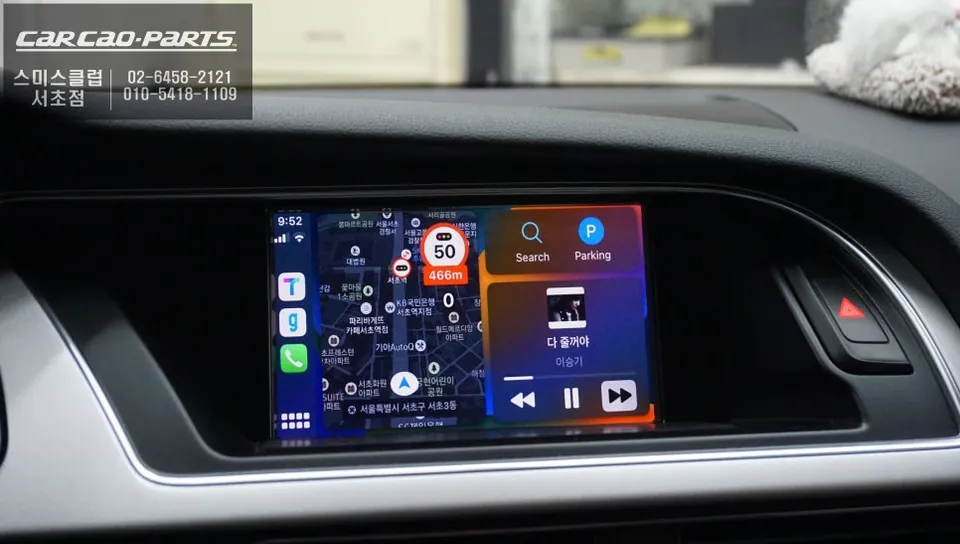
Factory navigation systems typically update maps only once or twice a year, making them slow to reflect current road conditions. In contrast, TMAP and KakaoMap provide real-time traffic information. You can instantly access details about speed camera locations, newly opened roads, and even real-time bus arrival times, adapting to the ever-changing traffic landscape. Installing an Audi A5 Carplay module allows you to view all this information directly on your factory monitor.
Another crucial distinction is the "Jack-by-Jack" (Plug and Play) installation method. This means the system is designed to work simply by plugging it in, without damaging the original wiring. Carplay modules leverage existing buttons and the display, avoiding the significant strain on the vehicle's electrical system that can occur with full factory navigation replacements.
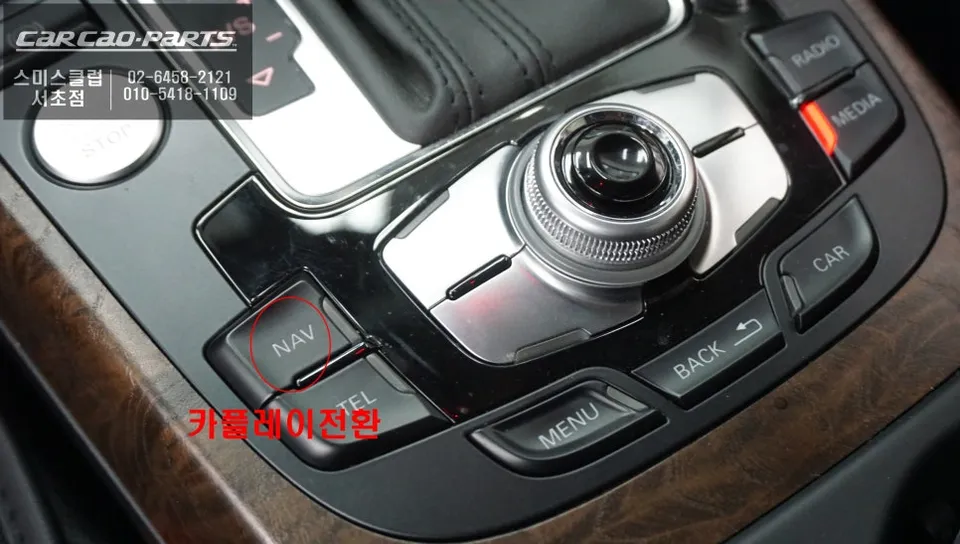
Integrating Carplay into the Audi A5's Factory Monitor
The installation process is surprisingly straightforward. It begins with carefully removing the interior trim panels surrounding the Audi A5's factory monitor. The utmost care is taken to prevent any damage to the original wiring. Technicians meticulously photograph the existing connections before gently disconnecting them.
Installation process:
- Carefully disassemble the dashboard trim around the factory monitor.
- Document and disconnect original wiring harnesses to prevent damage.
- Connect the Carplay module, which integrates navigation and interface functions.
- Route the smartphone connection port discreetly behind the trim.
- Reassemble the trim panels, ensuring all connections are secure.
The next step involves installing the Carplay module itself. This unit consolidates the navigation and interface functionalities into a single component. This means you can control Carplay using the existing factory monitor and buttons, without needing an additional touchscreen or complex wiring. Drivers benefit from not having to learn entirely new operating procedures.
Following module installation, a port for smartphone connection is positioned behind the trim. A wired USB connection is generally recommended. This is because wireless Carplay can sometimes suffer from connection drops or latency. For drivers who frequently undertake long journeys or rely heavily on navigation voice prompts, a stable wired connection is far more reliable.
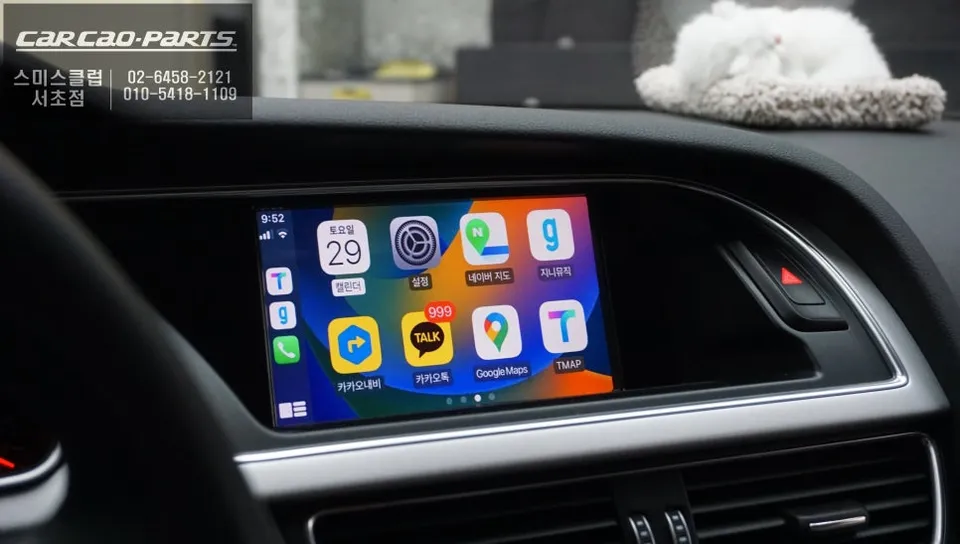
How Carplay Works: Seamless Switching with a Single Button
Once installed, operating Carplay is highly intuitive. On the Audi A5's factory monitor, simply press and hold the "NAV" button for about two seconds to switch to the Carplay interface. Then, connect your smartphone via USB or pair it wirelessly. There's no need to navigate through complex setup menus.
Carplay supports multiple modes. The first is Apple Carplay, allowing iPhone users to utilize Apple Maps, Google Maps, and more, with Siri voice control. The second is Android Auto, which provides a similar integrated experience for Android users, offering access to Google Maps, Waze, and other compatible applications through the car's display and voice commands. This dual compatibility ensures that most smartphone users can enjoy the benefits of enhanced navigation and app integration on their Audi A5's screen.
Kakao Parts