Audi A7 Android Head Unit Upgrade Review
Service Price
$under $40
Estimated price · Actual price may vary by shop
Before
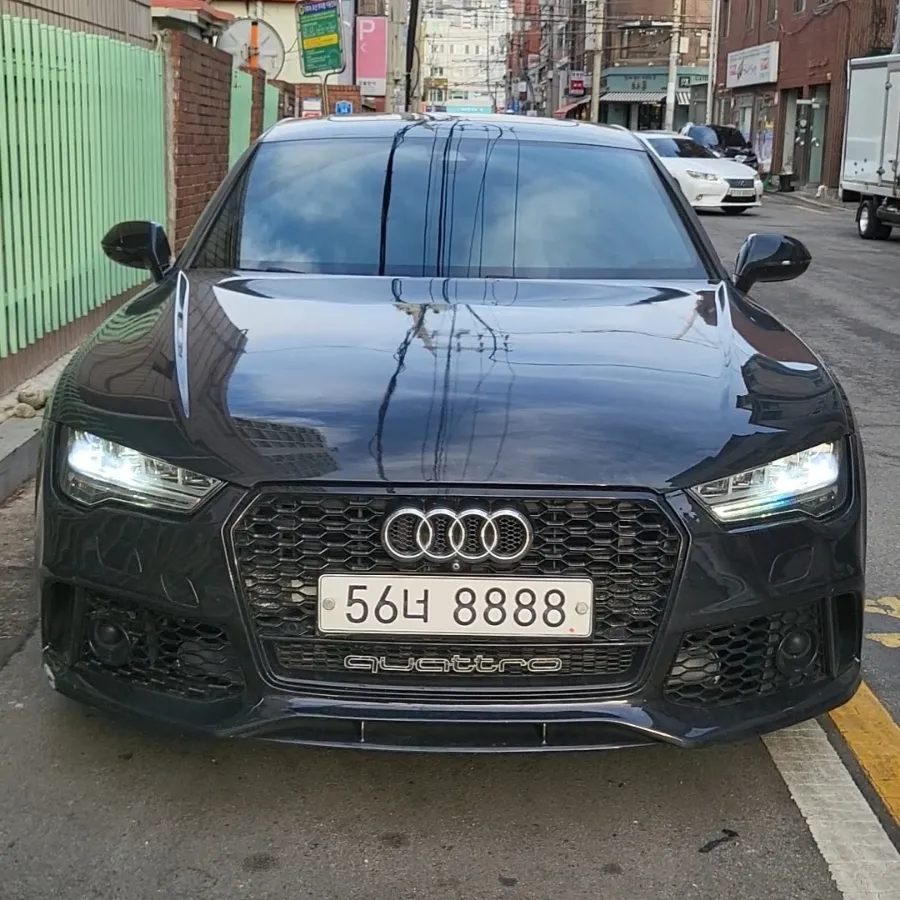
After

Process photos
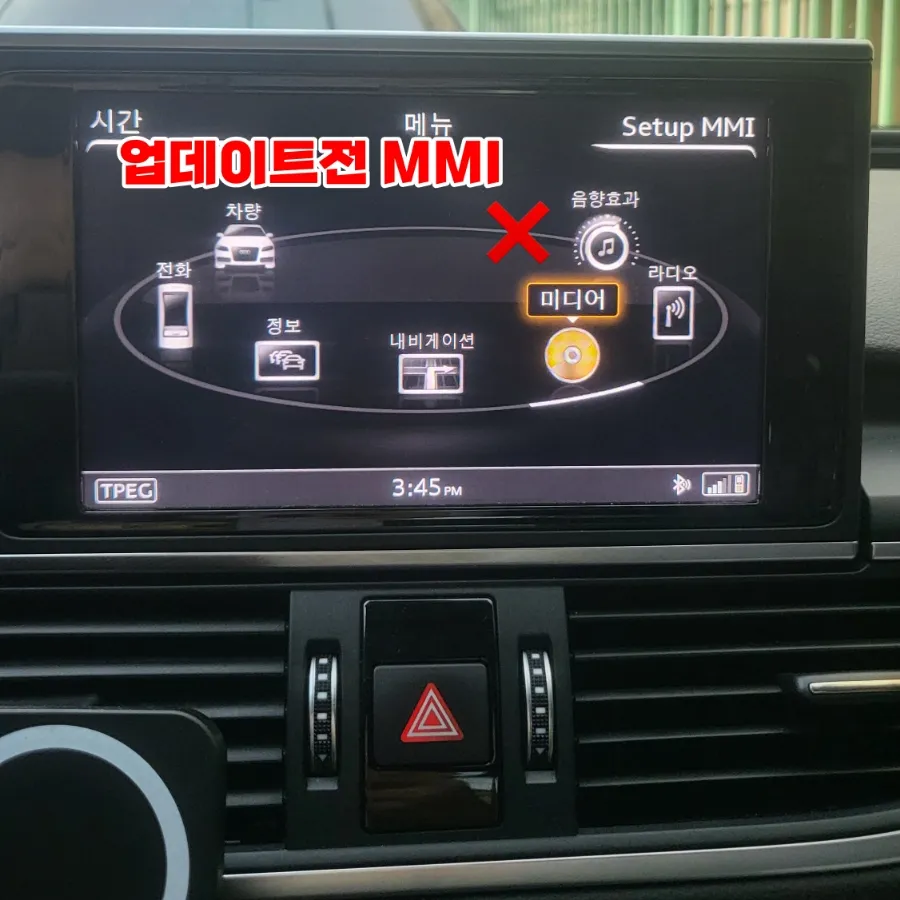
Audi A7 infotainment upgrade activates CarPlay/Android Auto via MMI software update. Quick 15-20 min install. Enhances navigation and media.
Audi A7 Infotainment Upgrade: Seamless Smartphone Integration
Many 2016 Audi A7 55TDI owners find the factory navigation system less than ideal for modern driving needs. If you're looking to use familiar smartphone navigation apps like TMAP or KakaoNavi directly on your car's MMI screen, an infotainment upgrade is the solution. This review details the process of activating smartphone interface functionality, essentially a CarPlay and Android Auto retrofit, for the Audi A7. We'll cover the installation, the before and after results, and what you can expect from this enhancement.
Activating Audi Smartphone Interface: CarPlay & Android Auto
The process involves updating the car's existing MMI (Multi Media Interface) system. This isn't a full head unit replacement but rather a software update that unlocks native smartphone connectivity. For iPhone users, this means activating Apple CarPlay, and for Android users, it enables Android Auto. This allows you to mirror your phone's navigation, music, and messaging apps onto the car's display. The original Korean context mentions that this service is a specialty of 'Today's Car Yangju Branch,' which has a history of custom work for Audi models including the A6, A7, Q7, TT, and R8. A returning customer, who previously had ambient lighting installed four years prior, traveled from Jeonju specifically for this upgrade, highlighting the shop's reputation for quality service.
Audi A7 Android Head Unit Installation & Results
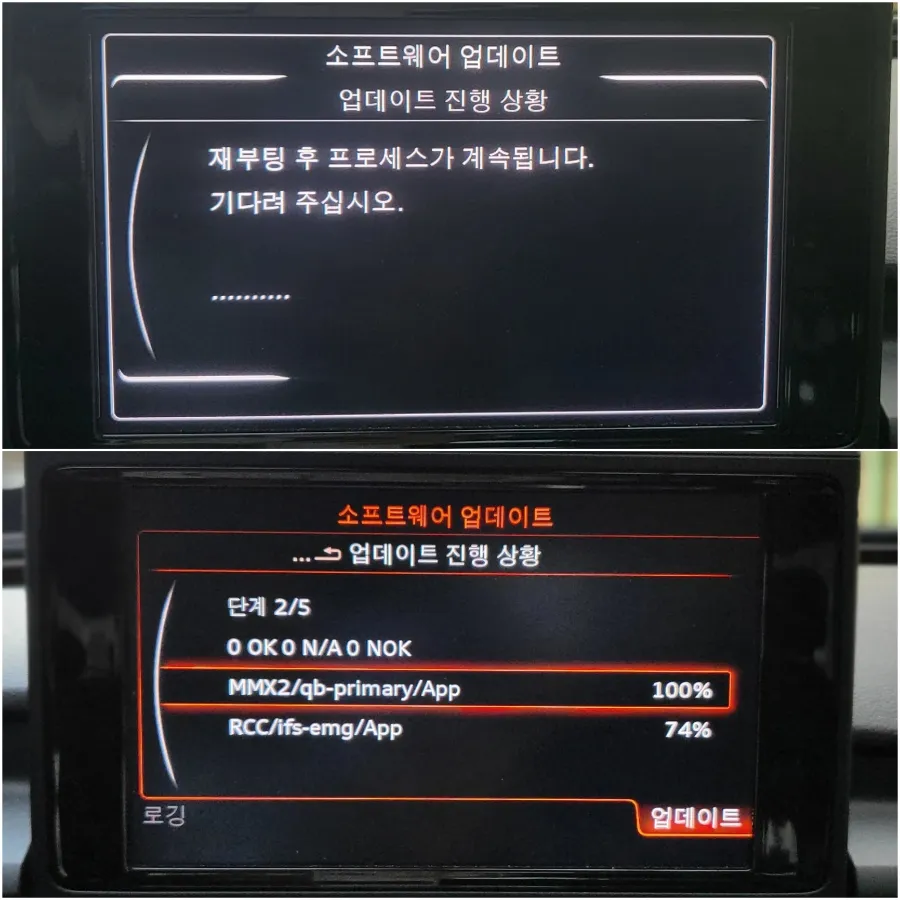
The installation is remarkably quick. The MMI software is checked for its current version, and then updated to the latest compatible version. This entire procedure typically takes only about 15 to 20 minutes. After the update is complete, the MMI system reboots. A successful upgrade is indicated by the appearance of a new icon on the MMI menu: 'Audi Smartphone Interface.' This icon is your gateway to using CarPlay or Android Auto. Before the update, the last icon on the MMI menu might show as 'Sound Effects.' Post-update, this changes to the smartphone interface option. The Korean context confirms that after the update, the 'Audi Smartphone Interface' icon appears, allowing for seamless connection. For iPhone users, testing with a wireless CarPlay dongle showed perfect functionality. Android users will see the Android Auto interface appear similarly when their device is connected.
Installation Process:
- Verify the current MMI software version.
- Perform the official MMI software update.
- Allow the system to reboot.
- Confirm the 'Audi Smartphone Interface' icon is present on the MMI menu.
The cost for this service in Korea was not explicitly stated in USD but is generally considered an affordable infotainment upgrade. The primary benefit is the vastly improved usability of navigation and media apps compared to the factory system. This upgrade significantly enhances the car's functionality without requiring a complete replacement of the original head unit.
Frequently Asked Questions
Q. How much does Android head unit or CarPlay installation cost for a Audi A7?
The cost for activating the Audi Smartphone Interface on a 2016 Audi A7 in Korea is not specified in USD, but this type of software upgrade is generally affordable. In the US, similar CarPlay/Android Auto retrofits can range from $200 to $1000+ depending on the method and vehicle.
Q. How long does Android head unit installation take on a Audi A7?
The installation, which is actually a software update, typically takes only 15-20 minutes to complete. Proper maintenance involves ensuring your smartphone's operating system is also up-to-date for optimal compatibility.
Q. Is a CarPlay or Android Auto retrofit worth it for a Audi A7?
This upgrade is highly recommended for Audi A7 owners who frequently use smartphone navigation and media apps. It provides a modern, user-friendly interface that significantly enhances the driving experience over the factory system.
Q. How is an Android head unit installed in a Audi A7?
This process involves updating the car's MMI software to enable the 'Audi Smartphone Interface.' The steps include verifying the current MMI version, performing the software update (approx. 15-20 mins), rebooting the system, and confirming the new interface icon appears.
Q. What is the difference between an Android head unit and a factory infotainment system for a Audi A7?
An Android head unit typically replaces the entire factory system with an aftermarket unit offering a full Android OS, while this service activates CarPlay and Android Auto within the Audi A7's existing MMI system via a software update. For most users, activating the native smartphone integration is a more seamless and cost-effective solution.
OhCar Partner Shop