Kia K900 Dash Cam Installation Review
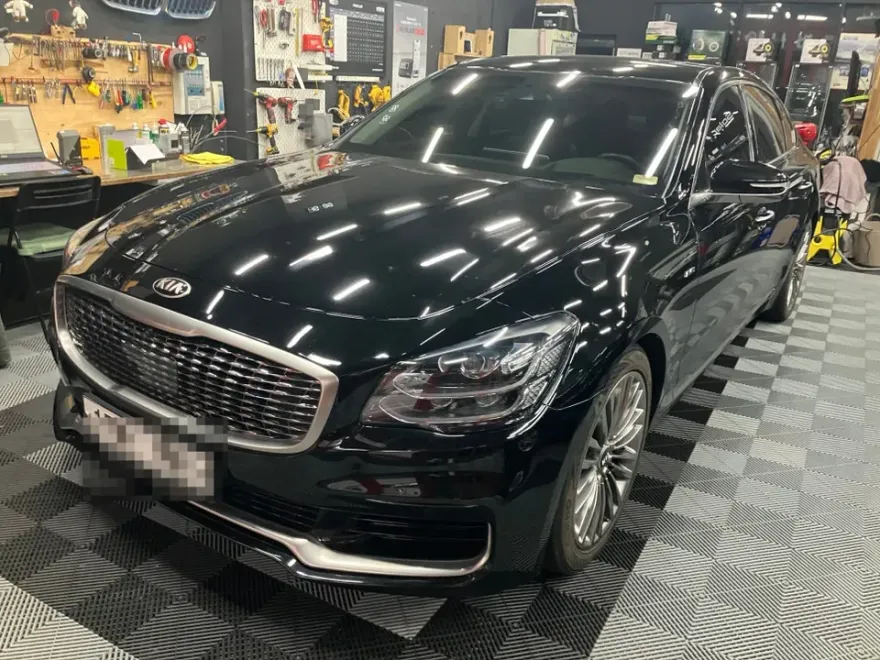
Kia K900 dash cam installation: approx. $180-$270 USD. High-res front/rear recording for enhanced safety.
Professional Dash Cam Installation for Your Kia K900
For Kia K900 owners seeking enhanced safety and security, a high-quality dash cam is an increasingly essential automotive accessory. This review focuses on the installation of the Thinkware Z9900 2-channel dash cam system, offering a comprehensive look at the process, benefits, and considerations for your luxury sedan. While this specific installation was performed in Korea, the principles and benefits apply universally to Kia K900 owners in the US and UK looking for professional dash cam solutions. We'll cover the installation steps, the advantages of this particular model, and crucial advice for ensuring a seamless and effective setup.
Thinkware Z9900: Features and Benefits for the Kia K900
The Thinkware Z9900 stands out with its impressive video capabilities. The front camera records in crisp QHD (2560x1440) resolution, capturing fine details crucial for identifying license plates and road signs. The rear camera complements this with FHD (1920x1080) recording, providing a complete view of your surroundings. This dual-channel setup is particularly beneficial for capturing incidents from both the front and rear, offering robust evidence in case of accidents or disputes. The system is designed for reliable performance, even in challenging conditions like low light or adverse weather, ensuring you have clear footage when you need it most. Investing in a quality dash cam like the Z9900 is a long-term decision that significantly enhances your driving peace of mind.
Dash Cam Installation: What Kia K900 Owners Need to Know
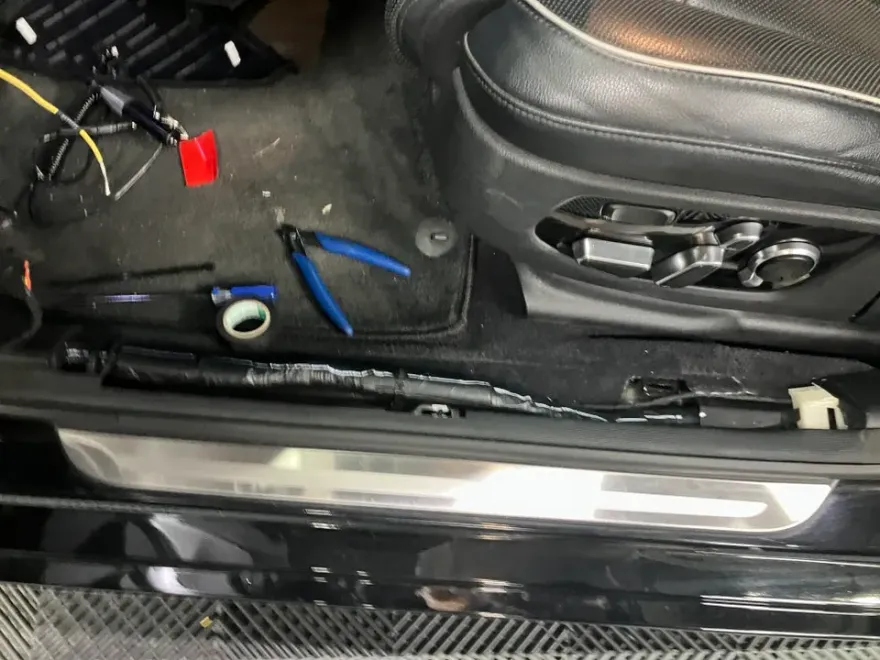
Proper dash cam installation is critical for both performance and vehicle integrity. The process for the Kia K900 involves careful routing of wires to maintain a clean interior aesthetic and prevent interference. A key aspect is the professional hardwiring, which often includes a low-voltage cut-off feature to prevent battery drain, especially when using parking mode. This ensures the dash cam can continue recording even when the vehicle is off, capturing events like hit-and-runs or vandalism. The installation process itself typically takes about an hour. It's vital to ensure that all wiring is neatly managed, often using sound-deadening materials along the A-pillar to prevent rattles or buzzing noises during driving. This attention to detail ensures the dash cam functions reliably and doesn't detract from the K900's refined cabin experience. For optimal results and to safeguard your vehicle's warranty, always opt for installation by a certified professional.
Installation Process:
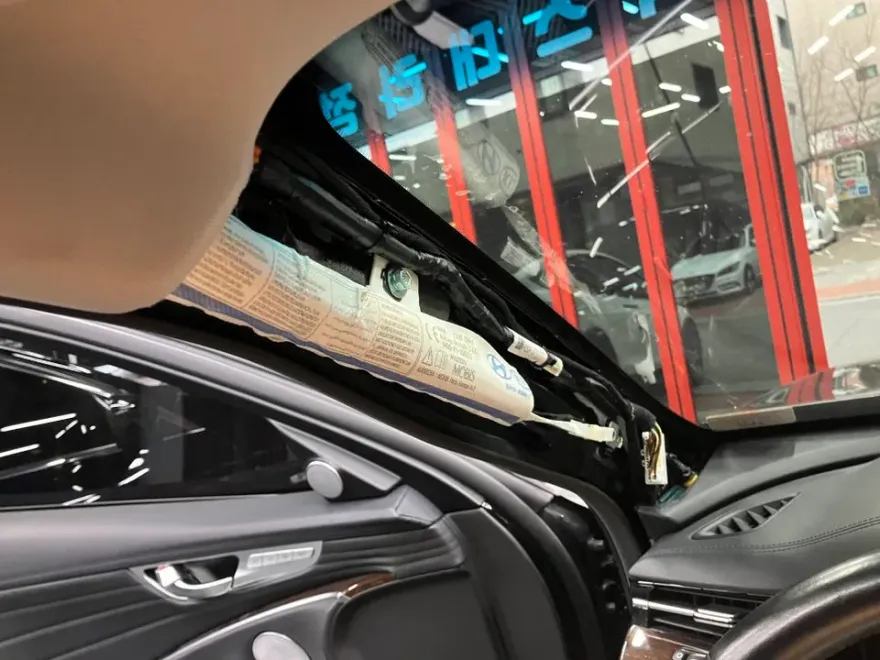
- Carefully remove the vehicle's A-pillar trim to access wiring channels.
- Route the dash cam wiring along the factory harness, using sound-deadening material to secure it and prevent rattles.
- Connect the power wiring to the vehicle's fuse box, ensuring proper integration with the car's electrical system and enabling parking mode features.
- Mount the front and rear cameras securely on the windshield and rear window, respectively.
- Power on the system and conduct a thorough check to confirm correct operation and recording quality for both cameras.
The total installation time for a 2-channel system like the Thinkware Z9900 on a Kia K900 is approximately one hour. The cost for the Thinkware Z9900, including professional installation, typically ranges from the mid-200,000s to the low 300,000s Korean Won (approximately $180-$270 USD, subject to exchange rates and specific installer pricing). It's advisable to obtain quotes from multiple reputable installers to ensure competitive pricing. While DIY installation is possible, professional hardwiring guarantees correct setup, optimal performance, and avoids potential issues with your vehicle's electrical system or warranty.

Frequently Asked Questions
Q. How much does dash cam installation cost for a Kia K900?
Professional installation for a 2-channel dash cam like the Thinkware Z9900 on a Kia K900 typically costs between 250,000 and 300,000 Korean Won (approx. $180-$270 USD). National averages for professional dash cam installation in the US can range from $100 to $300, depending on the complexity and features.
Q. How long does dash cam installation take on a Kia K900?
Professional dash cam installation on a Kia K900 usually takes around one hour to complete. To ensure longevity, regularly check camera connections and clean the lenses for optimal recording clarity.
Q. Is a hardwired dash cam worth it over a self-install for a Kia K900?
A professionally hardwired dash cam is highly recommended for the Kia K900, especially for utilizing parking mode features without draining the battery. It ensures a clean installation, preserves vehicle warranty, and guarantees optimal performance.
Q. How is a dash cam professionally installed on a Kia K900?
Professional installation involves carefully routing wires along the vehicle's factory harness, often using sound-deadening materials to prevent noise. Power is typically hardwired into the fuse box, incorporating features like low-voltage cut-off for parking mode, before the cameras are securely mounted.
Q. What is the difference between a 1-channel and 2-channel dash cam for a Kia K900?
A 1-channel dash cam records only the front view, while a 2-channel system, like the Thinkware Z9900, records both front (QHD) and rear (FHD) views. For comprehensive coverage and evidence, a 2-channel system is strongly recommended for the Kia K900.
Q. What should I know before getting Dash Cam on a Kia K900? (common regrets and mistakes)
The most common regret is improper wiring leading to rattles or battery drain; always opt for professional hardwiring with parking mode features. Another mistake is choosing a low-resolution camera; ensure your dash cam offers clear QHD or FHD recording for usable footage.
OhCar Partner Shop