Lexus LS500h Android Auto Head Unit Review — Seamless Integration
Service Price
$115–150
Estimated price · Actual price may vary by shop
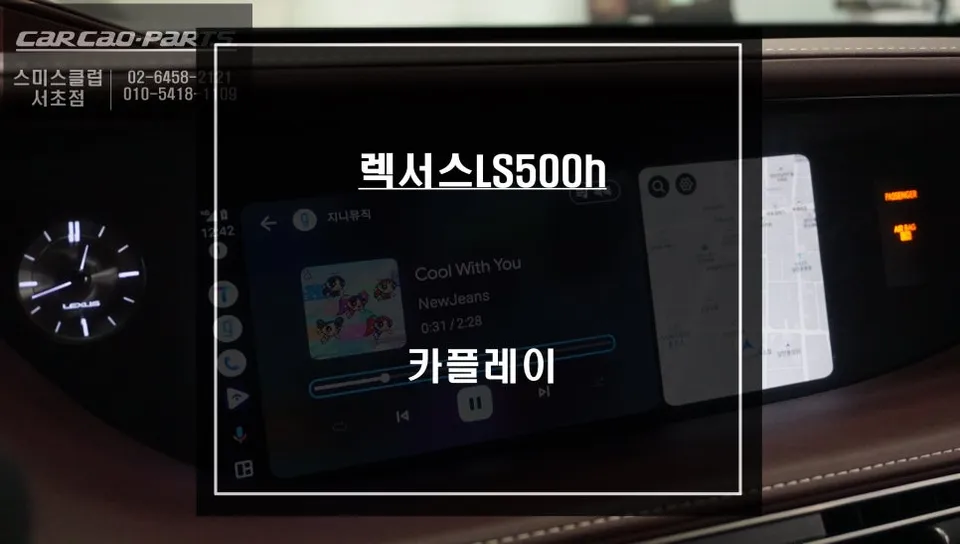
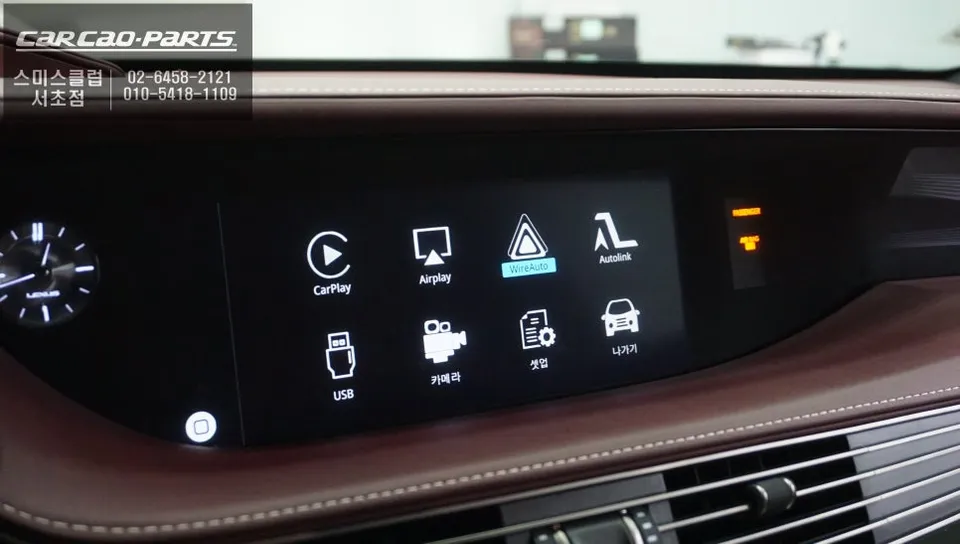
Lexus LS500h Android Auto head unit installation. Seamless integration of TMAP/KakaoMap. Non-destructive "Plug-by-Plug" method ensures factory integri
Enhancing Your Lexus LS500h Infotainment System
Are you looking to bridge the gap between your smartphone's advanced navigation apps and your Lexus LS500h's sophisticated infotainment system? While the native Lexus navigation is capable, many drivers prefer the real-time traffic updates and familiar interface of apps like TMAP and KakaoMap. This review explores the installation of an Android all-in-one system, often referred to as an Android Auto or CarPlay module, to bring these mobile functionalities directly to your LS500h's large, high-resolution display. This upgrade is ideal for drivers who prioritize up-to-the-minute traffic information and the convenience of using their preferred navigation apps without compromising safety.
Professional Installation for Seamless Integration
The installation process for an Android all-in-one system in a premium vehicle like the Lexus LS500h requires precision and expertise. At specialized shops like 'Today's Car Seocho', the focus is on a non-destructive installation using a "Plug-by-Plug" (Jack-by-Jack) method. This ensures that no original wiring is cut or damaged, preserving the vehicle's factory integrity and allowing for easy reversion to the original state if desired. The system integrates seamlessly with the LS500h's existing wide-screen monitor, providing full support for both Android Auto and Apple CarPlay.
Installation Process:
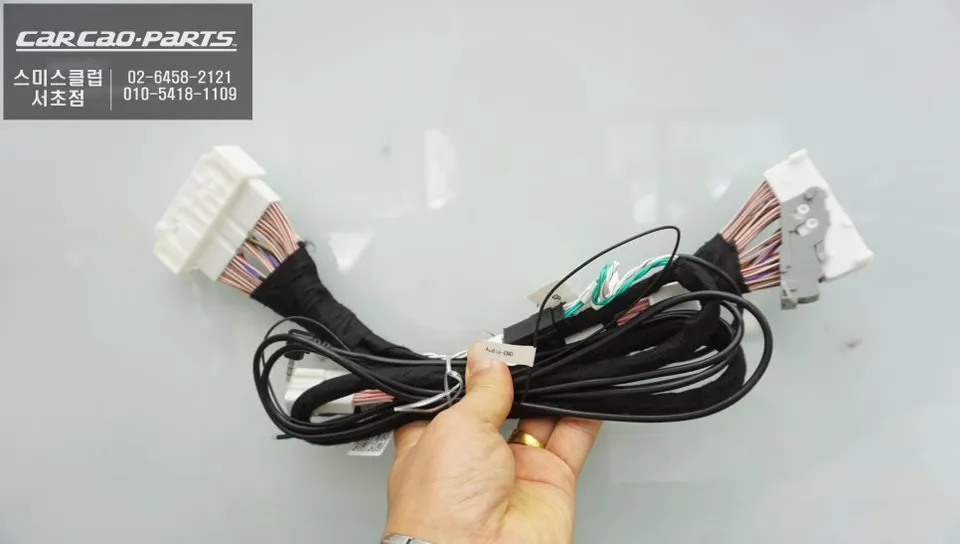
- GVIF Cable Connection: The core of the installation involves connecting the GVIF (Gigabit Video Interface) cable. The module's input is connected to the LS500h's original video output, and the module's output is then connected back to the monitor's input. This allows the module to process and display smartphone signals on the factory screen without signal degradation.
- Power and Control Signal Wiring: Power is supplied to the module by tapping into the vehicle's existing electrical system, again without cutting wires. Crucially, the module is configured to respond to the original control inputs, such as the center console's jog shuttle or steering wheel buttons, enabling intuitive operation of the Android Auto interface.
- Mode Configuration: The system typically supports both wired (USB) and wireless connections. While wireless offers convenience, wired connections are generally recommended for enhanced stability, especially for long drives or heavy navigation use, as they minimize battery drain and potential connection dropouts.
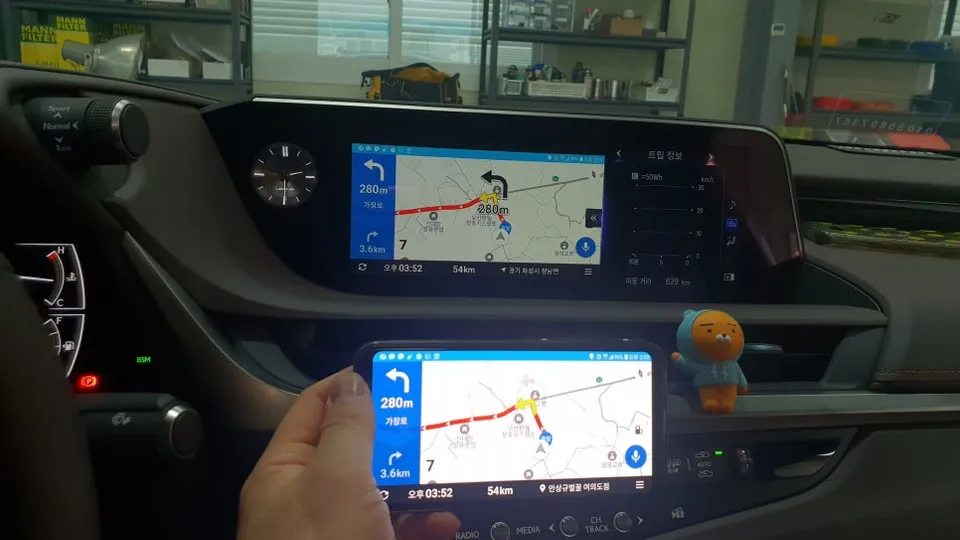
Once installed, switching to the Android Auto interface is as simple as pressing and holding the MENU button on the center console for two seconds. Your smartphone then connects via USB or Bluetooth, launching your preferred apps like TMAP or KakaoMap onto the LS500h's crisp display. The large screen ensures that maps, icons, and text are clearly visible, enhancing driver safety. A significant advantage is the automatic real-time traffic updates provided by these mobile navigation apps, eliminating the need for manual map updates.
Frequently Asked Questions
Q. How much does an Android all-in-one system cost for a Lexus LS500h?
The cost for an Android all-in-one system installation in a Lexus LS500h can vary, but typically ranges from ₩700,000 to ₩1,500,000 in Korea. In the US, similar aftermarket infotainment upgrades can range from $500 to $1500 depending on the system's complexity and features.
Q. How long does an Android all-in-one system last on a Lexus LS500h?
With proper installation and use, an Android all-in-one system can last for the lifespan of your vehicle, often 5-10 years or more. Regular software updates from the module manufacturer and ensuring clean USB connections can help maintain optimal performance.
Q. Is an Android all-in-one system worth it for a Lexus LS500h?
An Android all-in-one system is highly recommended for Lexus LS500h owners who frequently use smartphone navigation apps like TMAP or Waze. It significantly enhances the infotainment experience by providing seamless access to real-time traffic data and familiar app interfaces on the car's large display.
Q. How is an Android all-in-one system installed on a Lexus LS500h?
Installation involves connecting a specialized module using a "Plug-by-Plug" method to avoid damaging original wiring. This includes connecting the GVIF cable for video signal transfer, wiring power and control signals to integrate with the car's buttons, and configuring the system for wired or wireless smartphone connection.
Q. What is the best Android all-in-one system option for a Lexus LS500h?
The best option prioritizes non-destructive "Plug-by-Plug" installation and seamless integration with the factory controls and display. For optimal stability, a wired USB connection is generally recommended over wireless for consistent performance during navigation.
Kakao Parts