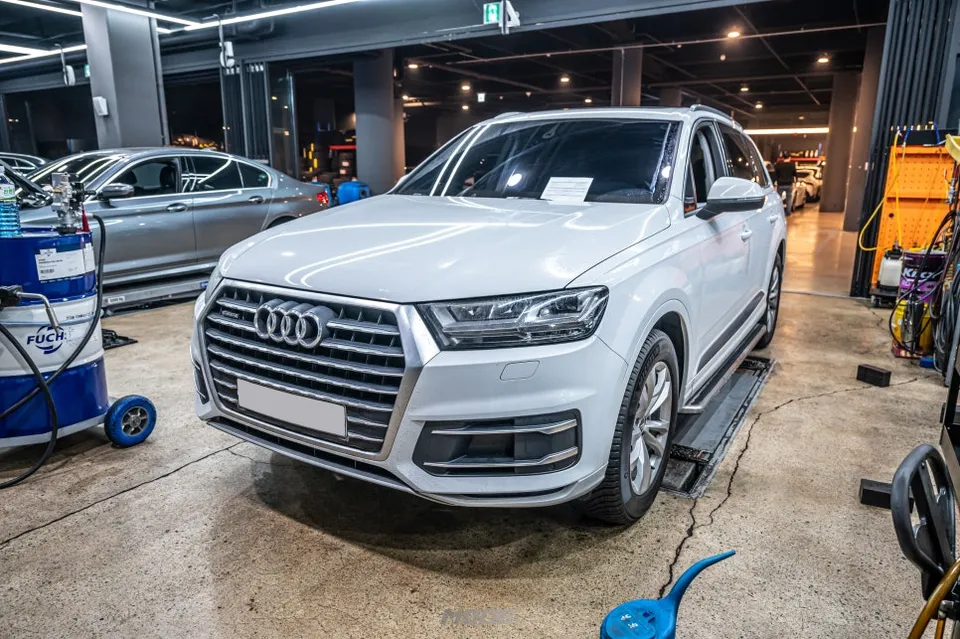
Audi A7 Dash Cam Installation Review — Seamless Integration
Service Price
$150+
Estimated price · Actual price may vary by shop

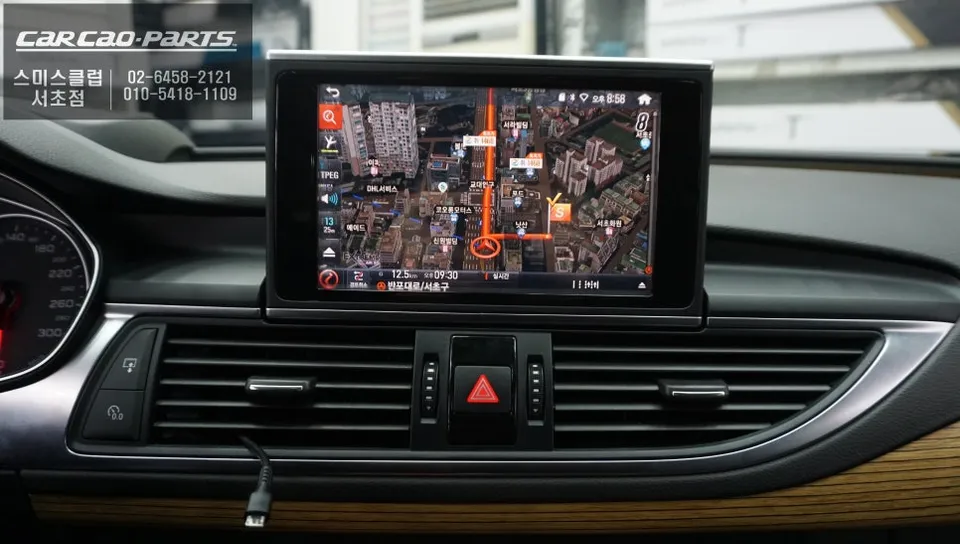
Audi A7 dash cam installation with I-navi X3 CUBE. Seamless integration with factory navigation. Enhanced driving experience.
Upgrade Your Audi A7's Navigation System
Many premium car owners face the common frustration of slow-responding or outdated factory navigation systems. The Audi A7 is no exception. If you're seeking a more current and accurate navigation experience, an aftermarket navigation system upgrade is an excellent solution. This review details a recent installation of the I-navi X3 CUBE into an Audi A7, focusing on seamless integration with the original infotainment system.
Why Choose the I-navi X3 CUBE?
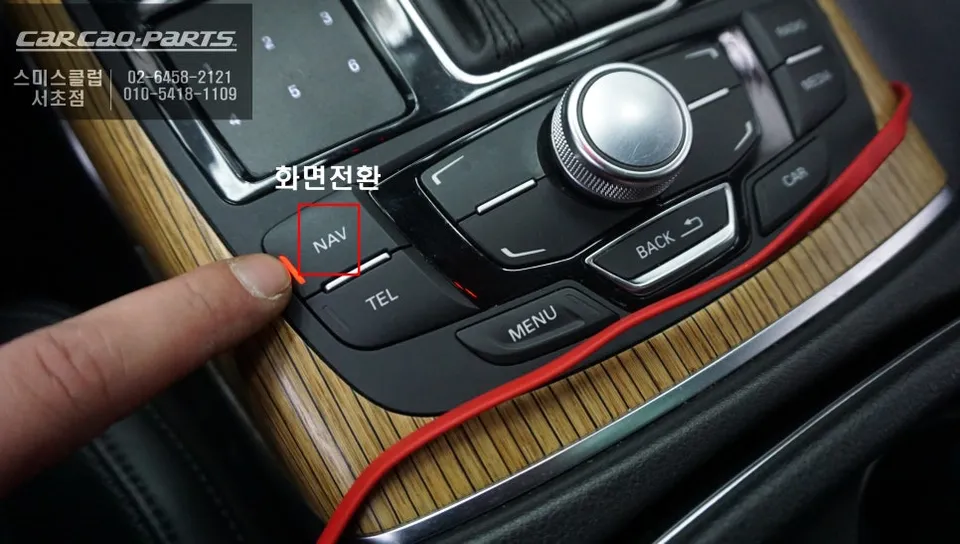
The goal of this installation wasn't just to add a new navigation unit, but to enhance the existing factory monitor with the advanced features of the I-navi X3. This was achieved by first retrofitting a touch sensor to the original screen, then integrating it with an Audi-specific interface module and the I-navi X3 CUBE set-top box. The key advantage is the ability to coexist with the original system. You can retain all factory functions while switching to the new navigation system whenever needed. A simple 2-second press of the factory NAV button instantly brings up the I-navi X3 interface, which can then be controlled via touch.
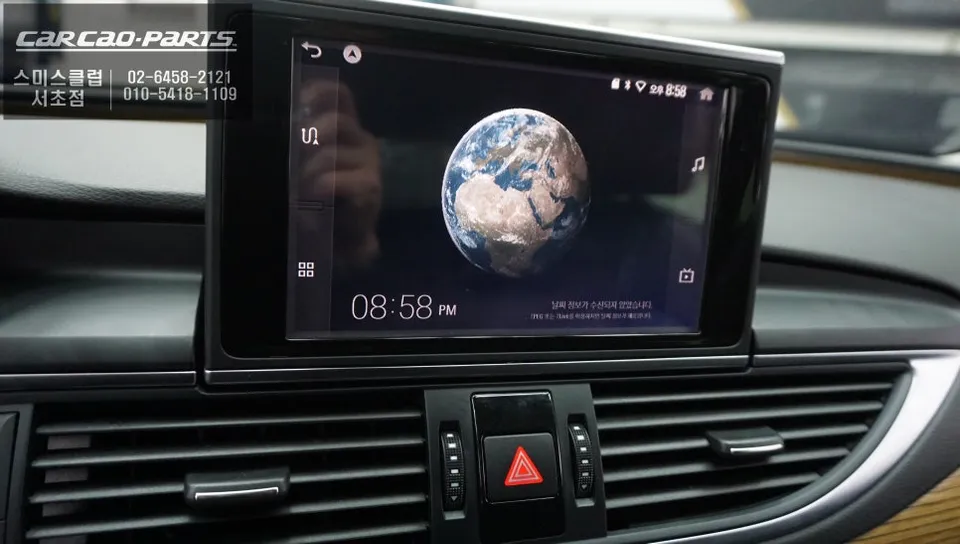
Key Features of the I-navi X3
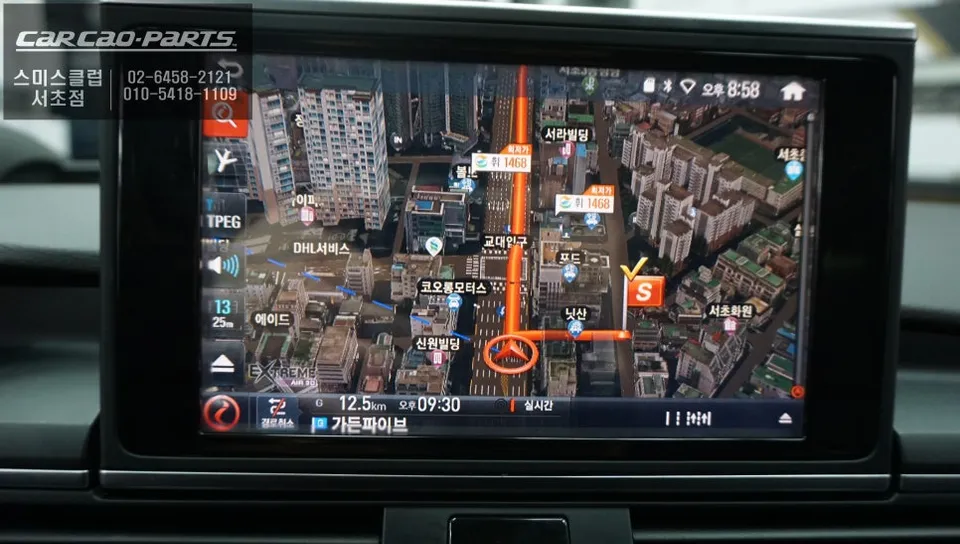
1. Extreme 3D Maps for Precise Guidance
The I-navi X3 features an Extreme 3D map that realistically renders buildings and terrain, making it easier to orient yourself. It offers rapid route recognition, especially in complex intersections or unfamiliar areas, significantly reducing driving confusion.
2. Real-time Traffic Information and CCTV Integration
Beyond standard TPEG traffic data, the I-navi X3 utilizes T-Link services. This provides navigation based on accumulated traffic statistics, considering not only current conditions but also typical traffic patterns for specific times and routes. Real-time access to nationwide CCTV footage further enhances the accuracy of road condition assessments.
3. HD DMB and PIP Functionality
Enjoy high-definition DMB broadcasts while driving. The Picture-in-Picture (PIP) feature allows you to view the navigation and DMB simultaneously. For safety, it's recommended to minimize screen interaction while driving.
Audi A7 Installation Process
The installation involved several key steps to ensure a fully integrated and functional system:
- Factory Touch Panel Retrofit: A touch sensor panel was carefully attached to the back of the original monitor, connected to a signal processing circuit. Precise installation is crucial for responsive touch control.
- Audi-Specific Interface Connection: An interface module designed for Audi's CAN-BUS system was installed. This allows the I-navi X3 to communicate seamlessly with the vehicle's original electronics without damaging existing wiring harnesses.
- I-navi X3 CUBE Set-Top Box Installation: The set-top box was discreetly mounted in a location that ensures good heat dissipation, typically under the dashboard or behind the center fascia. All wiring was meticulously organized, and the NAV button function was reconfigured for smooth switching between the factory and I-navi systems.
This comprehensive upgrade provides the Audi A7 owner with a modern, feature-rich navigation experience while maintaining the integrity of the original vehicle's interior and functionality.
Frequently Asked Questions
Q. How much does a dash cam installation cost for an Audi A7?
The I-navi X3 CUBE installation for an Audi A7, including touch sensor retrofit and interface module, typically ranges from ₩800,000 to ₩1,200,000 in Korea. In the US, a comparable integrated dash cam system could cost between $600 and $1000, depending on the unit and installation complexity.
Q. How long does a dash cam installation last on an Audi A7?
A professionally installed dash cam system like the I-navi X3 can last for many years, often exceeding the vehicle's lifespan, provided quality components are used. Regular software updates and ensuring clean connections during installation will help maintain optimal performance over time.
Q. Is a dash cam worth it for an Audi A7?
A dash cam is highly recommended for Audi A7 owners who find their factory navigation system lacking in speed or features. It offers significant value by providing advanced navigation, real-time traffic data, and safety features, enhancing both convenience and driving awareness.
Q. How is a dash cam installed on an Audi A7?
Installation involves retrofitting a touch sensor to the factory screen, connecting an Audi-specific interface module, and mounting the I-navi X3 CUBE set-top box discreetly. Wiring is carefully managed, and the factory NAV button is reprogrammed to switch between systems.
Q. What is the best dash cam option for an Audi A7?
For an Audi A7, the I-navi X3 CUBE offers an excellent integrated solution, leveraging the factory screen and controls. While dedicated aftermarket units exist, this type of integrated system provides the most seamless user experience and retains original aesthetics.
Kakao Parts