Hyundai Elantra Android Head Unit Review: Cost & Results
Before
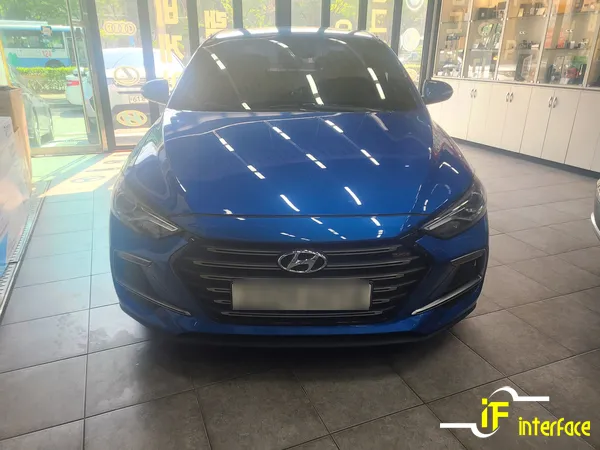
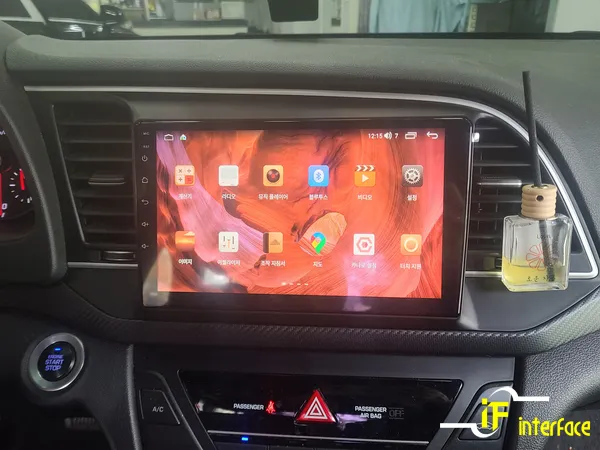
After
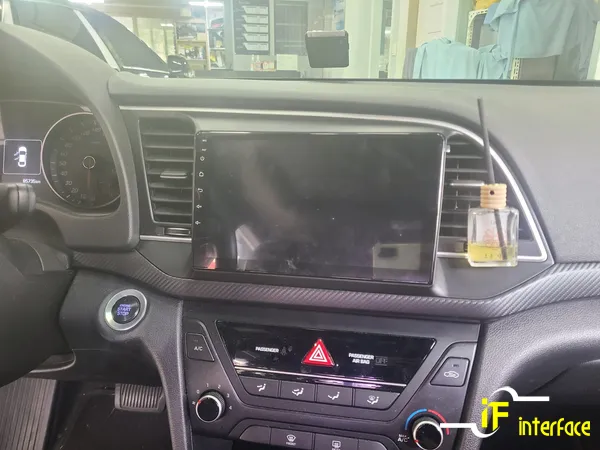
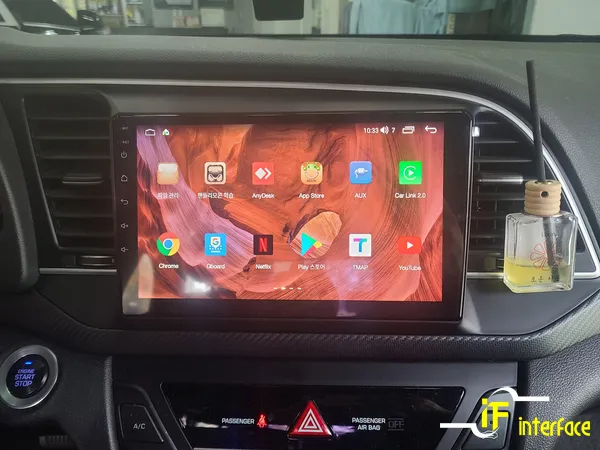
Process photos

Hyundai Elantra Android head unit upgrade: approx. ₩700,000. Get modern features, apps, and improved navigation.
Hyundai Elantra Android Head Unit Installation and Review
This review covers the installation of an Android all-in-one head unit for the Hyundai Elantra, focusing on the user experience, cost, and overall value. The service was performed by Interface, a specialized installer in Gimhae Jangyu, South Korea. The goal is to provide English-speaking car owners with insights into upgrading their vehicle's infotainment system, whether they're considering a CarPlay retrofit, an Android Auto upgrade, or a comprehensive infotainment upgrade.
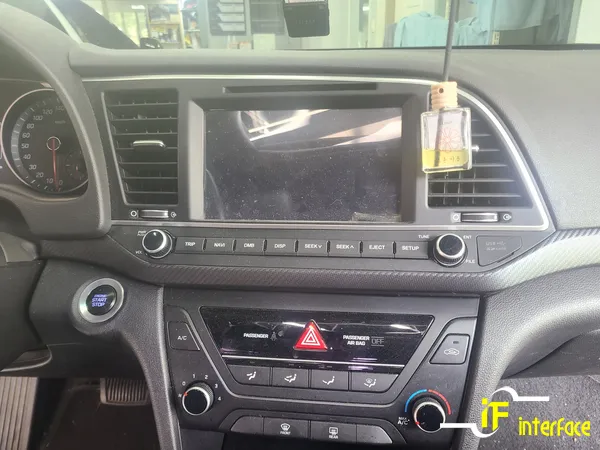
Before and After: The Infotainment Transformation
The most striking aspect of installing an Android head unit is the immediate visual and functional transformation of the car's dashboard. Older Elantra models often come with basic infotainment systems that lack modern features like seamless smartphone integration, advanced navigation, and a large, responsive touchscreen. The Android all-in-one unit replaces the factory system, offering a significantly larger display (often 9-10 inches) with a modern interface. This upgrade provides access to a vast ecosystem of apps, including navigation tools like Google Maps and Waze, streaming services, and more, all controllable via the touchscreen or voice commands. The before-and-after results are dramatic, turning a dated cabin into a tech-forward environment. The installation process itself is designed to integrate cleanly, maintaining a factory-like appearance while vastly improving functionality. This type of infotainment upgrade is particularly appealing for drivers who rely heavily on their smartphones for daily tasks and entertainment.
Installation Process and Durability Considerations
The installation of an Android head unit in a Hyundai Elantra is a professional process typically handled by specialized car audio and electronics shops. While the exact steps can vary slightly depending on the specific unit and vehicle model, the general procedure involves carefully removing the factory radio and climate controls, disconnecting wiring harnesses, and then connecting the new Android unit. The new unit is designed to fit into the existing dashboard space, often requiring a custom fascia adapter for a perfect fit. The wiring is crucial, ensuring all original functions (like steering wheel controls, backup camera, and door sensors) are retained or integrated with the new system. The process usually takes a few hours to complete.
Installation process:
- Dashboard Disassembly: Carefully remove trim pieces and the factory head unit to access wiring.
- Wiring Integration: Connect the new Android head unit's harness to the vehicle's existing connectors, ensuring all functions are mapped correctly.
- Unit Mounting: Secure the new Android head unit into the dashboard, using any necessary mounting brackets or fascia adapters for a flush fit.
- System Testing: Power on the unit and test all features, including touch response, audio output, navigation, and connectivity.
Regarding durability, these units are generally built to withstand the vibrations and temperature fluctuations of a vehicle environment. However, like any electronic device, longevity depends on the quality of the unit and the professional installation. Maintenance is minimal, primarily involving keeping the screen clean and ensuring software updates are applied when available. The key is to choose a reputable brand and have it installed by experienced technicians to minimize potential issues down the line.
Is an Android Head Unit Upgrade Worth It for Your Elantra?
Deciding whether an Android head unit is worth the investment for your Hyundai Elantra depends on your priorities and budget. The cost for the unit and installation in Korea, as seen in this example, is around ₩700,000 (approximately $500-$550 USD, subject to exchange rates). For this price, you gain a modern, feature-rich infotainment system that significantly enhances the driving experience. If your current Elantra's system feels outdated, lacks essential smartphone integration like Apple CarPlay or Android Auto, or you simply desire a more advanced navigation and entertainment hub, then this upgrade can be highly beneficial. It's especially valuable for those who spend a lot of time in their car and want to maximize connectivity and convenience. The all-in-one navigation and app capabilities offer a level of functionality that factory systems often can't match without much higher costs.
Frequently Asked Questions
Q. How much does Android head unit or CarPlay installation cost for a Hyundai Elantra?
The installation cost for this Android head unit in Korea was approximately ₩700,000. In the US, similar CarPlay or Android Auto retrofit installations can range from $400 to $1,000 depending on the unit's features and complexity.
Q. How long does Android head unit installation take on a Hyundai Elantra?
Android head unit installations typically take a few hours to complete, usually between 2-4 hours. Proper maintenance involves keeping the screen clean and ensuring the software is up-to-date for optimal performance and security.
Q. Is a CarPlay or Android Auto retrofit worth it for a Hyundai Elantra?
A CarPlay or Android Auto retrofit is highly worth it for Elantra owners who want modern smartphone integration and access to apps. It significantly enhances the infotainment experience, making daily driving more convenient and enjoyable.
Q. How is an Android head unit installed in a Hyundai Elantra?
Installation involves carefully removing the factory head unit, disconnecting the wiring harness, and connecting the new Android unit using a custom harness and fascia adapter. The system is then tested to ensure all functions, including steering wheel controls and cameras, work correctly.
Q. What is the difference between an Android head unit and a factory infotainment system for a Hyundai Elantra?
An Android head unit offers a significantly larger touchscreen, access to a wide range of apps via the Google Play Store, and seamless smartphone integration for CarPlay and Android Auto. Factory systems are typically more limited in features and app support.
OhCar Partner Shop