Mercedes-Benz GLA Android Auto Head Unit Review — Enhanced Infota
Service Price
$150+
Estimated price · Actual price may vary by shop

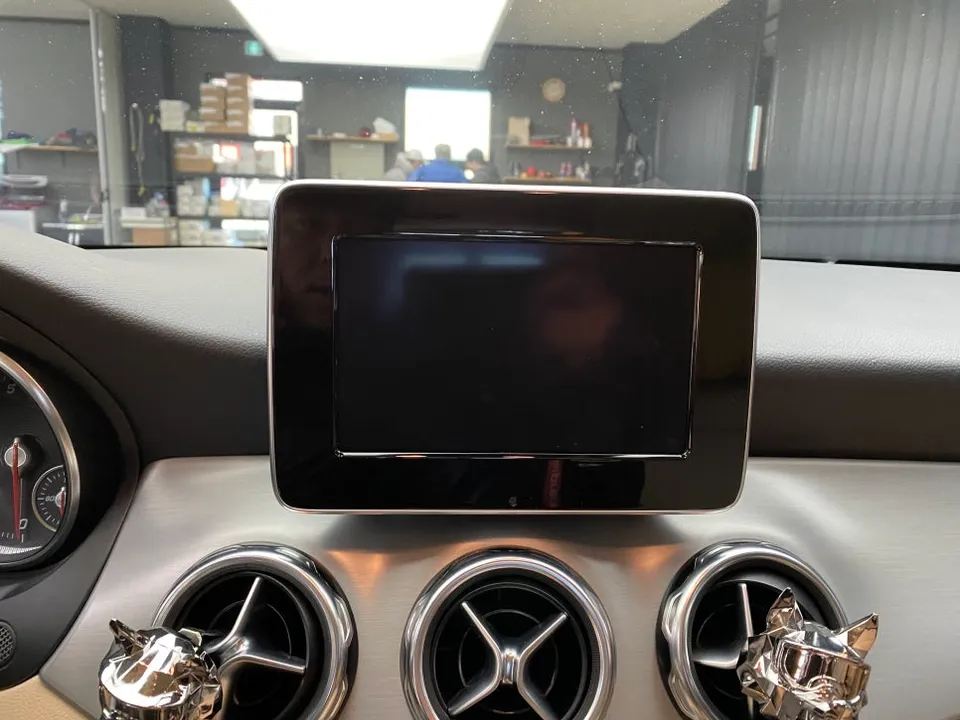
Mercedes-Benz GLA Android all-in-one infotainment upgrade: 12.5-inch screen, 8GB RAM. Enhances navigation and app usage.
Why Upgrade Your Mercedes-Benz GLA Infotainment?
Many luxury car owners find themselves upgrading their navigation systems, and the Mercedes-Benz GLA is no exception. The stock monitor is often criticized for its small size and slow response times. Switching to an Android all-in-one system can dramatically transform your driving experience. This review details the process of installing a 12.5-inch Android all-in-one unit in a GLA, offering a significant upgrade over the factory setup.
Addressing GLA's Stock Navigation Limitations
The factory-installed monitor in the Mercedes-Benz GLA is frequently described as having a cramped display and sluggish touch responsiveness. Operating the navigation or media playback can feel outdated for a modern vehicle. Furthermore, the display can appear dim during nighttime driving, making map readability challenging, and the lack of up-to-date map data is a common frustration. These shortcomings drive many GLA owners to consider the advantages of an Android all-in-one system, which goes beyond simple screen expansion to offer the versatility of smartphone-like app usage.
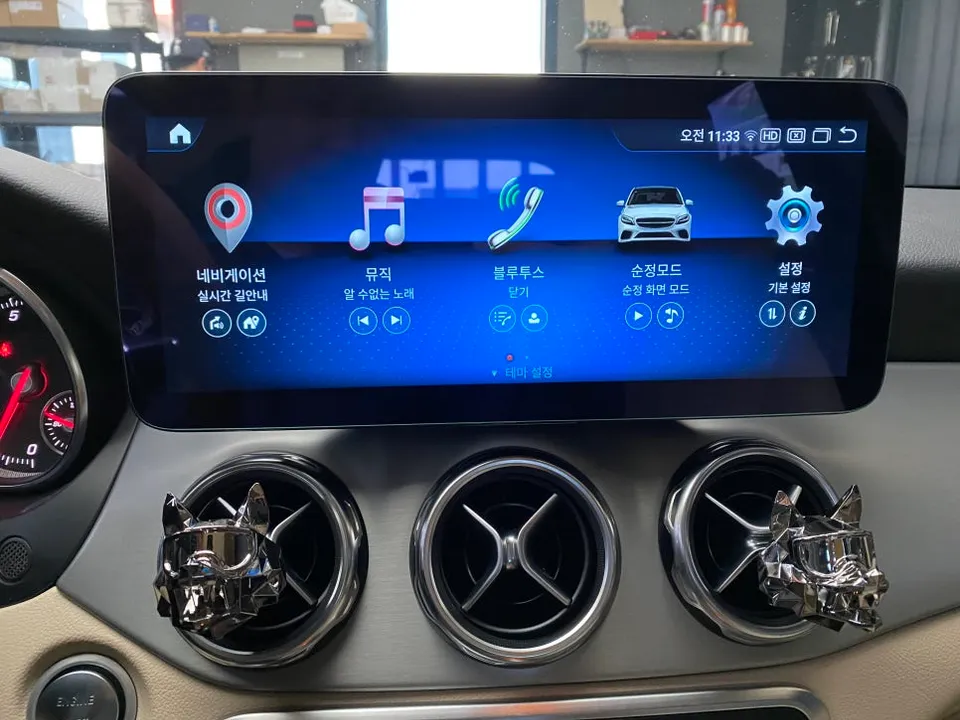
Installation Process: Mercedes-Benz GLA Android All-in-One
The installation begins with a thorough inspection of the vehicle's interior, focusing on the dashboard's electrical wiring and identifying all connections to the existing monitor. Mercedes-Benz vehicles feature a complex CAN bus system, making pre-installation compatibility checks crucial to ensure seamless integration with original functions. Before removal, the workshop collects vehicle data, including saved navigation routes and Bluetooth pairings, to ensure these can be transferred to the new system.
- Dashboard Disassembly: Carefully remove the dashboard trim surrounding the original monitor. Special attention is paid to protecting the air vents flanking the screen, a common feature on the GLA.
- Wiring Harness Connection: The most critical step involves connecting the new wiring harness. Given the complexity of Mercedes-Benz CAN bus signals, power, and ground wires, precise connections are vital. Incorrect wiring can lead to instrument cluster errors or persistent warning lights. An experienced technician will use the appropriate CAN bus interface cable to maintain full vehicle functionality.
- Unit Mounting and Testing: Securely mount the new 12.5-inch Android all-in-one unit into the dashboard. After physical installation, comprehensive testing is performed to verify all integrated functions, including steering wheel controls, audio, and climate control integration.
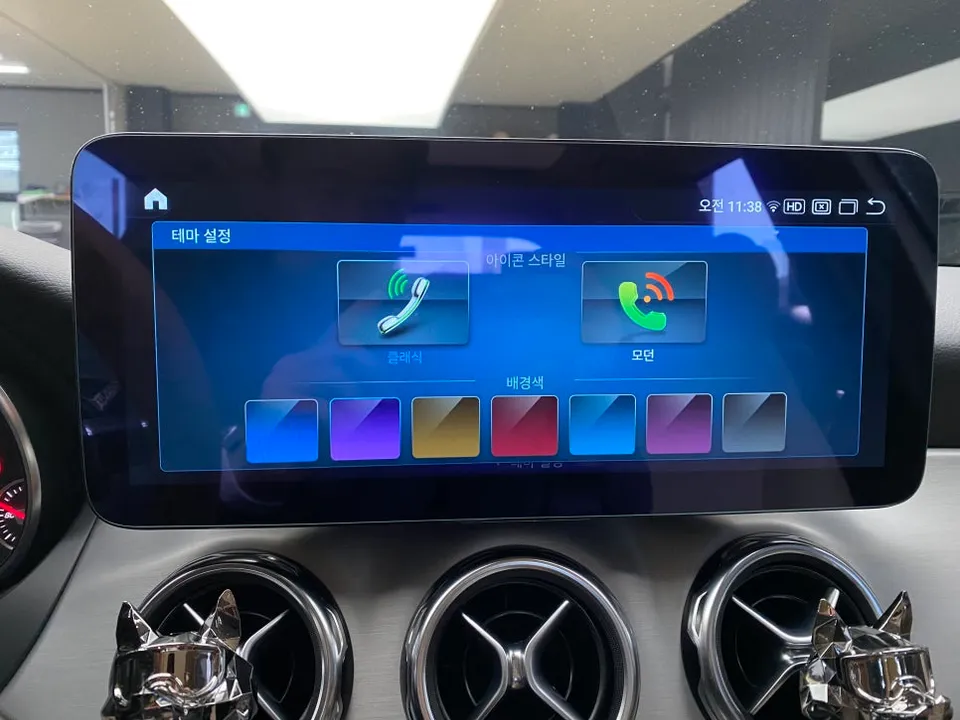
12.5-Inch Android All-in-One System Specifications and Performance
The installed unit boasts impressive specifications: 8GB of RAM, 256GB of internal storage, and a Snapdragon 662 processor. This configuration represents a high-end option in the current aftermarket Android head unit market, delivering performance consistent with its RAM capacity. The display is a 12.5-inch IPS panel featuring blue light filtering technology, designed to reduce eye strain during extended drives, particularly beneficial for night navigation. The screen's brightness is significantly higher than the stock unit, ensuring excellent readability even in direct sunlight.
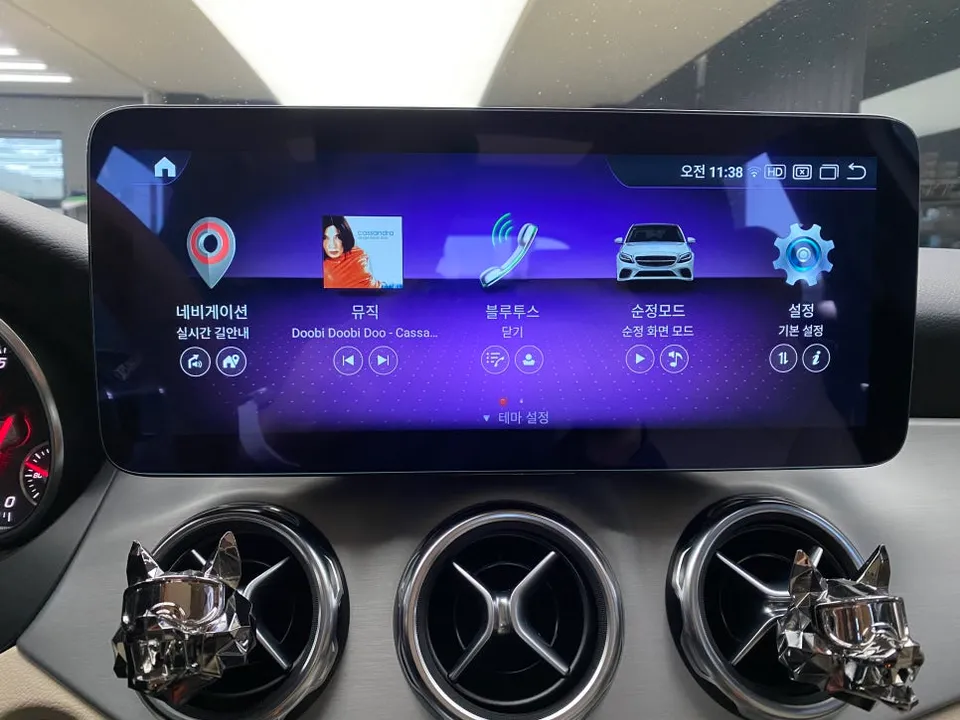
Seamless Integration with Mercedes-Benz Features
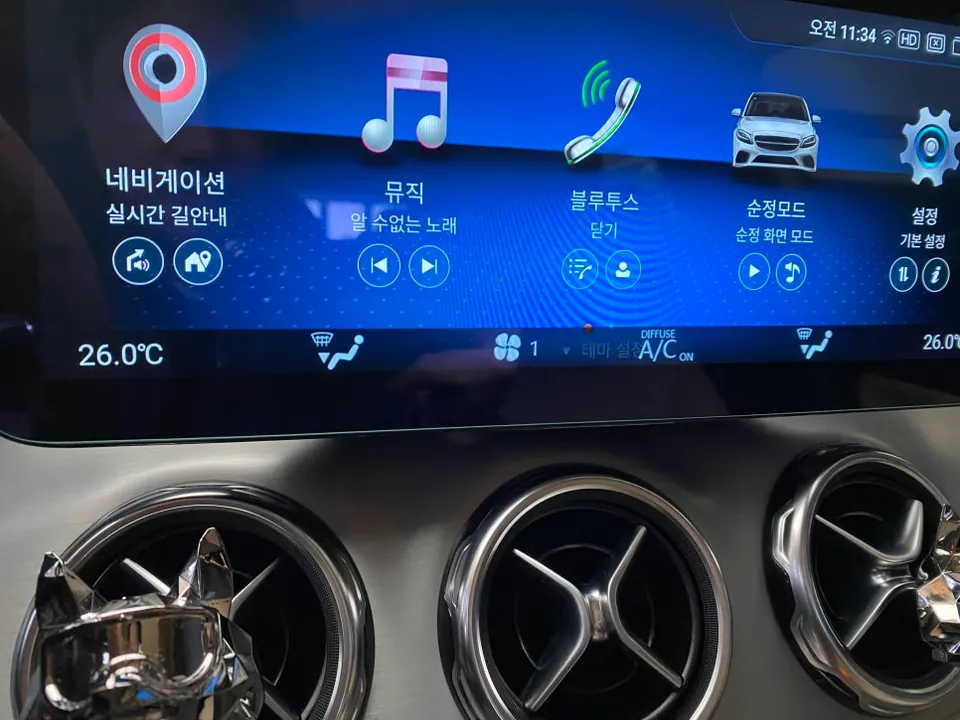
A primary concern for many is the compatibility of aftermarket systems with the vehicle's original functions. Fortunately, this Android all-in-one system integrates smoothly with the Mercedes-Benz CAN bus, preserving essential original features. The instrument cluster (cluster) remains fully functional, displaying vital information such as RPM, speed, and door status on the new infotainment screen. Climate control adjustments are also reflected on the screen via an on-screen notification. The original reverse camera also functions seamlessly with the new unit.
Frequently Asked Questions
Q. How much does an Android all-in-one system cost for a Mercedes-Benz GLA?
The cost for this specific 12.5-inch Android all-in-one system installation in Korea was not explicitly stated in the provided text, but similar high-spec units in the US can range from $600 to $1500, depending on features and installation.
Q. How long does an Android all-in-one system last on a Mercedes-Benz GLA?
Android all-in-one systems are generally designed for the lifespan of the vehicle, typically lasting 5-10 years with proper care. To ensure longevity, avoid exposing the unit to extreme temperatures and ensure clean power connections during installation.
Q. Is an Android all-in-one system worth it for a Mercedes-Benz GLA?
An Android all-in-one system is highly recommended for Mercedes-Benz GLA owners seeking a modern infotainment experience, especially those frustrated by the stock unit's limitations. It offers significant value through enhanced usability, app access, and a superior display.
Q. How is an Android all-in-one system installed on a Mercedes-Benz GLA?
Installation involves carefully removing the original dashboard trim and monitor, connecting a specialized wiring harness that integrates with the vehicle's CAN bus system, and securely mounting the new 12.5-inch unit. Testing ensures all original functions like steering wheel controls and climate display are retained.
Q. What is the best Android all-in-one system option for a Mercedes-Benz GLA?
For the Mercedes-Benz GLA, systems with at least 8GB RAM and 256GB storage, like the Snapdragon 662 unit reviewed, offer excellent performance and responsiveness. Prioritize units that explicitly state compatibility with Mercedes-Benz CAN bus systems for seamless integration.
Fox Parts