Mercedes-Benz GLC Android Head Unit Review — Seamless Integration
Service Price
$150+
Estimated price · Actual price may vary by shop

Upgrading Your Mercedes-Benz GLC with a 12.5-Inch Android Navigation System
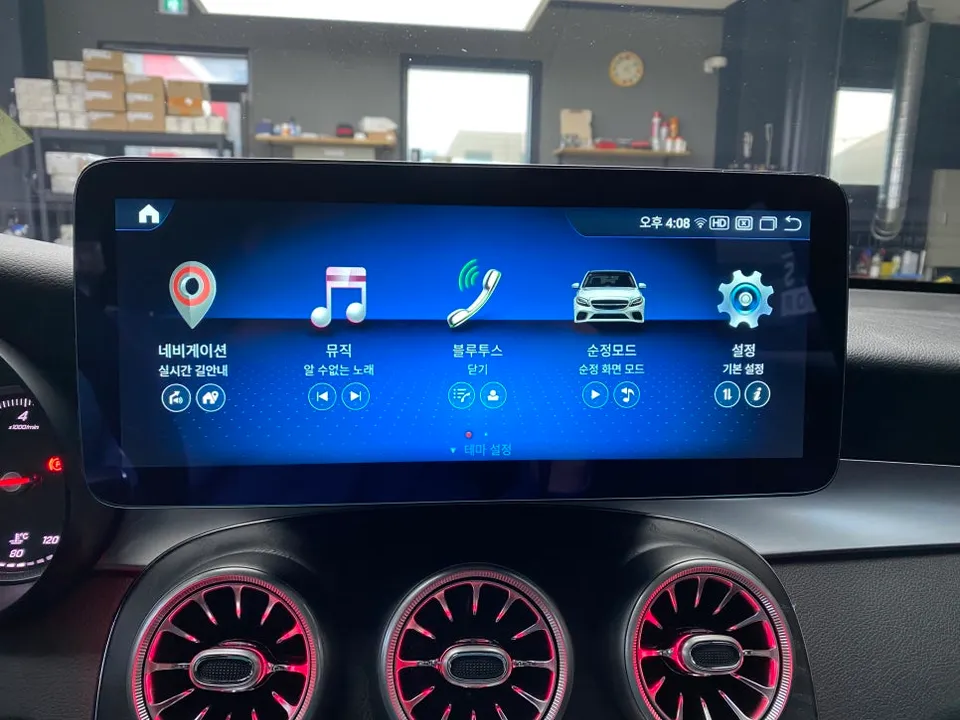
For Mercedes-Benz GLC owners looking to enhance their driving experience, the installation of a large-screen Android all-in-one navigation system is a popular choice. This upgrade not only modernizes the vehicle's interior but also integrates advanced connectivity and entertainment features. Today, we'll walk through the process and benefits of installing a 12.5-inch Android navigation unit in a Mercedes-Benz GLC. The entire process is designed to be completed efficiently, typically within about an hour, ensuring you can enjoy your upgraded system on the same day. A key highlight of this installation is its seamless compatibility with the vehicle's original functions.
Vehicle: Mercedes-Benz GLC
Service: 12.5-inch Android All-in-One Navigation System Installation
Display Specifications: Snapdragon 662 / 8GB RAM / 256GB Storage
Installation Time: Approximately 1 hour
Installation Location: Today's Car Incheon Branch
Understanding Head Unit Compatibility for Mercedes-Benz Vehicles
Before proceeding with an Android navigation upgrade for your Mercedes-Benz, it's crucial to understand the different head unit versions. Mercedes-Benz vehicles typically use one of three head unit systems: NTG4.0, NTG4.5, or NTG5.0. The Mercedes-Benz GLC models are equipped with the NTG5.0 version. Identifying your vehicle's specific head unit version is essential because it dictates which Android navigation units are compatible and what additional modules or configurations might be necessary. This ensures a smooth integration without compromising existing features.
A common issue encountered with some NTG5.0 vehicles, particularly models like the A-Class, GLA, CLA, A45 AMG, and W212, is audio-visual sync lag, often referred to as 'sync delay,' when playing videos. This means the audio and video might not play in perfect unison. To resolve this, a specialized module tailored to the vehicle's specific characteristics is required. Choosing a specialized Mercedes-Benz installer ensures that these intricate compatibility details are addressed, guaranteeing optimal performance.
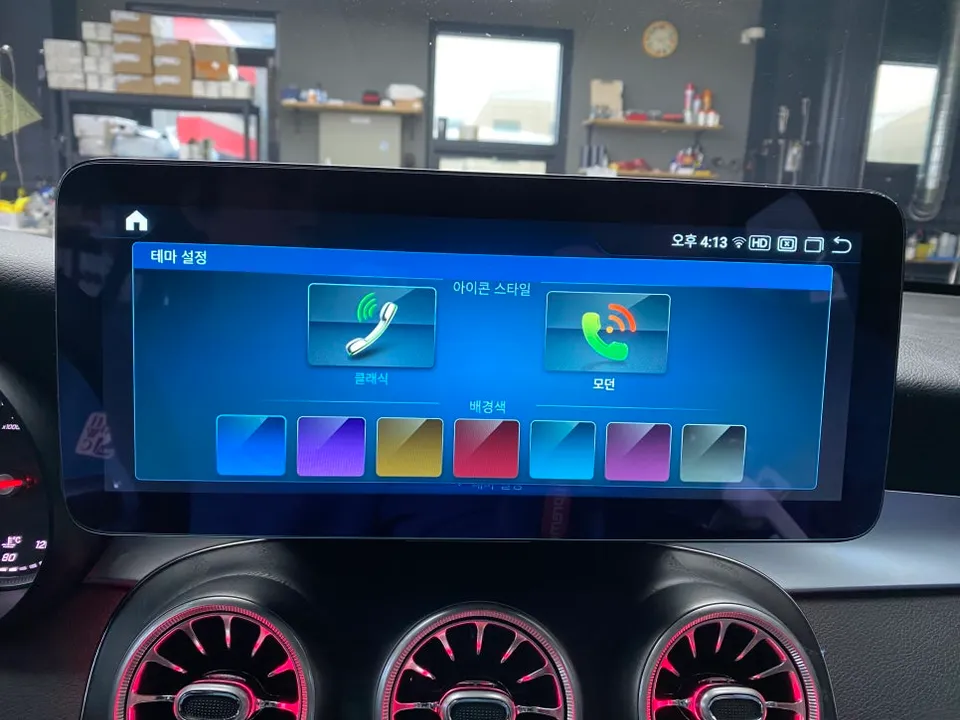
Installation Process:
- Initial Vehicle Inspection: Upon arrival, the technician will first assess the current head unit status of the Mercedes-Benz GLC.
- Removal of Original Unit: The existing factory navigation system is carefully removed to make way for the new display.
- Connection of New System: The 12.5-inch Android all-in-one display is connected. Precise cable routing and power wiring are critical at this stage to ensure all subsequent functions operate correctly.
- System Configuration and Testing: After physical installation, the system is configured, and all functions, including touch responsiveness, audio, video, and connectivity, are thoroughly tested.
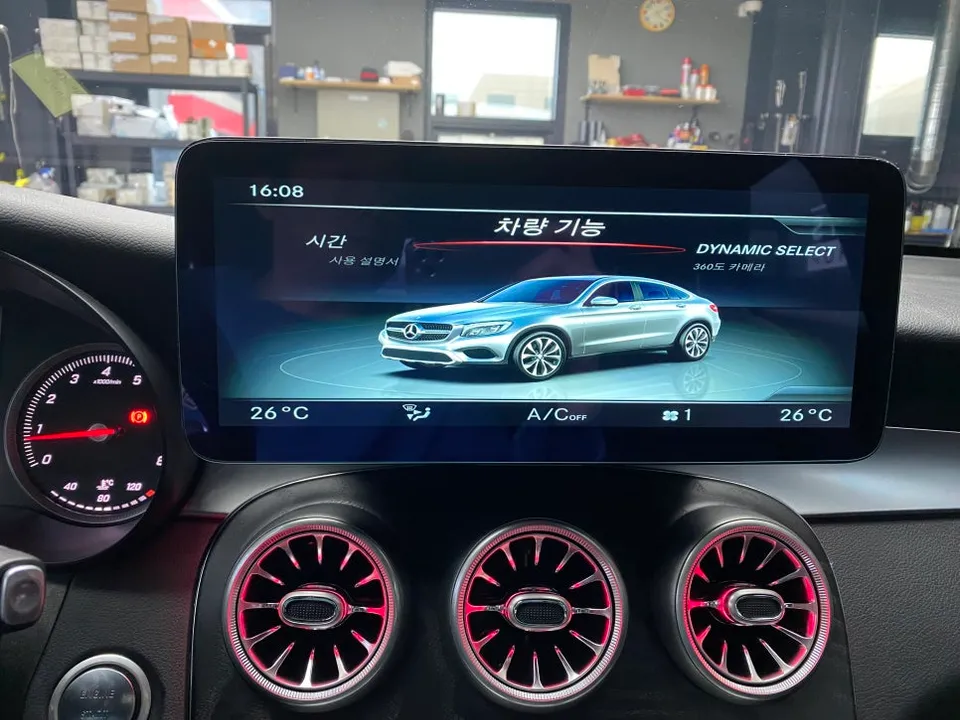
Performance, UI, and Customization Options
The newly installed Android navigation system boasts impressive specifications, featuring a Snapdragon 662 processor, 8GB of RAM, and 256GB of internal storage. This powerful configuration ensures that most applications run smoothly, and navigation functions operate without lag or stuttering. The display also incorporates a blue light reduction feature, making it easier on the eyes during nighttime driving.
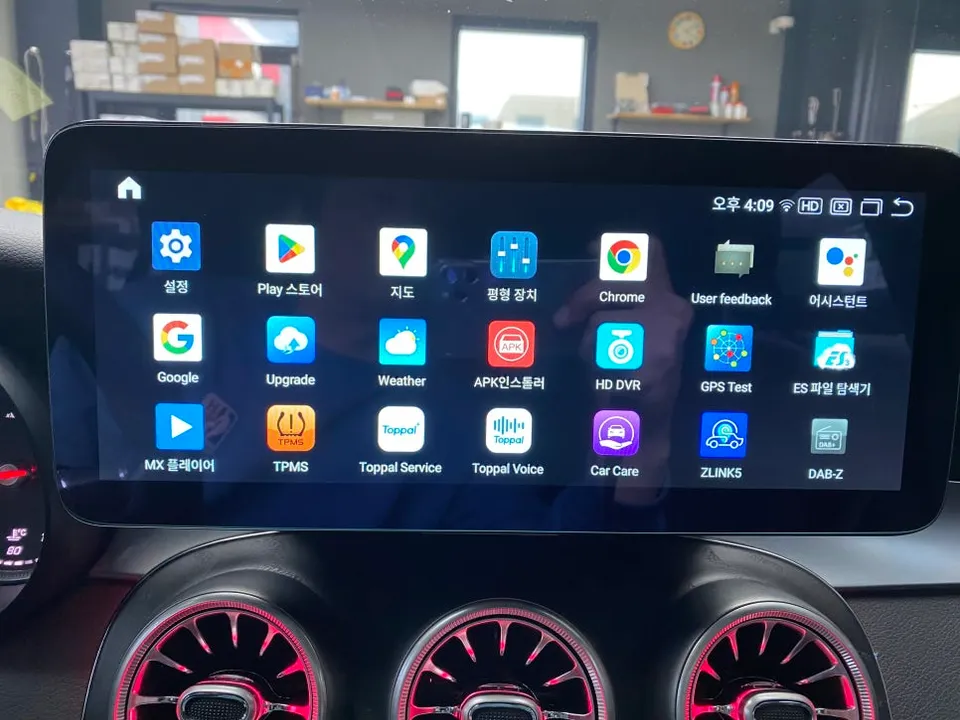
The main user interface (UI) is designed for intuitive use and offers a high degree of customization. You can personalize the home screen by choosing from seven different background colors and modifying app icons to suit your preferences. Importantly, all original vehicle functions remain fully accessible and integrated, meaning you don't lose any of the features you're accustomed to from the factory setup. The system comes with pre-installed apps optimized for automotive use, and you can easily log in to the Google Play Store to download additional applications. This flexibility allows you to tailor the system to your specific needs, whether it's for navigation, entertainment, or productivity.
For navigation, the system comes pre-loaded with popular Korean navigation apps such as T Map, Kakao Navi, and Naver Maps, ensuring you have reliable navigation options right out of the box. You can also set up shortcuts for frequently used apps like navigation, music, or video players directly on the home screen for quick access while driving. This enhances convenience and safety by minimizing distractions.
Fox Parts