Mercedes-Benz GLC Android Head Unit Review — 12.5-inch Screen Upg
Service Price
$150+
Estimated price · Actual price may vary by shop

Android head unit on Mercedes-Benz GLC: Enjoy a responsive
Is Your Mercedes-Benz GLC's Infotainment System Holding You Back?
Even in a premium vehicle like the Mercedes-Benz GLC, the factory infotainment system can often feel outdated and restrictive. Slow navigation updates and limited smartphone integration are common frustrations. This is why many GLC owners are turning to an upgrade: replacing the stock head unit with an Android all-in-one system. Today, we're diving into a real-world installation on a Mercedes-Benz GLC to see if this upgrade is truly worth the investment.
Stock vs. Android All-in-One: A World of Difference
Understanding the core difference is key. Your Mercedes-Benz GLC's original system is a closed-off, manufacturer-controlled unit with a fixed set of features. In contrast, an Android all-in-one head unit runs on Google's familiar Android operating system, transforming your car's dashboard into a customizable platform, much like your smartphone. This opens up a universe of possibilities.
Performance and Usability
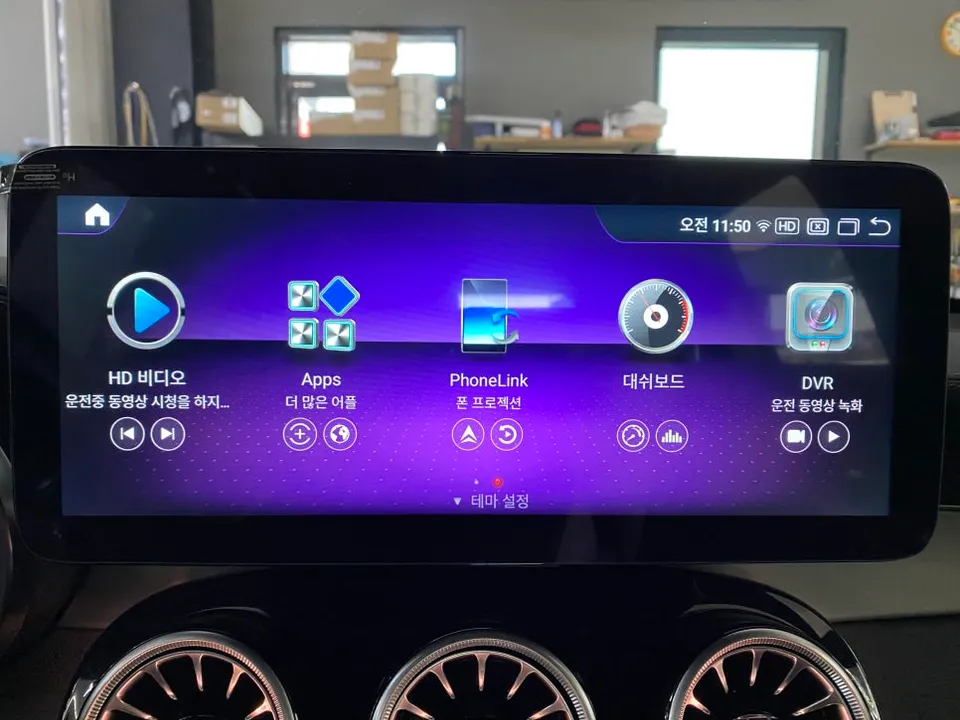
Stock systems are notorious for their laggy response times. You tap the screen, and a second or two passes before anything happens. Android all-in-one units, often powered by modern mobile chipsets like the Snapdragon 662 with ample RAM (8GB) and storage (256GB), offer near-instantaneous responsiveness. This means smooth operation of apps like YouTube, Google Maps, and Waze, making daily use a pleasure rather than a chore.
Navigation Freedom
Forget being locked into the manufacturer's proprietary navigation. With an Android system, you can download and use any navigation app you prefer directly from the Google Play Store. Whether you're a fan of Google Maps, Waze, or local favorites like T Map or Kakao Map, you can use the app you're most comfortable with. Real-time traffic updates are also significantly faster and more reliable.
Enhanced Multitasking
The ability to multitask is a game-changer. Android head units support Picture-in-Picture (PIP) mode, allowing you to view navigation directions while simultaneously watching a YouTube video or checking messages. This level of convenience is simply not possible with most stock systems and dramatically improves the driving experience.
The Android All-in-One Installation Process on a Mercedes-Benz GLC
Our featured installation was performed by a certified specialist in Incheon. The GLC owner, frustrated with the sluggish performance of their original navigation, sought a more modern and responsive solution. After consultation, the decision was made to upgrade to a cutting-edge Android all-in-one head unit.
Installation Process:
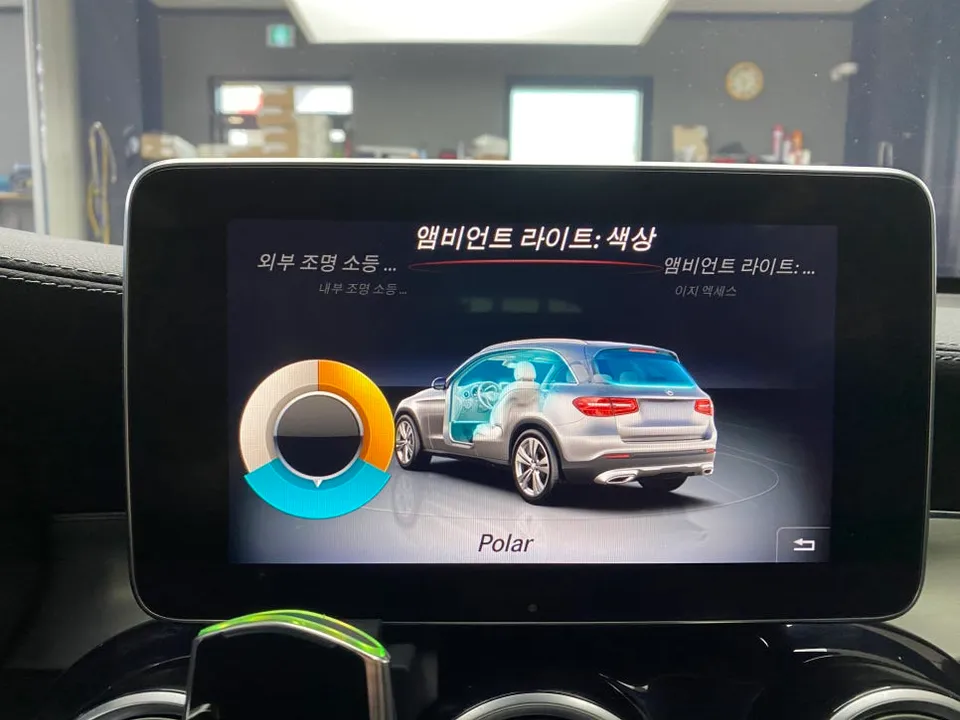
- Initial Assessment: The technician carefully inspects the existing 10-inch factory touchscreen and surrounding dashboard trim.
- Panel Removal: The interior trim panels are meticulously removed to gain access to the original head unit and its wiring harnesses.
- Component Swap: The original unit is disconnected, and the new 12.5-inch Android all-in-one unit is carefully connected and secured.
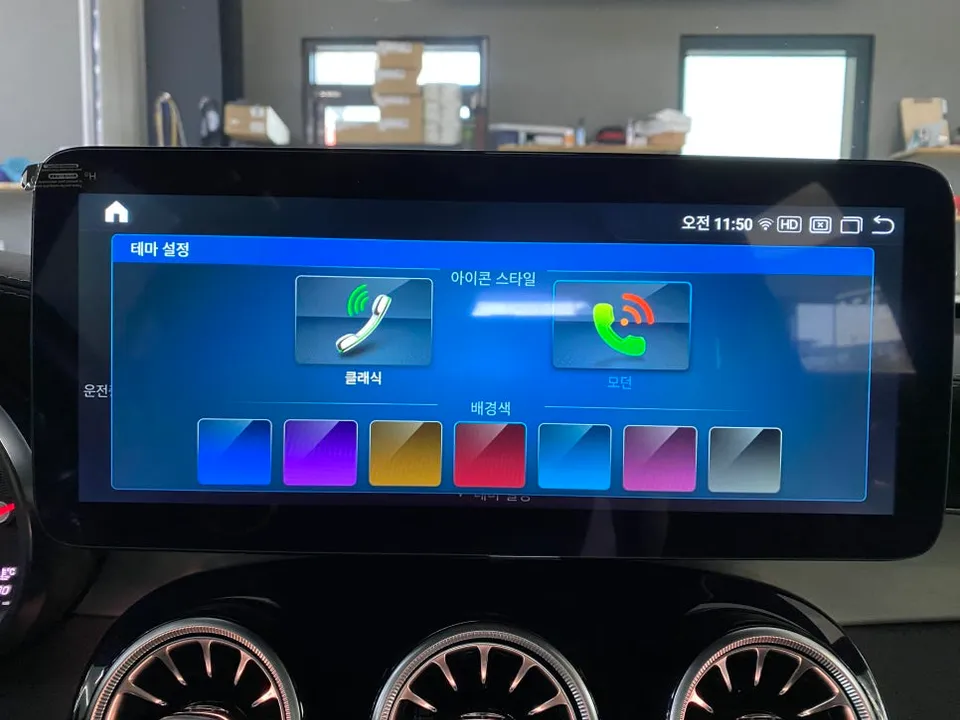
- Software Configuration: After physical installation, the system is powered on, and initial software setup, including theme customization and app installation, begins.
Upgrading to a 12.5-Inch Display
The chosen upgrade was a 12.5-inch Full HD Android all-in-one head unit. This larger screen provides a significantly wider viewing area compared to the original 10-inch display. A notable feature of this particular unit is its blue light filter, designed to reduce eye strain during long drives, enhancing comfort for the driver.
Software Customization and Final Touches
Once the hardware is installed, the focus shifts to software. The user interface can be personalized with custom wallpapers and icon styles to match the owner's preferences. Essential apps like T Map, Kakao Map, Naver Map, and YouTube come pre-installed and are ready to use. Any additional apps can be easily downloaded and installed by logging into the Google Play Store, offering unparalleled flexibility.
The integration ensures that original vehicle functions, such as steering wheel controls and climate settings, remain fully compatible and accessible through the new system, providing a seamless user experience.
Fox Parts