Mercedes-Benz GLC Android Auto Head Unit Review — Seamless Infota
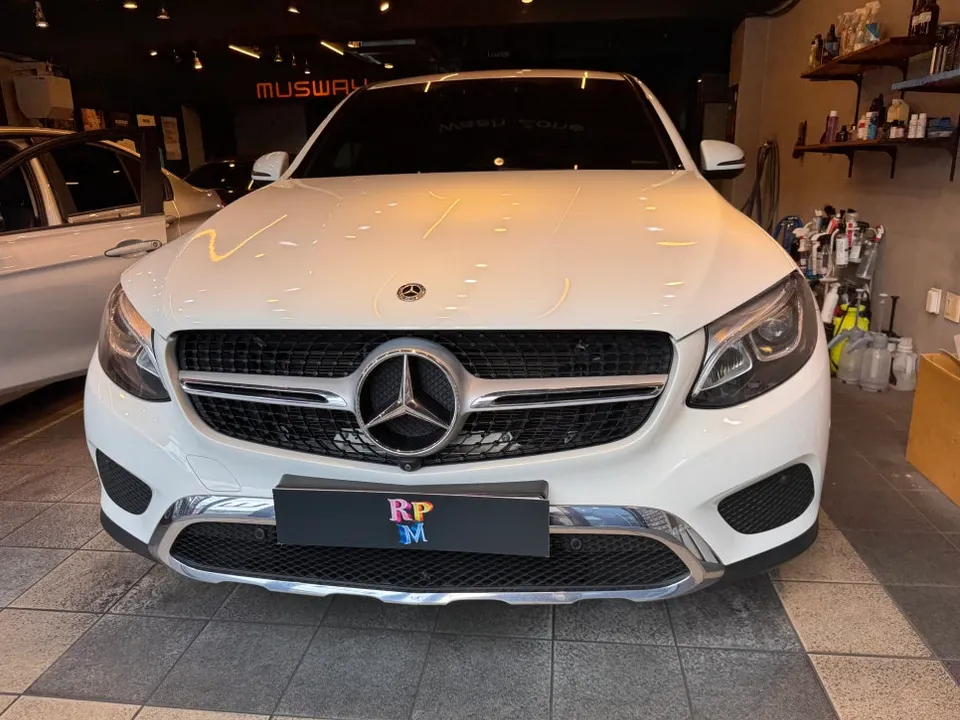
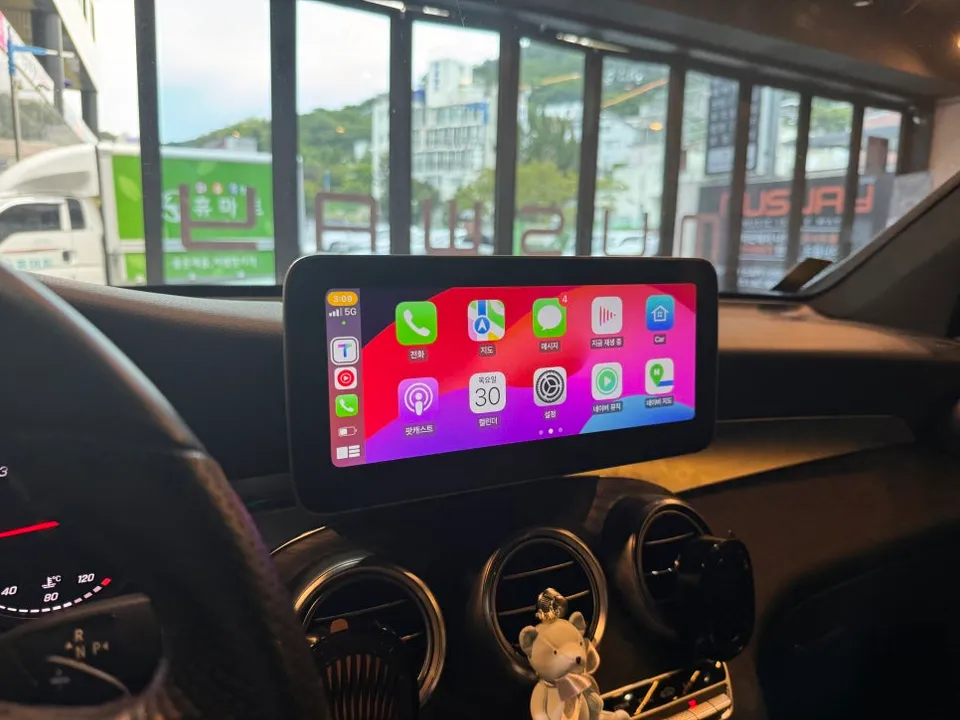
Mercedes-Benz GLC X253 Android Auto head unit upgrade: ₩750,000. Enjoy wireless CarPlay, split-screen, and app support.
Why Your Mercedes-Benz GLC Needs an Android Infotainment Upgrade
Many Mercedes-Benz X253 GLC220D owners find the stock navigation system lacking. Common complaints include slow map updates, inaccurate directions, and a complex interface. The biggest issue is the inability to directly use popular, up-to-date navigation apps like TMAP or KakaoMap. While the GLC comes with native CarPlay and Android Auto, they are wired-only, forcing drivers to handle their phones unsafely. This is why the installation of a 10.25-inch touch-enabled display with wireless CarPlay and Android Auto is rapidly gaining popularity among GLC owners.
Wireless CarPlay & Android Auto: The Key Differences
Stock CarPlay is limited to iPhones, and Android Auto to Android phones. However, the new 10.25-inch touch display supports both, ensuring compatibility regardless of whether your family uses iPhones or Android devices. The true game-changer is wireless connectivity. Unlike the stock system's reliance on wired connections (Lightning or USB), which leads to cable clutter and rapid phone battery drain, this aftermarket system pairs seamlessly via Bluetooth and Wi-Fi. Once connected, it remains paired for effortless wireless use on every drive. USB ports are also available for optional wired connections.
The Magic of Split-Screen Functionality
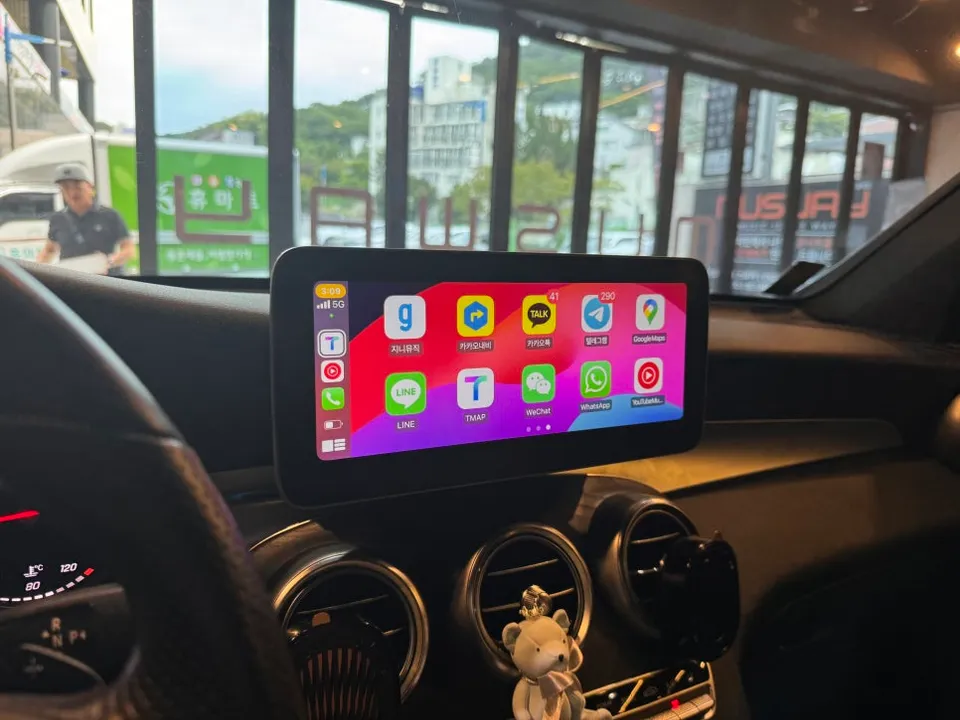
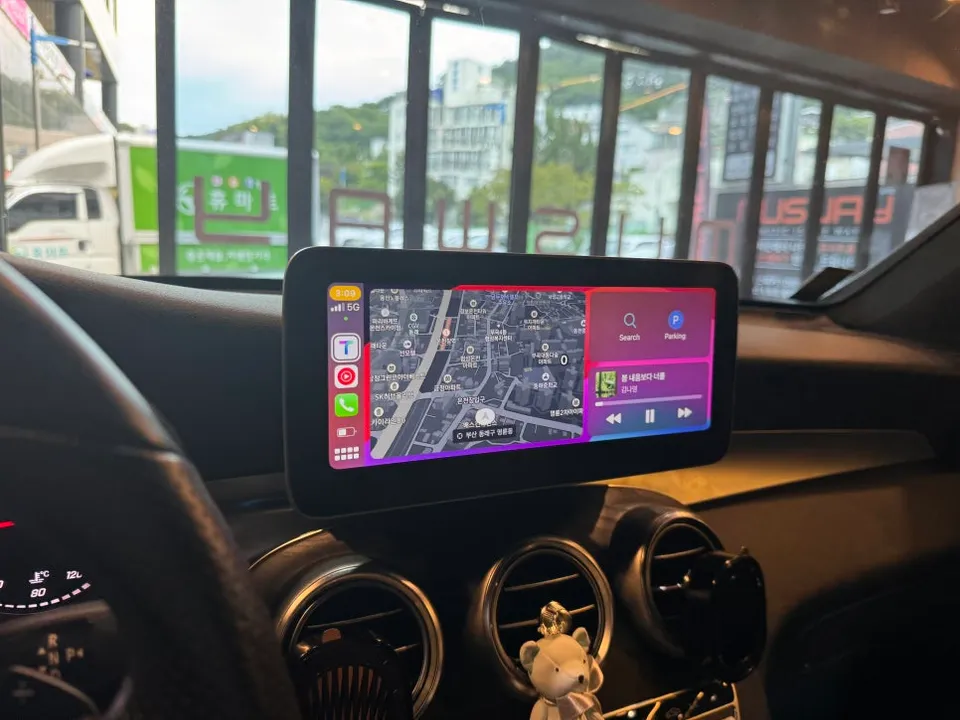
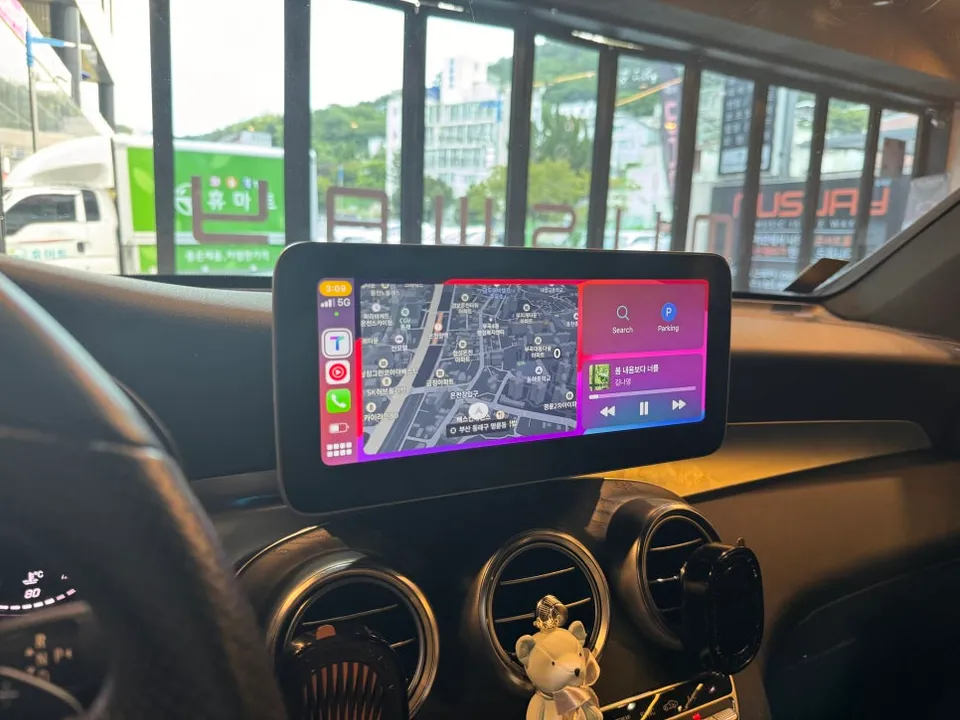
One of the most praised features after installation is the split-screen capability. This allows you to display a navigation app like TMAP on one side of the screen while simultaneously playing music from a streaming app on the other. You can follow directions, manage your music, and even handle calls or messages without taking your eyes off the road. While this feature is standard on higher-end luxury vehicles, it's often missing in mid-range models like the GLC. Once you experience the convenience of split-screen with Android Auto and CarPlay, returning to the limitations of the stock system becomes difficult for most users.
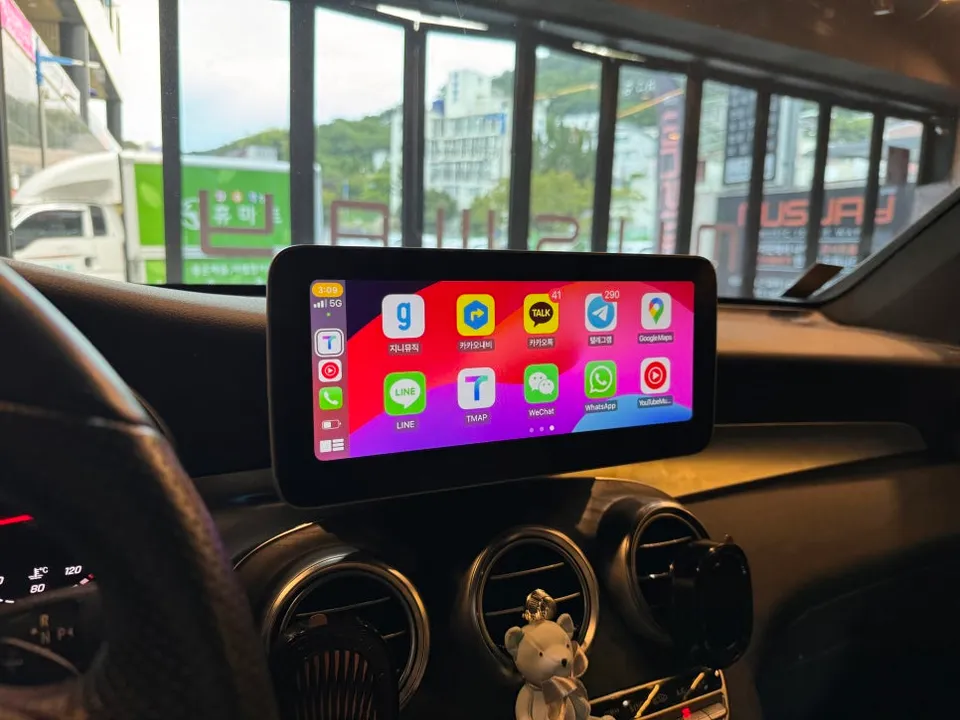
App Compatibility: What You Can Use
The Android infotainment system supports a wide range of applications:
- Navigation Apps: TMAP, KakaoMap, Google Maps, and virtually any other mapping service.
- Music Apps: Seamless streaming from services like Melon, Spotify, and YouTube Music.
- Messenger Apps: Send and receive messages via KakaoTalk, WhatsApp, or Line using voice commands for safe, hands-free operation.
It's important to note that video streaming apps like YouTube, Netflix, or TVING are restricted for safety reasons while driving. They can only be used when the vehicle is stationary.
Preserving Your Original Mercedes-Benz Features
Installing the new 10.25-inch display does not compromise any of your vehicle's original functions. Safety features such as the rearview camera and 360-degree surround view camera integrate perfectly with the new system, operating just as they did before. This is achieved through a Plug and Play (PnP) installation method that connects to the existing wiring without modification. This non-invasive approach ensures that the system can be easily reverted to its original state if needed, posing no issues for vehicle warranty claims or resale value.
Installation Process:
- Connect the new 10.25-inch display unit via the provided PnP wiring harness.
- Integrate the unit with the vehicle's existing infotainment bus signals.
- Secure the display and test all integrated functions, including wireless CarPlay/Android Auto and original vehicle features.
Frequently Asked Questions
Q. How much does an Android all-in-one system cost for a Mercedes-Benz GLC X253?
This specific 10.25-inch Android infotainment system for the Mercedes-Benz GLC X253 is priced at ₩750,000 (approximately $550 USD). Typical US pricing for similar aftermarket head unit upgrades can range from $400 to $1,200 depending on features and brand.
Q. How long does an Android all-in-one system last on a Mercedes-Benz GLC X253?
With proper installation and care, these aftermarket Android systems are designed to last for many years, often matching the lifespan of the vehicle's original components. To ensure longevity, avoid exposing the unit to extreme temperatures and ensure clean power connections during installation.
Q. Is an Android all-in-one system worth it for a Mercedes-Benz GLC X253?
An Android all-in-one system is highly worth it for Mercedes-Benz GLC X253 owners seeking modern infotainment features like wireless CarPlay, Android Auto, and split-screen functionality. It significantly enhances the driving experience by overcoming the limitations of the stock navigation and infotainment system.
Q. How is an Android all-in-one system installed on a Mercedes-Benz GLC X253?
Installation is typically a Plug and Play (PnP) process, meaning it connects directly to the vehicle's existing wiring harness without cutting or splicing wires. 1. The new 10.25-inch display unit is connected using the provided PnP harness. 2. The system integrates with the car's existing infotainment signals. 3. The display is secured, and all functions are tested.
Q. What is the best Android all-in-one system option for a Mercedes-Benz GLC X253?
The best option is a system offering seamless wireless CarPlay and Android Auto with a high-resolution split-screen display, like the 10.25-inch unit reviewed here. This provides the most significant upgrade over the stock infotainment, offering superior usability and features.
OhCar Partner Shop