Mercedes-Benz GLC300 Android Head Unit Review — Seamless Smartpho
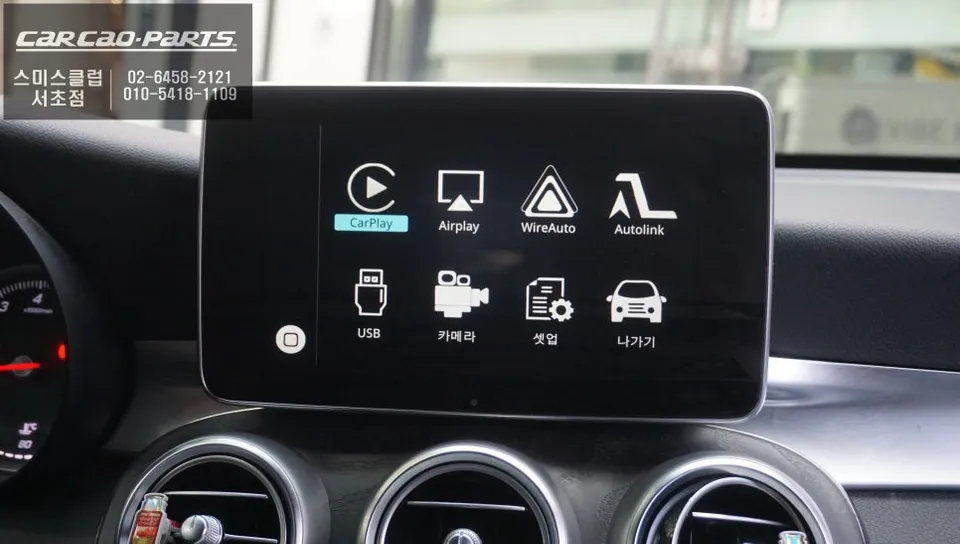
Android Head Unit upgrade for Mercedes-Benz GLC300: Seamless CarPlay/Android Auto integration via LVDS. Retains factory screen quality.
Upgrade Your Mercedes-Benz GLC300's Navigation System
The 2019 Mercedes-Benz GLC300, while a premium vehicle, often leaves owners wanting more from its built-in navigation system. The factory unit suffers from slow map updates and inadequate real-time traffic information, frequently failing to provide the most efficient routes. This is a common pain point for GLC300 owners. Fortunately, integrating an Android Head Unit solution allows for the seamless connection of popular navigation apps like TMAP and KakaoMap to your car's original display, resolving these issues effectively.
Seamless Integration: The LVDS Method for GLC300
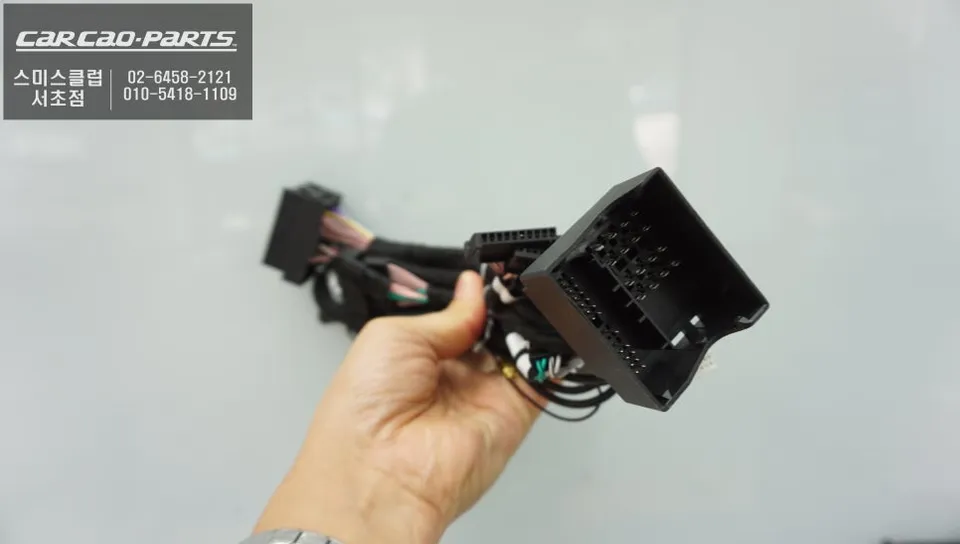
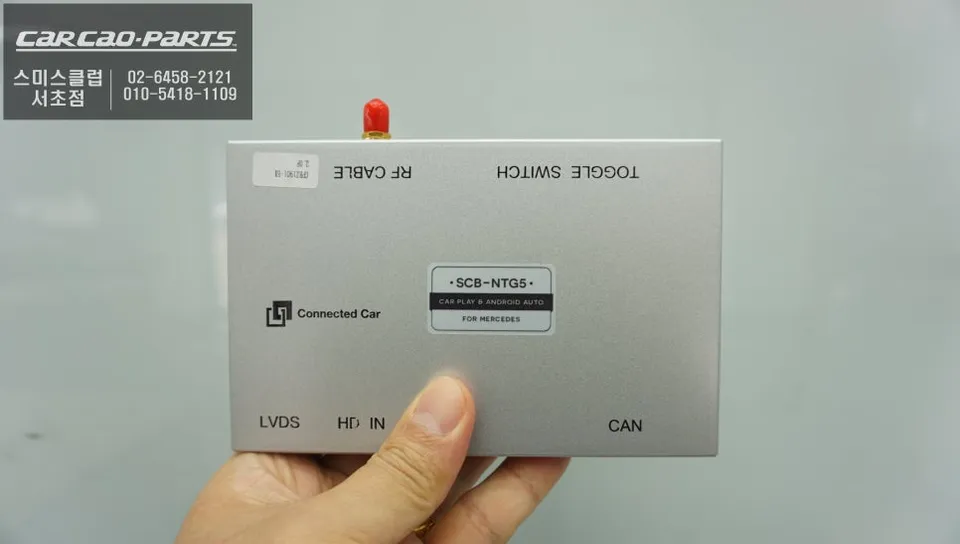
Our approach to installing an Android Head Unit for the Mercedes-Benz GLC300 prioritizes preserving the factory look and feel. We utilize a plug-and-play (pin-by-pin) installation method that avoids any damage to the original wiring. This is not a simple external box attachment; instead, we employ a dedicated Mercedes-Benz CarPlay module that works via an LVDS (Low-Voltage Differential Signaling) connection. This high-definition integration effectively reroutes the original monitor's signal to display CarPlay functionality, ensuring the visual quality remains identical to the factory standard. The primary advantage is adding advanced features without compromising the vehicle's original integrity.
Understanding LVDS and the Installation Process
LVDS is the industry standard for transmitting digital signals in automotive navigation systems with minimal loss. Unlike basic CarPlay box installations that can degrade image quality through analog signal conversion, the LVDS method maintains the original signal integrity. This means your screen's clarity, color depth, and response time remain at their factory-set levels. The installation process is meticulous and involves three key stages:
- Diagnostic and Wiring Diagram Analysis: Our technicians carefully identify the navigation connector within the GLC300's interior. Benz vehicles have specific wiring standards that vary by model, so pinpointing the correct LVDS signal lines behind the factory monitor is crucial for the 2019 GLC300.
- CarPlay Module Installation and Signal Linking: We connect the Mercedes-Benz specific CarPlay module according to the diagnostic findings. The LVDS signal is then input (IN) to the module and output (OUT) to the monitor. Crucially, the original wiring harness remains untouched; the module simply intercepts and processes the signal.
- Audio Module Integration: Since the 2019 GLC300 lacks a standard AUX port for audio output, a specialized USB AUX module is required. This module converts the USB signal from the CarPlay system into an AUX signal, which is then routed through the car's speakers. We install this module discreetly within the vehicle for a clean finish.
Effortless Operation and Connectivity
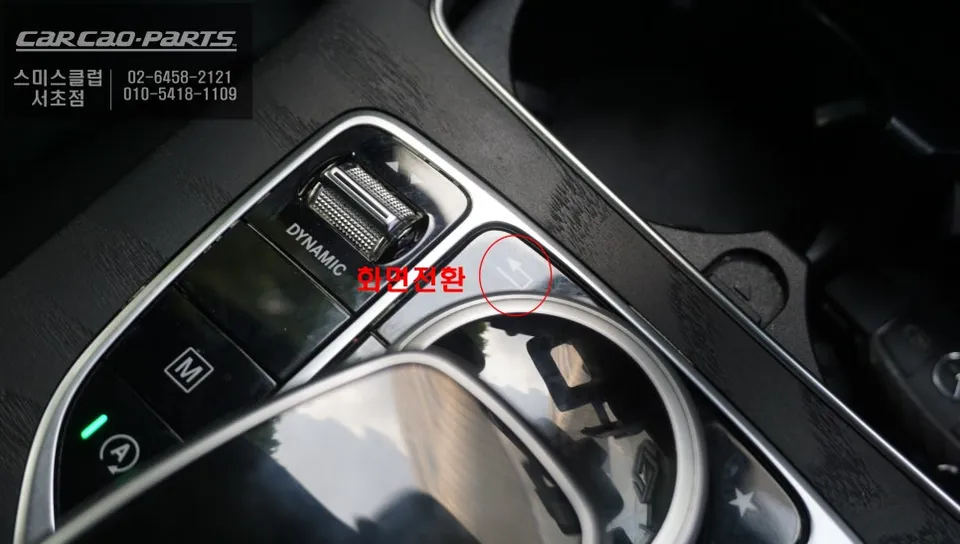
Operating the new system is straightforward. A simple 2-second press of the factory screen-switching button (usually a physical button) toggles between the original interface and the CarPlay display. Once in CarPlay mode, you can connect your smartphone via USB (recommended for optimal performance and stability) or Bluetooth for access to Apple CarPlay or Android Auto. This upgrade transforms your GLC300's infotainment, offering modern navigation and app integration while preserving the premium feel of your Mercedes-Benz.
Frequently Asked Questions
Q. How much does an Android Head Unit cost for a Mercedes-Benz GLC300?
The Android Head Unit upgrade for the Mercedes-Benz GLC300, utilizing the LVDS method, is priced at 450,000 Korean Won. Typical US installations for similar high-definition integration can range from $500 to $1200 USD.
Q. How long does an Android Head Unit last on a Mercedes-Benz GLC300?
The installed Android Head Unit module is designed for long-term durability, typically lasting for the lifespan of the vehicle's infotainment system. Regular software updates for the module and your connected smartphone are recommended to ensure optimal performance and security.
Q. Is an Android Head Unit worth it for a Mercedes-Benz GLC300?
An Android Head Unit is highly recommended for 2019 Mercedes-Benz GLC300 owners frustrated with the factory navigation's limitations. It offers a significant upgrade in usability and functionality by providing access to modern navigation apps on the original screen, enhancing the driving experience considerably.
Q. How is an Android Head Unit installed on a Mercedes-Benz GLC300?
Installation involves: 1. Analyzing the vehicle's specific wiring diagrams to locate the factory navigation connectors. 2. Connecting a Mercedes-Benz specific CarPlay module using a plug-and-play method that doesn't damage original wiring. 3. Inputting the LVDS signal into the module and outputting it to the factory monitor. 4. Integrating a USB AUX module for audio output, as the 2019 GLC300 lacks a standard AUX port.
Q. What is the best Android Head Unit option for a Mercedes-Benz GLC300?
The LVDS-based integration method, as described, is the superior option for the Mercedes-Benz GLC300 as it maintains original screen quality and utilizes a non-invasive, plug-and-play installation. This method ensures seamless functionality and visual fidelity, unlike simpler analog conversion kits.
Kakao Parts