Mercedes-Benz GLC300 Carplay Integration Review
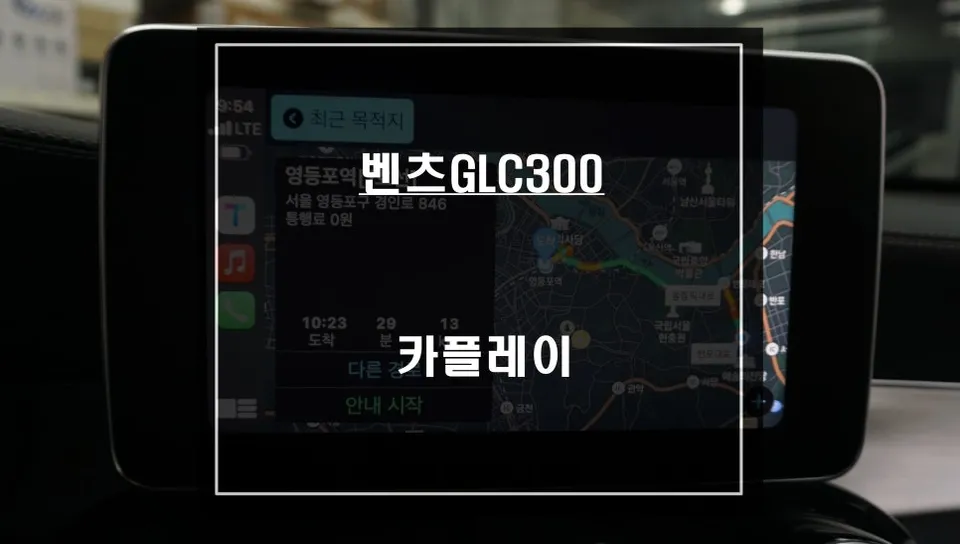
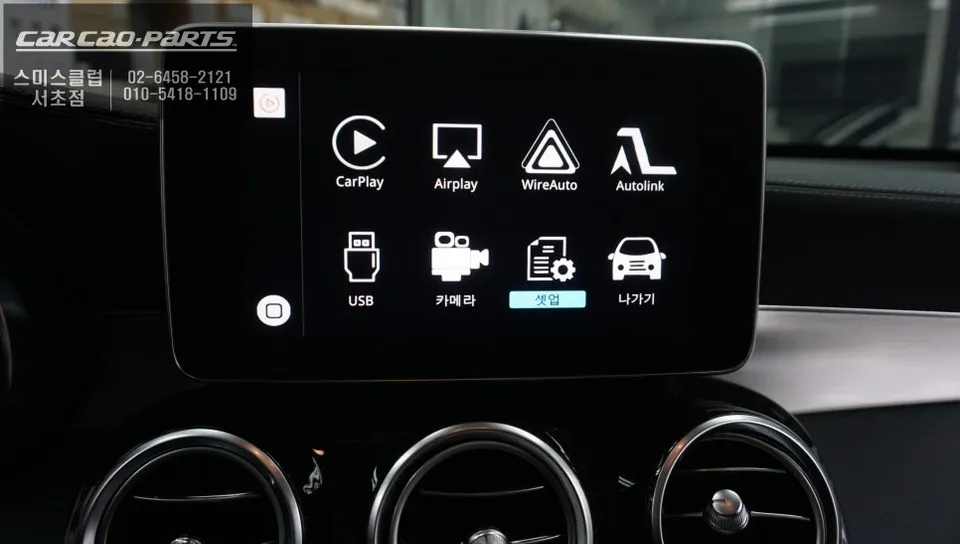
Mercedes-Benz GLC300 Carplay integration enhances your original monitor with smart navigation and entertainment. Seamless, non-invasive installation.
Upgrade Your Mercedes-Benz GLC300 with Seamless Carplay Integration
Many Mercedes-Benz GLC300 owners, especially those with models from 2019 and earlier, face the challenge of integrating modern smartphone connectivity into their existing infotainment systems. While newer models often come standard with Apple Carplay, older vehicles require an aftermarket solution. This review details the process and benefits of integrating Carplay into a Mercedes-Benz GLC300, allowing for the use of familiar smartphone applications like navigation and music streaming directly through the car's original monitor. The focus is on a non-invasive installation method that preserves the vehicle's original wiring and functionality.
Seamless Integration and Non-Invasive Installation
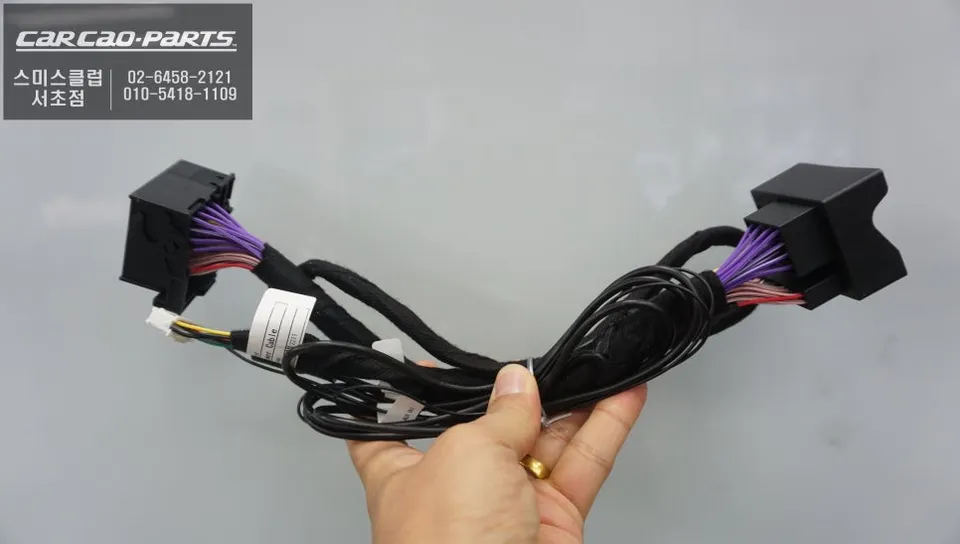
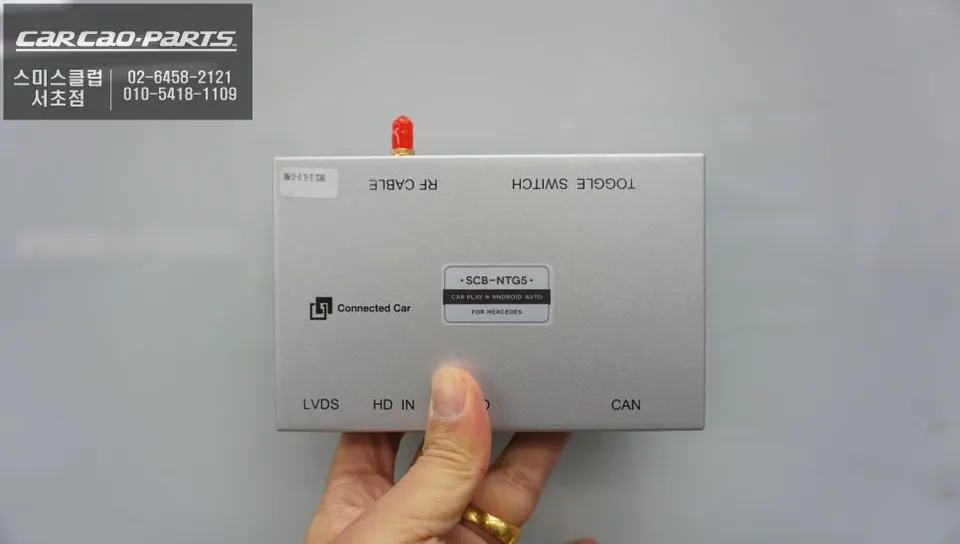
The primary concern for many vehicle owners when considering aftermarket upgrades is the potential for damage to the original system. The installation process described here utilizes a "jack-by-jack" (or clip-by-clip) method, ensuring that no original wiring is cut or compromised. This approach allows for a parallel connection, meaning the original wiring harness remains intact. This is crucial for maintaining the integrity of the vehicle's electronics and allows for easy reversal if necessary. The Carplay module itself is designed to integrate seamlessly with the Mercedes-Benz system, functioning as a unified interface that enhances the existing monitor's capabilities without requiring a complete replacement.
Installation Process:
- Connect the Carplay interface module using the vehicle-specific wiring harness, ensuring a plug-and-play connection without cutting any original wires.
- Integrate the module with the vehicle's existing infotainment system, often requiring activation through coding to enable external input.
- Connect the smartphone via USB to the newly installed port to activate Carplay functionality.
- Configure audio output through the car's AUX input, enabling voice commands and audio playback through the vehicle's speakers.
Enhanced Functionality and User Experience
Once installed, using Carplay is remarkably straightforward. A simple press of the original screen's function button for two seconds activates the Carplay interface. Connecting your iPhone or Android smartphone via the provided USB port instantly enables access to a suite of applications. The most significant advantage is the ability to use real-time navigation apps such as T-Map or Kakao Map, which provide up-to-the-minute traffic information and optimal routing – a feature often lacking in older factory navigation systems. This ensures you always have the most efficient route based on current road conditions. Furthermore, music streaming services like Melon and YouTube Music can be controlled directly through the Carplay interface, with song changes and playback managed via voice commands or the car's rotary dial. Crucially, all original functions, including the reverse camera, remain fully operational and seamlessly integrated with the new Carplay display. Voice control and the original jog dial are fully functional, allowing for safe and convenient operation while driving, eliminating the need to touch the screen.
Frequently Asked Questions
Q. How much does Carplay integration cost for a Mercedes-Benz GLC300?
The cost for Carplay integration on a Mercedes-Benz GLC300 can vary, but typically ranges from ₩500,000 to ₩1,000,000 in Korea. In the US, similar aftermarket Carplay installations can range from $300 to $800 depending on the vehicle and specific module used.
Q. How long does Carplay integration last on a Mercedes-Benz GLC300?
Carplay integration modules are designed for long-term use, often lasting the lifespan of the vehicle's infotainment system, typically 5-10 years or more. Regular software updates for the module and ensuring clean USB connections can help maintain optimal performance.
Q. Is Carplay integration worth it for a Mercedes-Benz GLC300?
Carplay integration is highly recommended for Mercedes-Benz GLC300 owners who want to use modern smartphone navigation and entertainment apps. It significantly enhances the user experience by bringing real-time traffic data and familiar app interfaces to the original car display.
Q. How is Carplay integration done on a Mercedes-Benz GLC300?
Carplay integration on a Mercedes-Benz GLC300 is typically done using a specialized interface module. The process involves connecting the module via a plug-and-play harness to the car's original wiring, ensuring no factory wires are cut. After installation, the system is often coded to activate the external input, and a USB port is made available for smartphone connection.
Q. What is the best Carplay integration option for a Mercedes-Benz GLC300?
The best option for a Mercedes-Benz GLC300 is an interface that offers seamless integration with the original screen and controls, using a non-invasive 'clip-by-clip' installation method. This ensures full compatibility with existing features like the reverse camera and allows control via the car's original jog dial and voice commands.
Kakao Parts