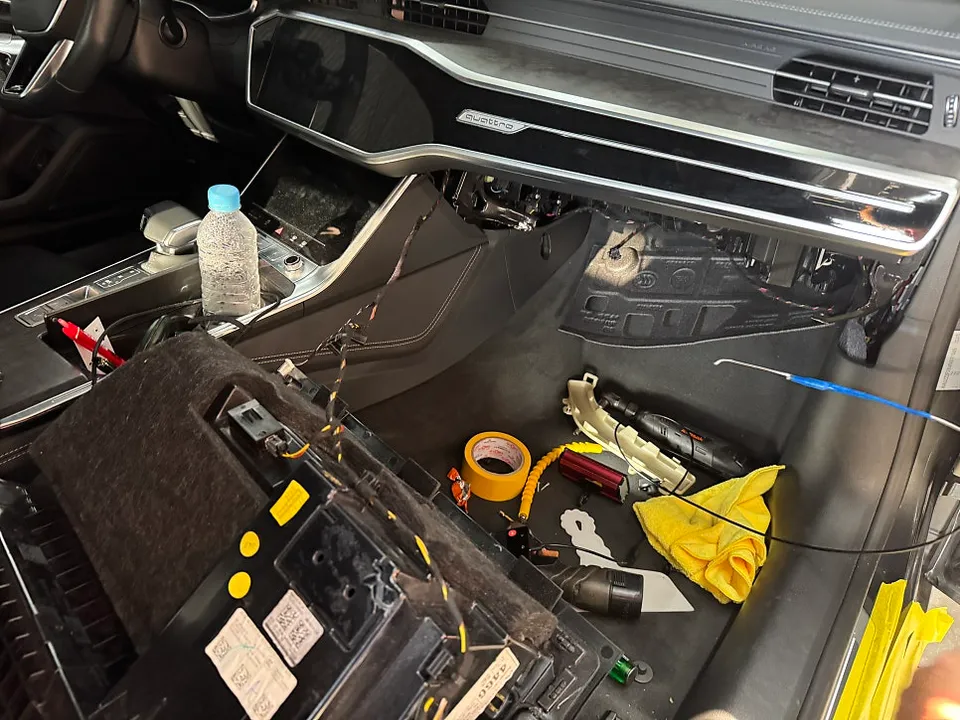
Porsche Cayenne Dash Cam Parking Mode Installation Guide
Welcome to OhCar Magazine! Today, we're diving deep into a crucial upgrade for your luxury SUV: the Porsche Cayenne dash cam parking mode installation. Protecting your investment, especially a high-performance vehicle like the Cayenne, goes beyond regular maintenance. A dash cam with parking mode offers an invaluable layer of security, capturing incidents even when your engine is off. This guide will walk you through the process, from choosing the right dash cam to a professional installation overview, ensuring your Cayenne stays protected 24/7.

Why a Dash Cam with Parking Mode is Essential for Your Porsche Cayenne
Your Porsche Cayenne is more than just a car; it's a statement of performance and luxury. Unfortunately, this also makes it a target for vandalism, theft, or accidental damage in parking lots. A standard dash cam only records when you're driving. However, a dash cam with parking mode continuously monitors your surroundings, activating recording when it detects motion or impact. This is crucial for:
- Evidence in Accidents: Capture hit-and-runs or fault determination if another driver causes an incident while parked.
- Vandalism Deterrence: The visible presence of a dash cam can deter potential vandals.
- Theft Prevention: Record any attempts to break into or steal your Cayenne.
- Parking Disputes: Resolve disagreements with other drivers over parking maneuvers.
Considering the investment you've made in your Porsche Cayenne, the relatively modest cost of a quality dash cam system, which can range from $60 to $133 according to our OhCar database with an average of $79, is a small price to pay for peace of mind. For a more detailed breakdown of expenses, check out our dash cam installation cost guide.
Choosing the Right Dash Cam for Your Porsche Cayenne
Not all dash cams are created equal, especially when it comes to sophisticated vehicles like the Porsche Cayenne. Here's what to look for:
Key Features to Consider:
- Parking Mode Functionality: Ensure it has a reliable parking mode, typically activated by motion detection, impact detection (G-sensor), or time-lapse recording.
- Video Quality: Look for at least 1080p Full HD resolution, with 1440p or 4K offering even clearer footage. Good low-light performance is also vital for night parking.
- Field of View (FOV): A wider FOV (140-170 degrees) captures more of the scene.
- Reliability and Brand Reputation: Stick with reputable brands known for quality and durability. Our dash cam reviews section features many trusted options.
- Connectivity: Wi-Fi and smartphone app integration make it easy to review footage and adjust settings.
- Discreet Design: For a luxury vehicle like the Cayenne, a less obtrusive design is often preferred.
- Power Consumption: Ensure the dash cam has a low-power mode or a battery protection feature to prevent draining your Cayenne's battery.
Top Dash Cam Brands for Luxury Vehicles:
While brands like Tesla, Kia, Hyundai, Mercedes-Benz, and BMW are common in our reviews, many high-end dash cam manufacturers cater to premium vehicles. Brands like BlackVue, Thinkware, and Viofo are popular choices for their reliability and advanced features, often suitable for a Porsche Cayenne.
Porsche Cayenne Dash Cam Parking Mode Installation: DIY vs. Professional
The Porsche Cayenne dash cam parking mode installation can be approached in two ways: a DIY project or professional installation. Each has its pros and cons.
DIY Installation:
Pros:
- Cost savings on labor.
- Satisfaction of doing it yourself.
Cons:
- Requires automotive electrical knowledge.
- Risk of damaging vehicle wiring or components.
- Can be time-consuming and frustrating.
- Improper installation can lead to battery drain or dash cam malfunction.
If you're comfortable with car electronics, a DIY installation typically involves tapping into the car's fuse box for a constant power source (for parking mode) and an ignition-switched source. You'll need a fuse tap kit and potentially a voltage cutoff device to protect your battery. Routing the cables neatly behind trim panels is key for a clean look.
Professional Installation:
Pros:
- Expertise ensures a clean, safe, and reliable installation.
- Saves you time and potential headaches.
- Technicians are familiar with vehicle-specific wiring and fuse box layouts.
- Often comes with a warranty on the installation work.
Cons:
- Higher upfront cost due to labor charges.
For a luxury vehicle like the Porsche Cayenne, professional installation is often the recommended route. It ensures that the delicate electrical systems are not compromised and that the dash cam is integrated seamlessly. Many car audio shops, detailing centers, or specialized auto electronics installers offer this service.
Step-by-Step Overview of Porsche Cayenne Dash Cam Parking Mode Installation
While specific steps may vary depending on your chosen dash cam model and your Cayenne's year, here's a general overview of the installation process, focusing on how parking mode is typically wired.
Step 1: Planning and Preparation
- Choose Your Dash Cam: Select a dash cam with robust parking mode features.
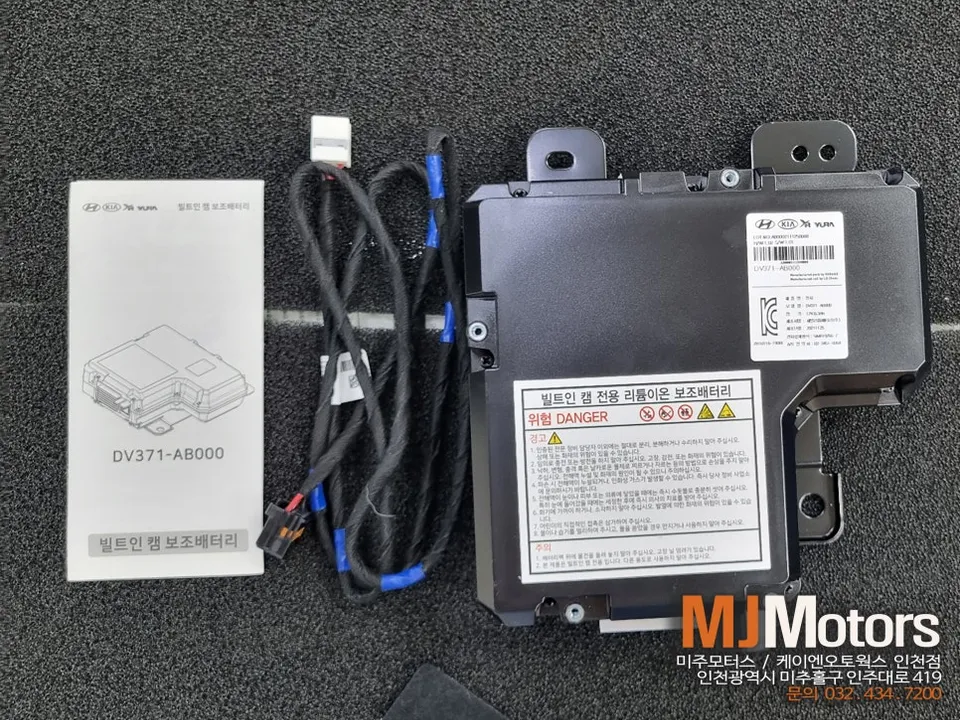
- Gather Tools: You'll need a trim removal tool kit, fuse tap kit (ATO, Mini, Micro2, etc., depending on your Cayenne's fuses), wire strippers, electrical tape, zip ties, and potentially a multimeter.
- Locate Fuse Box: The Cayenne typically has fuse boxes in the driver's side footwell, passenger side footwell, or behind the glove compartment. Consult your owner's manual.
- Identify Power Sources: You need a constant power source (always on, even when the car is off) for parking mode and an ignition (ACC) power source (turns on with the ignition) for normal operation.
Step 2: Wiring the Dash Cam
This is the most critical part, especially for parking mode.
- Connect to Fuse Box:
- Constant Power: Use a fuse tap connected to a fuse slot that is always powered. This allows the dash cam to receive power for parking mode.
- Ignition Power: Use another fuse tap connected to a fuse slot that is only powered when the ignition is on (ACC). This powers the dash cam during normal driving.
- Ground Connection: Find a metal bolt or screw connected to the car's chassis for a secure ground connection.
- Dash Cam Power Cable: Connect the fuse taps and ground wire to the dash cam's power adapter cable. Ensure correct polarity.
Important Note on Parking Mode: Many dash cams come with a dedicated hardwiring kit that includes a voltage cutoff feature. This is highly recommended to prevent the dash cam from draining your Cayenne's battery completely. It automatically cuts power to the dash cam when the car's battery voltage drops to a certain level.

Step 3: Mounting the Dash Cam
Most dash cams are mounted on the windshield behind the rearview mirror for a discreet look. Ensure the mounting location provides a clear view of the road and doesn't obstruct your vision.
Step 4: Cable Management
This is where patience pays off for a professional finish.
- Route Cables: Carefully tuck the power and rear camera cables (if applicable) behind the headliner, A-pillar trim, and dashboard panels using your trim removal tools.
- Secure Cables: Use zip ties to bundle and secure cables, preventing them from rattling or interfering with any moving parts.
- Test Connections: Before fully reassembling trim, test the dash cam to ensure it powers on correctly with the ignition and enters parking mode when the ignition is off.
Step 5: Finalizing and Testing
Once all cables are neatly routed and secured, reassemble any trim panels you removed. Power on your Cayenne and verify that the dash cam is functioning correctly in both driving and parking modes. Review the settings via the app to ensure parking mode sensitivity and recording duration are set to your preferences.
Understanding Parking Mode Types
Dash cams offer different ways to activate parking mode:
- Motion Detection: Records when the camera detects movement in its field of view. This is power-efficient but can be triggered by non-threatening movement (e.g., pedestrians walking by).
- Impact Detection (G-Sensor): Records when the dash cam detects a sudden jolt or impact. This is ideal for capturing parking lot accidents.
- Time-Lapse: Records at a very low frame rate (e.g., 1 FPS) to capture extended periods of time in a single file. This is useful for monitoring long parking sessions but requires more storage.
- Hybrid Modes: Many dash cams combine these features, offering a comprehensive parking surveillance solution.
Protecting Your Porsche Cayenne Beyond Dash Cams
While a dash cam is an excellent security measure, consider complementing it with other protective services for your Porsche Cayenne. High-quality paint protection film (PPF) can shield your vehicle's paint from chips, scratches, and environmental damage. For a deeper shine and enhanced protection against contaminants, ceramic coating is another excellent option. Tinting your windows not only adds privacy and reduces heat but can also offer UV protection. For a comparison of paint protection methods, explore our PPF vs Ceramic Coating comparison.
Common Issues and Troubleshooting
Even with careful installation, issues can arise. Here are a few common ones:
- Dash Cam Not Entering Parking Mode: Ensure the constant power wire is correctly connected to a live fuse. Check the dash cam's settings.
- Battery Drain: This is often due to improper wiring or a faulty voltage cutoff device. If you suspect this, it's best to have a professional inspect the installation.
- Dash Cam Not Recording: Check the SD card for errors or corruption. Ensure the dash cam is properly powered.
- Rattling Cables: Re-route and secure all cables more thoroughly using zip ties and ensuring they are tucked away from moving parts.

Porsche Cayenne Dash Cam Parking Mode Installation Cost Comparison
The cost of a Porsche Cayenne dash cam parking mode installation can vary significantly. Based on our OhCar data, the dash cams themselves range from $60 to $133, with an average of $79. Professional installation fees can add anywhere from $100 to $300 or more, depending on the complexity and the installer's rates. A DIY installation, while saving on labor, requires an investment in tools and potentially a fuse tap kit, which typically costs between $10 and $30.
| Item | Estimated Price Range (USD) |
|---|---|
| Dash Cam Unit | $60 – $133 |
| Fuse Tap Kit | $10 – $30 |
| Professional Installation | $100 – $300+ |
| Total (DIY) | $70 – $163+ |
| Total (Professional) | $160 – $433+ |
Remember, these are estimates. For the most accurate pricing, consult local installers and compare dash cam models. You can find more insights in our dash cam installation cost guide.
Conclusion: Enhancing Your Cayenne's Security
Investing in a Porsche Cayenne dash cam parking mode installation is a smart move to protect your luxury vehicle. By understanding the features to look for, the installation process, and potential costs, you can make an informed decision. Whether you choose a DIY approach or professional installation, the peace of mind that comes with 24/7 surveillance for your Cayenne is invaluable. For more automotive insights and reviews, visit the OhCar Magazine.
Comments (3)
Nice guide! I've got a Model Y and I'm always looking for ways to keep it protected, especially when parked. I'm curious if anyone has tried a similar setup on their EV and how it impacted battery drain.
As a detailer down here in Texas, I've seen a few Cayennes with parking mode setups. Definitely a smart move for those long Texas summer days, and honestly, a clean install makes all the difference.
Nice guide, but honestly, trying to tap into the fuse box on my M4 in NYC traffic felt like a mission impossible. Ended up paying a shop to do it, totally worth the peace of mind.


Explore Related Services on OhCar