BMW MINI CarPlay Retrofit Review: Seamless Infotainment Upgrade
Service Price
$150+
Estimated price · Actual price may vary by shop

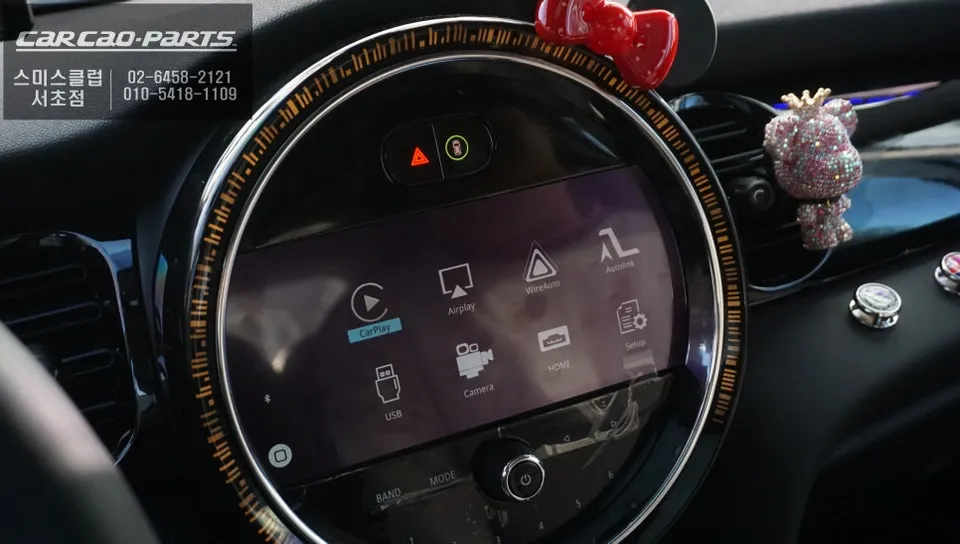
BMW MINI CarPlay retrofit: ~$150+. Seamless smartphone integration, navigation, and media control via voice or iDrive dial.
Integrating Modern Tech into Your BMW MINI
In today's connected world, seamless smartphone integration is no longer a luxury but a necessity in our vehicles. Even premium cars like the BMW MINI, while offering a high-quality driving experience, can sometimes lag behind in terms of the latest infotainment features. This review focuses on a 2021 BMW MINI that received a comprehensive CarPlay installation, transforming its original high-definition monitor into a fully functional hub for navigation, music streaming, and voice control. This upgrade is ideal for MINI owners seeking to enhance their car's digital capabilities without compromising the factory look.
What is CarPlay and Why MINI Owners Want It
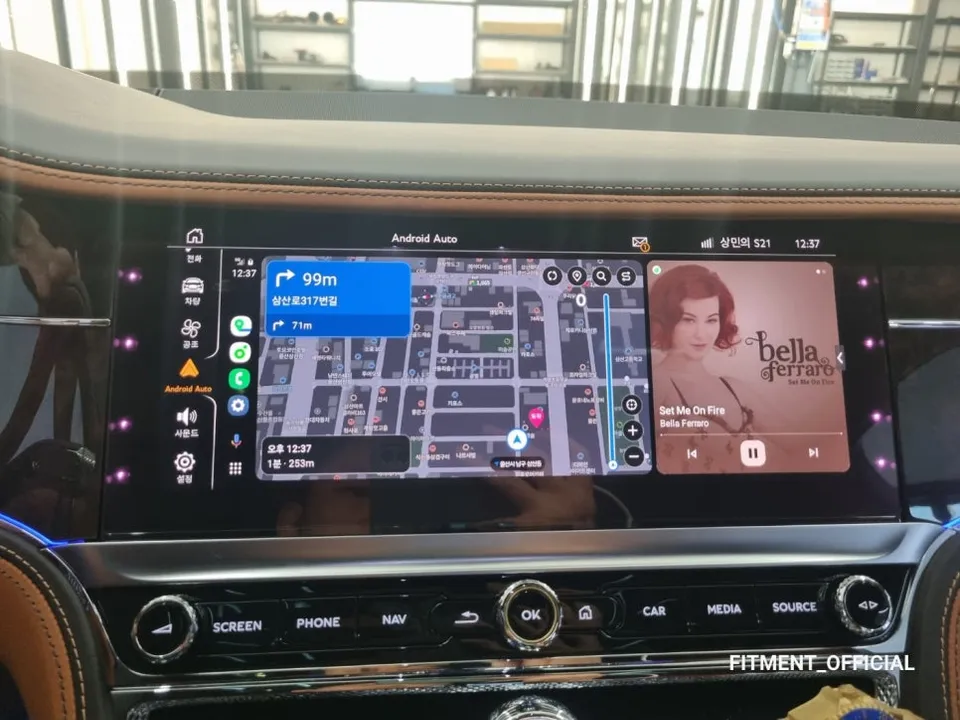
CarPlay is essentially a technology that mirrors your smartphone's interface onto your car's display. It's more than just screen mirroring; it allows you to use essential apps like T-Map or KakaoMap for real-time navigation, stream music via services like YouTube Music or Melon, and even access other compatible applications directly from your car's dashboard. While the BMW MINI's stock monitor boasts excellent visual quality, its firmware updates are often limited, preventing the integration of newer mobile functionalities. This is where a CarPlay module installation comes in. It offers a modern mobile experience while preserving the original wiring and aesthetics of your MINI's interior.
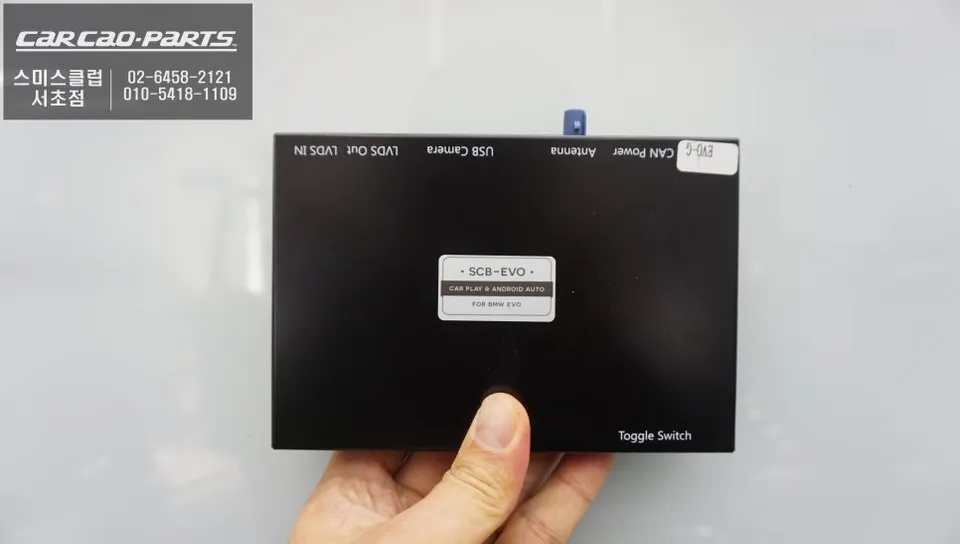
How the BMW MINI CarPlay Module Works
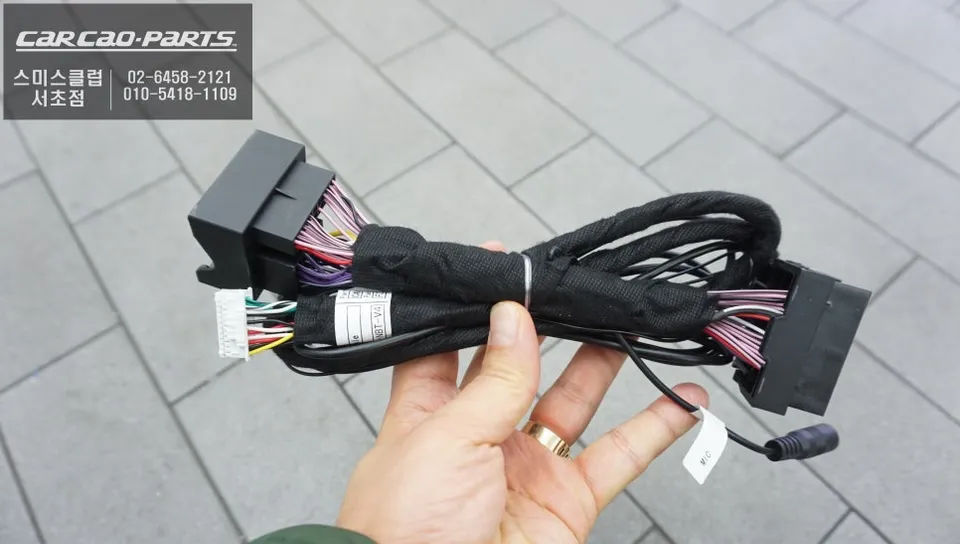
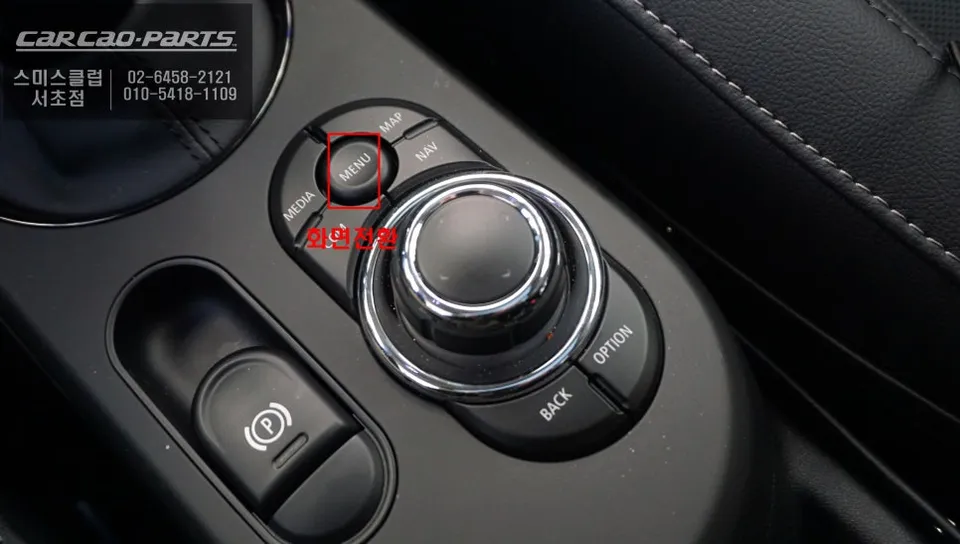
The solution installed in this BMW MINI is a dedicated CarPlay module designed specifically for the vehicle. The key feature is its 'plug-and-play' installation, meaning it connects directly to the existing wiring harness without any need for cutting or splicing. This ensures the integrity of the original system. Operation is intuitive: a simple long press (2 seconds) of the MENU button on the iDrive controller seamlessly switches the display from the original interface to the CarPlay screen. Connectivity with your smartphone is established via Bluetooth or USB, activating all features. Returning to the original system is just as easy – another press of the MENU button reverts the display.
Dual Support for Apple CarPlay and Android Auto
A significant advantage of this module is its universal compatibility, supporting both Apple CarPlay for iPhone users and Android Auto for Android device owners. This ensures that all MINI owners, regardless of their smartphone preference, can enjoy the same enhanced functionality. While direct touchscreen control isn't supported on the factory screen, the system is designed for safe operation through voice commands (Siri or Google Assistant) and the iDrive jog dial. This approach prioritizes driver safety by minimizing distractions while driving.
Smartphone Mirroring for Extended Media Options
Beyond CarPlay and Android Auto, the module includes a mirroring function. This feature displays your smartphone's entire screen on the car's monitor, enabling the playback of video apps like YouTube or Netflix. The system intelligently adapts to both landscape and portrait orientations for a flexible viewing experience. However, for safety reasons, video playback is restricted when the vehicle is in motion, with the system detecting speed and gear status to enforce these limitations.
Real-Time Navigation and Voice Control
One of the most compelling benefits of CarPlay is access to real-time map updates. Services like Google Maps or Waze provide up-to-the-minute traffic information, helping you avoid congestion and find the fastest routes. Coupled with voice command integration, you can set destinations, ask for directions, or make calls hands-free, making navigation effortless and safer during your drives.
Installation Process:
- Disconnect the vehicle's battery for safety.
- Carefully remove the original infotainment unit trim panels to access the wiring harness.
- Connect the dedicated CarPlay module's wiring harness using the plug-and-play connectors, ensuring a secure fit.
- Reassemble the trim panels and reconnect the battery.
- Test the system by booting up the car and activating CarPlay via the MENU button.
The installation process, performed in Korea, typically takes a few hours. The cost for this type of Android Head Unit or CarPlay installation for a BMW MINI can start around $150 USD, though actual prices may vary based on the specific module and installation shop. Durability is generally excellent, as the module integrates with the car's existing systems. Maintenance is minimal, usually involving software updates for the module itself, which are often provided by the installer or manufacturer.
When considering an infotainment upgrade for your BMW MINI, an Android Head Unit or CarPlay retrofit offers a significant enhancement over the factory system. It provides access to modern navigation, communication, and entertainment features, all controllable via voice or the iDrive dial. While the initial cost is relatively modest, the benefits in terms of convenience and functionality make it a worthwhile investment for many MINI owners looking to modernize their driving experience.
Frequently Asked Questions
Q. How much does Android head unit or CarPlay installation cost for a BMW MINI?
The installation cost for an Android head unit or CarPlay retrofit on a BMW MINI typically starts around $150 USD. Actual prices can vary depending on the specific module chosen and the complexity of the installation.
Q. How long does Android head unit installation take on a BMW MINI?
The installation process for an Android head unit or CarPlay system in a BMW MINI is generally straightforward due to plug-and-play connectors and usually takes a few hours. Durability is excellent as it integrates with factory systems, and maintenance primarily involves occasional software updates.
Q. Is a CarPlay or Android Auto retrofit worth it for a BMW MINI?
A CarPlay or Android Auto retrofit is highly recommended for BMW MINI owners who want modern navigation, communication, and entertainment features. The value lies in significantly enhancing the infotainment system's functionality and user experience for a reasonable cost.
Q. How is an Android head unit installed in a BMW MINI?
Installation involves accessing the car's wiring harness, connecting the dedicated CarPlay module using plug-and-play connectors without altering original wiring, and then reassembling the trim panels. The system is activated via the original MENU button, offering a seamless integration.
Q. What is the difference between an Android head unit and a factory infotainment system for a BMW MINI?
An Android head unit or CarPlay retrofit provides modern smartphone integration, real-time navigation, and app access that the factory system often lacks due to limited updates. It's a significant upgrade in functionality and user experience compared to the stock infotainment.
Kakao Parts