BMW X1 Android Head Unit Review — Installation & Cost
Service Price
$approx. $1,500+
Estimated price · Actual price may vary by shop
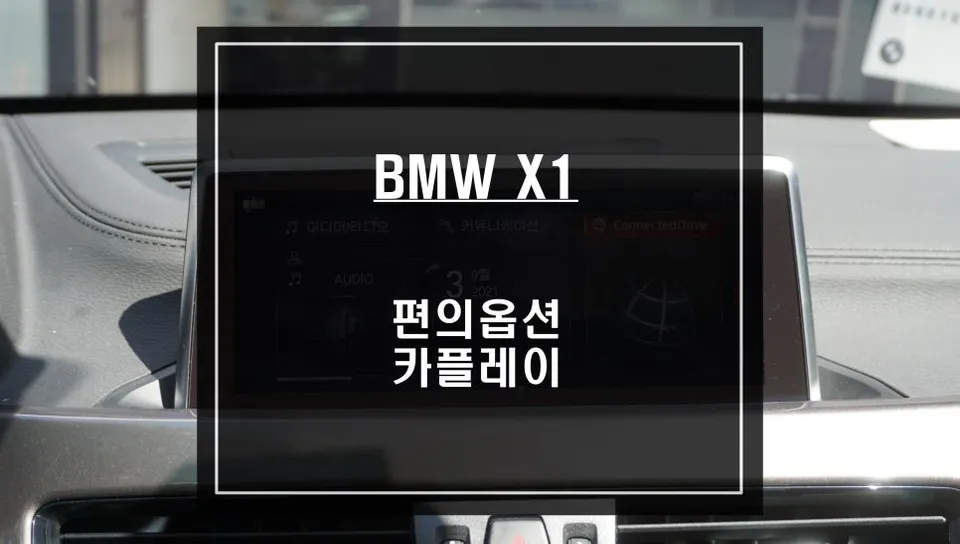
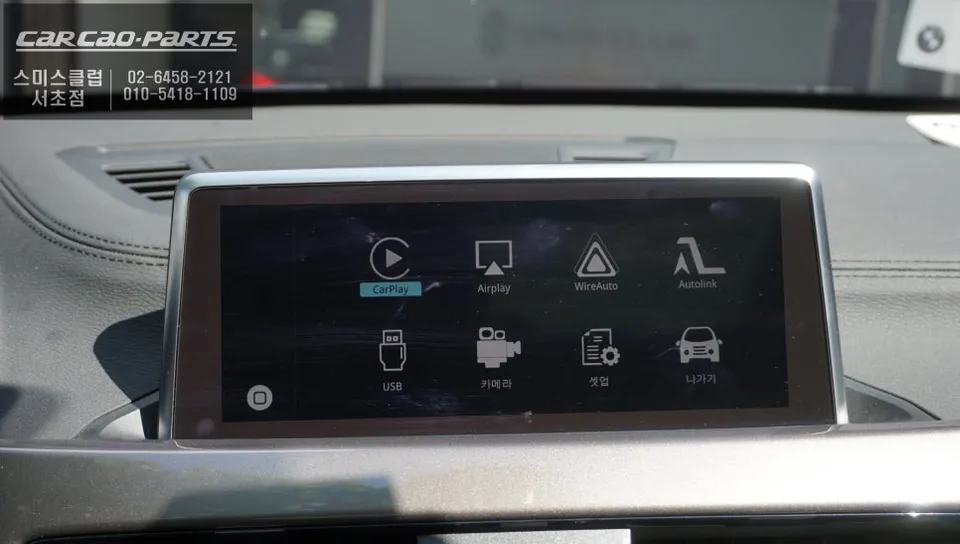
BMW X1 Android Head Unit upgrade: Adds CarPlay/Android Auto. Seamless iDrive integration. Wired connection recommended for navigation. Approx. $300-$8
Why Your BMW X1 Needs an Android Head Unit Upgrade
The BMW X1 is a popular choice for its blend of modern design and practical features. However, depending on the model year, many X1s come without integrated navigation or support for the latest smartphone integration. This leaves many owners wanting to use familiar apps like TMAP or KakaoMap directly on their car's display, but finding no way to do so. This is precisely where a CarPlay module installation, often referred to as an Android Head Unit upgrade, becomes essential. This guide reviews the process, benefits, and considerations for adding this functionality to your BMW X1.
Seamless Integration Without Damaging Factory Wiring
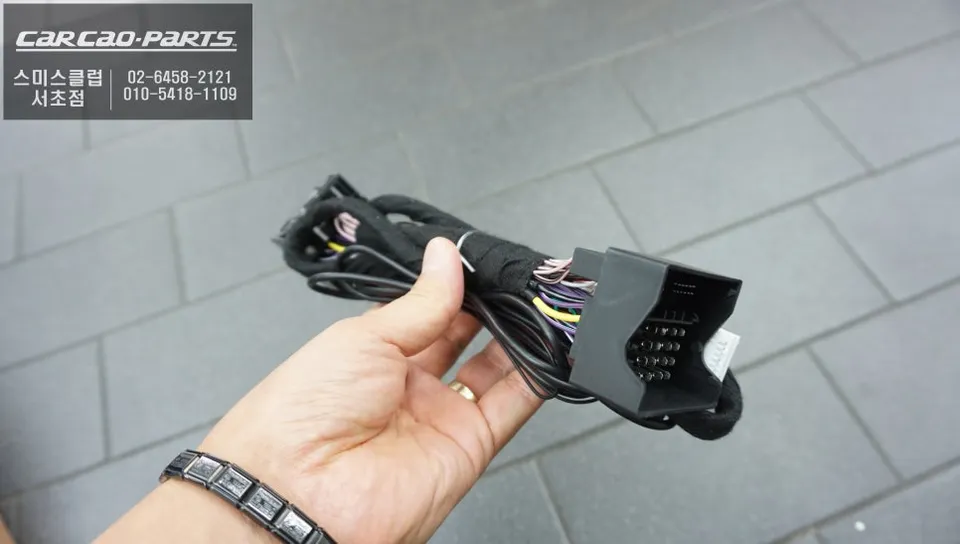
Safety and reliability are paramount. The CarPlay modules installed by specialists like 'Today's Car' in Gangnam, Korea, are specifically designed for BMW vehicles. They utilize a plug-and-play method, meaning no factory wiring is cut or modified. The module simply connects to existing factory connectors, ensuring a clean installation. A significant advantage of this approach is the ease of returning the vehicle to its original state if needed, which is beneficial when reselling the car.
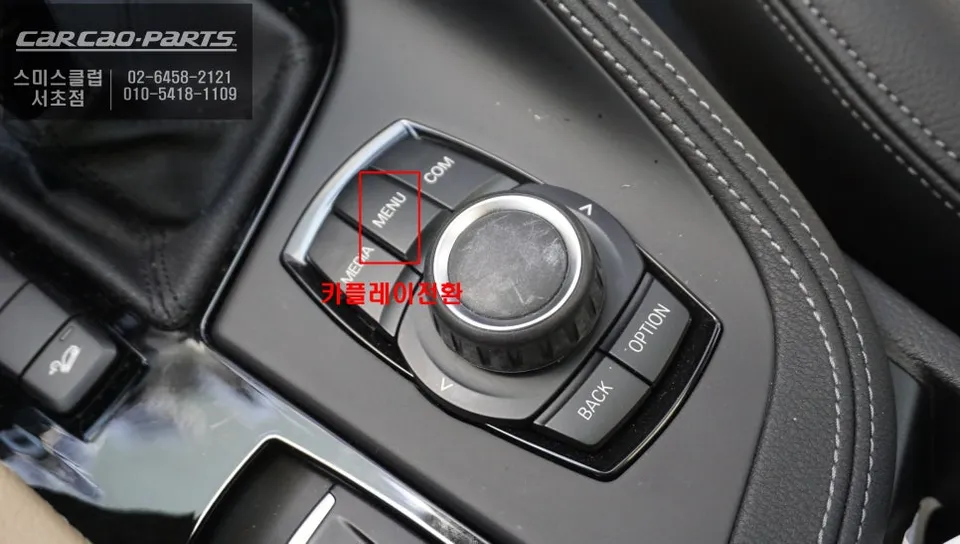
Using the system after installation is intuitive. A long press (over 2 seconds) of the original iDrive menu button seamlessly switches the display to the CarPlay interface. Once set up, you can easily toggle between the factory system and CarPlay with a single button press.

Effortless Control via iDrive Dial and Voice Commands
A common question is whether the lack of touchscreen control on the factory display is a drawback. While it might take a short adjustment period, it's generally not an issue. All functions are fully controllable using the original iDrive jog dial. This includes navigating menus, setting destinations, and utilizing voice commands. For driving safety, voice control is superior to touch input. Simply stating a command like "KakaoMap, search for Seoul Station" will initiate navigation. This works similarly to your smartphone's voice assistant, making the learning curve minimal.
Stable Performance with Wired CarPlay Connection
CarPlay can operate wirelessly or via a wired connection. For navigation apps that require constant updates, a wired USB connection is highly recommended. While wireless connections can sometimes be unstable, a direct USB connection ensures a consistent and reliable signal. This is crucial for real-time map updates. A dedicated USB port will be installed in a convenient location within the car during the installation process, such as near the dashboard or cup holder, allowing for a permanent connection without needing to plug and unplug daily.

Navigate with TMAP and KakaoMap for Optimal Routes
The primary challenge for BMW X1 owners without factory navigation is finding their way efficiently. CarPlay resolves this by providing access to real-time traffic information for the fastest routes. TMAP is known for its ability to avoid traffic congestion, while KakaoMap excels at finding points of interest like convenience stores and gas stations. Unlike simply listening to navigation prompts through Bluetooth, this system integrates fully with your car's audio. Navigation prompts, phone calls, and music will all play through the factory speakers. To achieve this seamless audio integration, a USB AUX conversion module is typically installed alongside the CarPlay module.
Enjoy Music Streaming Through Your Car's Speakers
CarPlay's functionality extends beyond navigation. Music streaming apps like Melon, YouTube Music, and Spotify are also fully accessible, allowing you to enjoy your favorite audio content through your BMW X1's sound system.
Installation Process:
- The installer connects the CarPlay module using plug-and-play connectors to the vehicle's existing wiring harness.
- A new USB port is installed in a discreet and accessible location within the cabin.
- The USB AUX conversion module is integrated to ensure audio output through the car's speakers.
- The system is tested to confirm seamless switching between the factory iDrive interface and CarPlay, along with audio and voice command functionality.
The original context for this installation was provided by 'Today's Car' in Gangnam, Korea. While specific pricing in USD isn't provided, similar aftermarket CarPlay upgrades in the US can range from $300 to $800 depending on the vehicle and specific module.

Frequently Asked Questions
Q. How much does an Android Head Unit installation cost for a BMW X1?
In Korea, the installation cost for this CarPlay module was performed by 'Today's Car'. Similar aftermarket Android Head Unit or CarPlay retrofit installations in the US typically range from $300 to $800.
Q. How durable is an Android Head Unit installation on a BMW X1?
These modules are designed for long-term use, leveraging the car's existing systems. Proper installation ensures durability, and maintenance typically involves keeping your smartphone's software updated for optimal compatibility.
Q. Is an Android Head Unit upgrade worth it for a BMW X1?
An Android Head Unit upgrade is highly recommended for BMW X1 owners whose cars lack integrated navigation or modern smartphone connectivity. It significantly enhances the infotainment experience by enabling familiar navigation and media apps.
Q. How is an Android Head Unit installed in a BMW X1?
Installation is a plug-and-play process that doesn't damage factory wiring. 1. The CarPlay module is connected to the car's existing wiring harness. 2. A new USB port is installed for connectivity. 3. An audio module is integrated for sound output through the car speakers.
Q. What's the difference between an Android Head Unit and a CarPlay retrofit?
An 'Android Head Unit' often refers to a full replacement system, while a 'CarPlay retrofit' typically integrates Apple CarPlay (and often Android Auto) into the existing factory system. This review focuses on the latter, enhancing your current BMW X1 infotainment.
Kakao Parts