Audi Q5 CarPlay Installation Review — Real-Time Navigation
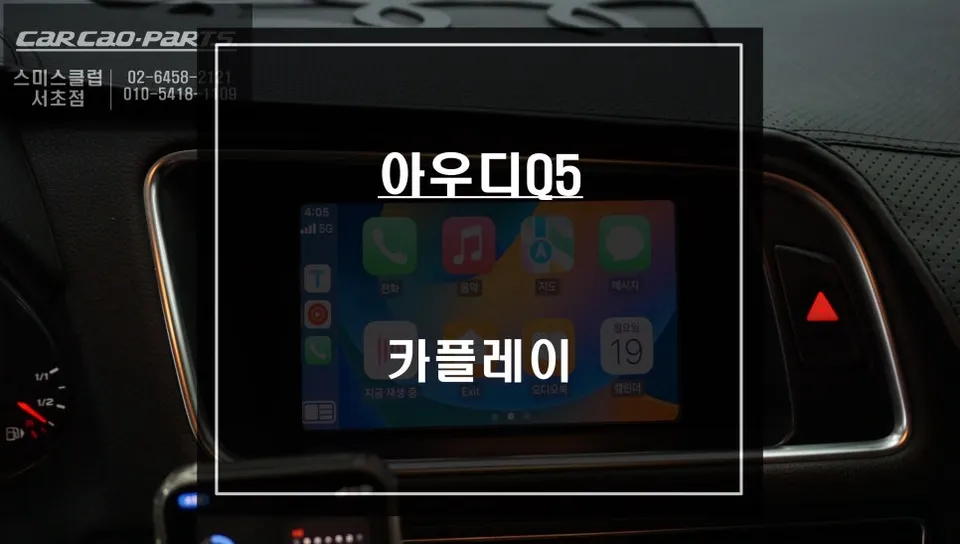
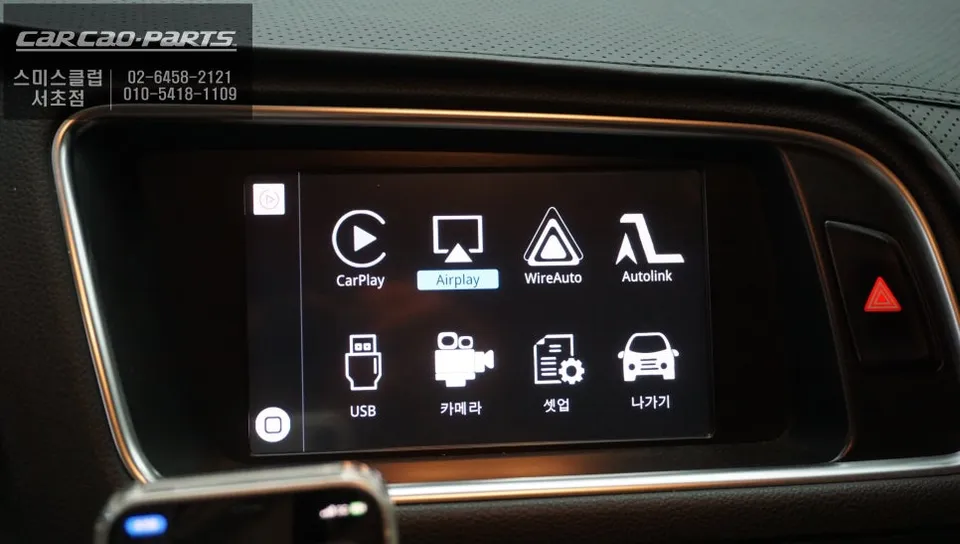
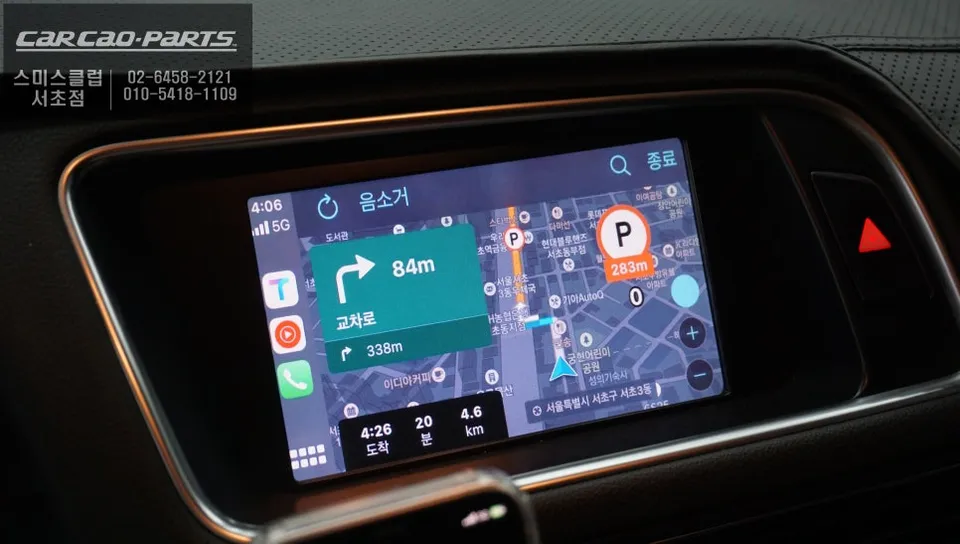
CarPlay installation on Audi Q5 unlocks live traffic updates and current road data. Factory display now shows real-time optimized routes via smartphon
Audi Q5 Old Navigation: Is CarPlay the Answer?
Many owners of older Audi Q5 models find their stock navigation systems lacking. Common frustrations include slow real-time traffic updates and outdated road information, leading to incorrect routes. A highly effective solution to this problem is the installation of a CarPlay module. By integrating smartphone-based navigation apps like T Map and Kakao Map into your Audi Q5's existing display, you can enjoy optimized, real-time navigation directly on your factory monitor. This review details a recent installation to illustrate the benefits.
Stock Navigation vs. CarPlay Integration: What's the Difference?
It's crucial to understand the fundamental differences. Your car's original navigation system relies on the data it was programmed with at the time of manufacture. Over time, this information becomes outdated, especially concerning new roads and traffic patterns. In contrast, CarPlay connects directly to your smartphone, leveraging its constant internet connection. This means you benefit from daily map updates and real-time traffic data, providing the most accurate and efficient routes available.
For older imported vehicles like the Audi Q5, manufacturer support for navigation system updates is often limited or ceases entirely. However, since CarPlay operates through your smartphone, as long as your navigation apps are updated, you'll always have access to the latest information. This continuous access to current data is a primary reason why CarPlay installations are so popular among car owners seeking to modernize their infotainment systems.

The CarPlay Module for the Audi Q5: A Closer Look
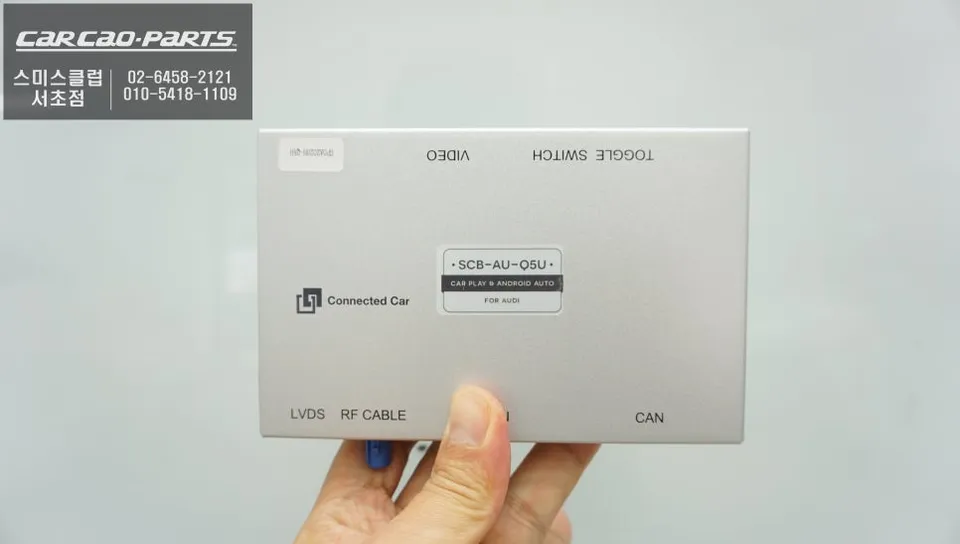
The CarPlay module installed in this Audi Q5 is more than just an external add-on; it's an integrated interface that combines CarPlay functionality into a dedicated unit. It connects using the original wiring harness, meaning no factory components need to be removed. This plug-and-play approach preserves your car's original system while adding advanced smartphone connectivity.
A significant advantage of this particular module is its dual support for both Apple CarPlay and Android Auto. Whether you use an iPhone or an Android device, you can seamlessly integrate your preferred smartphone ecosystem without any additional costs or complex setup.
CarPlay Installation Process:
- Disassembly and Wiring: The process begins with carefully removing the Audi Q5's original navigation panel. Technicians meticulously manage the dashboard wiring and locate the factory connectors. Due to the Q5's intricate internal structure, initial diagnostics can take around 30 minutes.
- Module Integration: The core of the installation involves connecting the CarPlay module directly to the factory wiring harness. This method avoids any cutting or splicing of original wires, ensuring a clean and reversible installation.
- AUX Coding: Once the module is securely in place, AUX coding is performed. This essential step routes audio signals from CarPlay (navigation prompts, music) through the car's existing speaker system, ensuring clear and audible output. This specialized coding typically takes 15-20 minutes.
Using CarPlay After Installation: Simplicity and Convenience
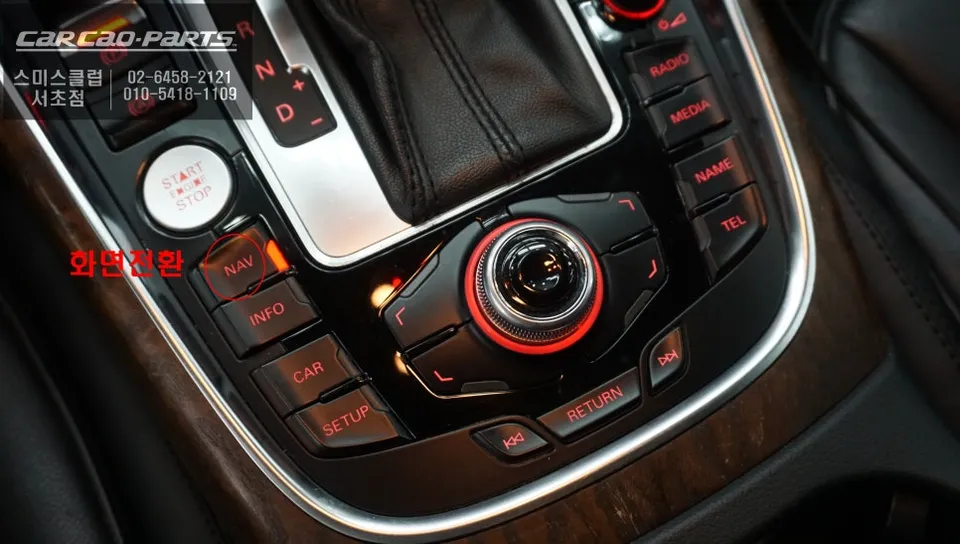
Operating the system post-installation is remarkably intuitive. A simple two-second press of the original NAV button seamlessly switches the display to the CarPlay interface. Connecting your smartphone is straightforward via a USB port. While both wired and wireless connections are supported, a wired connection is generally recommended for maximum stability.
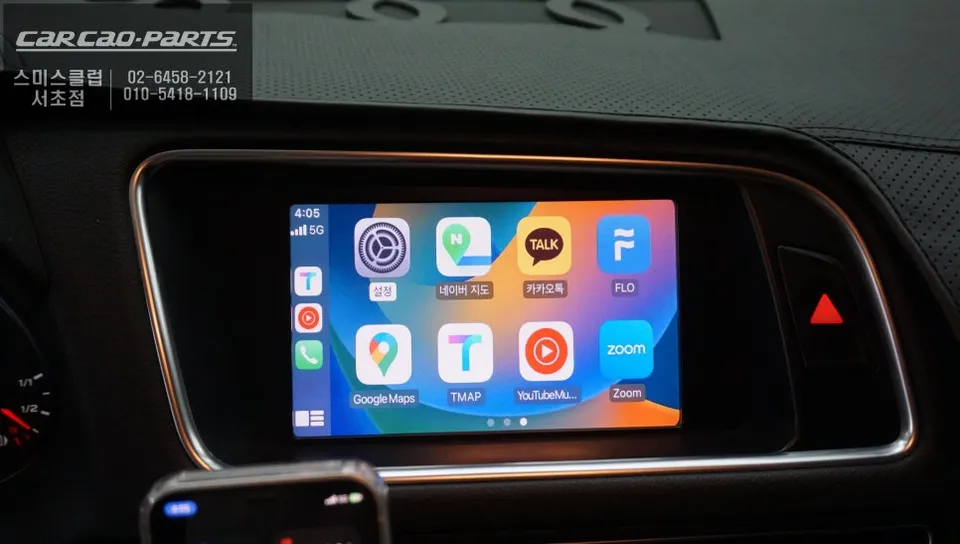
Once connected, you can launch your preferred navigation apps like T Map or Kakao Map directly from the car's monitor. Voice commands are fully supported, allowing for safe and convenient destination input while driving. The ability to use familiar and highly-rated Korean navigation services like T Map and Kakao Map on the large factory screen is the most compelling aspect of this upgrade.
Beyond Navigation: Music Streaming and Enhanced Connectivity
The benefits of CarPlay extend far beyond just navigation. It transforms your car's infotainment system into an extension of your smartphone, offering seamless access to music streaming services, podcasts, and hands-free calling. This integration makes long drives more enjoyable and keeps you connected safely. The Audi Q5, once limited by its older navigation, now offers a modern, connected experience thanks to this smart upgrade.
Frequently Asked Questions
Q. How much does CarPlay installation cost for an Audi Q5?
Installation costs typically range from $400–$800 USD depending on module type and labor. The Korean market pricing shown in this review reflects similar regional labor rates with comparable module quality and warranty coverage.
Q. How long does a CarPlay module last on an Audi Q5?
CarPlay modules are solid-state devices with 5–8 year lifespans when properly installed. Keep smartphone connections stable and avoid excessive heat exposure near the dashboard to maintain longevity.
Q. Is CarPlay installation worth it for an Audi Q5?
Yes, especially for 2013–2017 models where OEM navigation stops receiving map updates. Owners gain real-time traffic, current road data, and access to modern apps (Tmap, Kakao Maps) that factory systems cannot match.
Q. Can you use wireless CarPlay on an Audi Q5?
Wireless CarPlay depends on the installed module's capabilities. Many aftermarket CarPlay systems for Audi Q5 support both wired and wireless connections; confirm module specs before purchase.
Q. Does Audi Q5 CarPlay installation require factory display changes?
No replacement needed. The CarPlay module integrates with the factory MMI display, preserving the original dashboard aesthetic while adding smartphone-powered navigation and app functionality.
Kakao Parts