BMW X6 F16 CarPlay Upgrade Review: Seamless Integration
Service Price
$under $40
Estimated price · Actual price may vary by shop
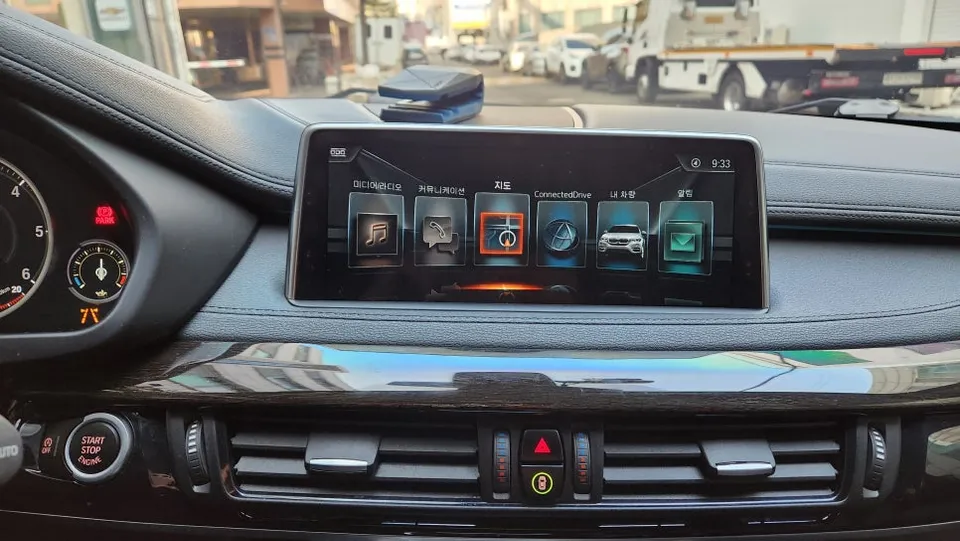
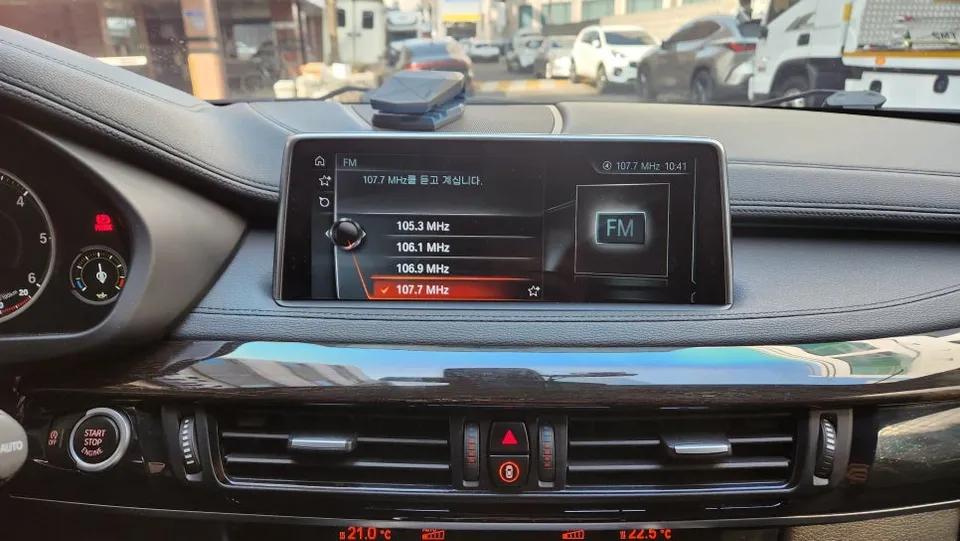
BMW X6 F16 CarPlay/Android Auto retrofit: Uses factory screen. Adds smart navigation & music apps. Enhances connectivity seamlessly.
BMW X6 F16: Seamless CarPlay & Android Auto Integration
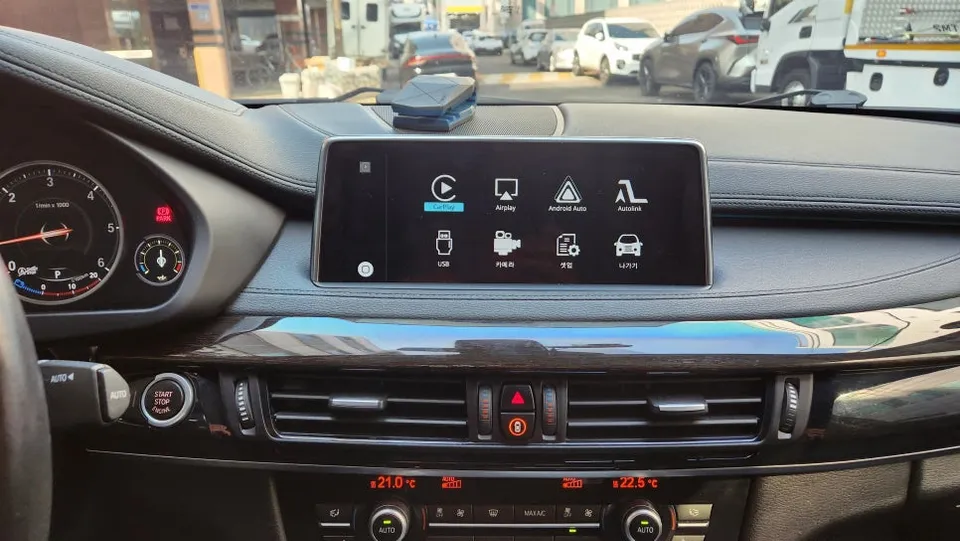
BMW X6 F16 owners often find themselves wishing for more integrated smartphone functionality on their factory displays. If you've felt your current infotainment system lacks the modern connectivity you desire, especially after purchasing a pre-owned vehicle, there's an excellent solution. This review explores how to upgrade your BMW X6 F16 with Apple CarPlay and Android Auto without replacing the entire head unit or adding a separate screen. This popular retrofit leverages your existing monitor for a seamless, user-friendly experience.
Upgrade Process: Preserving Your Factory Look
The core of this upgrade involves installing a specialized module that interfaces with your BMW X6 F16's original iDrive system. This process allows you to access Apple CarPlay and Android Auto directly through your car's native screen. Before any work begins, a thorough check of existing functions like radio and AUX input is performed to ensure everything is in perfect working order. The AUX connection is crucial, as it channels audio from your smartphone apps through the car's sound system, delivering clear and immersive sound.
Many drivers find the original navigation systems cumbersome or expensive to update. For them, a CarPlay or Android Auto module is the ideal alternative. It brings the familiar interface and functionality of your smartphone apps directly to your car's dashboard, enhancing convenience and entertainment on the go. The installation is designed to be non-invasive, utilizing plug-and-play wiring harnesses that connect directly to your vehicle's existing connectors. This method ensures no permanent modifications are made to your car's electrical system, safeguarding your warranty and preventing future issues.
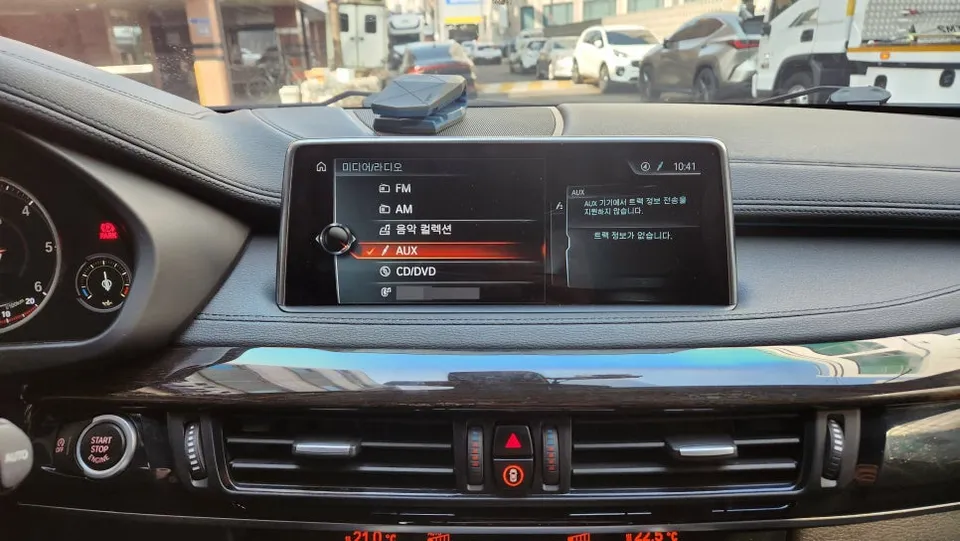
Installation Process:
- Carefully remove specific sections of the factory dashboard trim and infotainment components to access the necessary wiring harnesses.
- Connect the CarPlay/Android Auto interface module using the provided plug-and-play cables, ensuring a secure and correct fit.
- Reassemble the dashboard components, ensuring all trim pieces are properly aligned and secured.
- Test the new system by switching between the original iDrive interface and the CarPlay/Android Auto modes, verifying all functions and audio output.
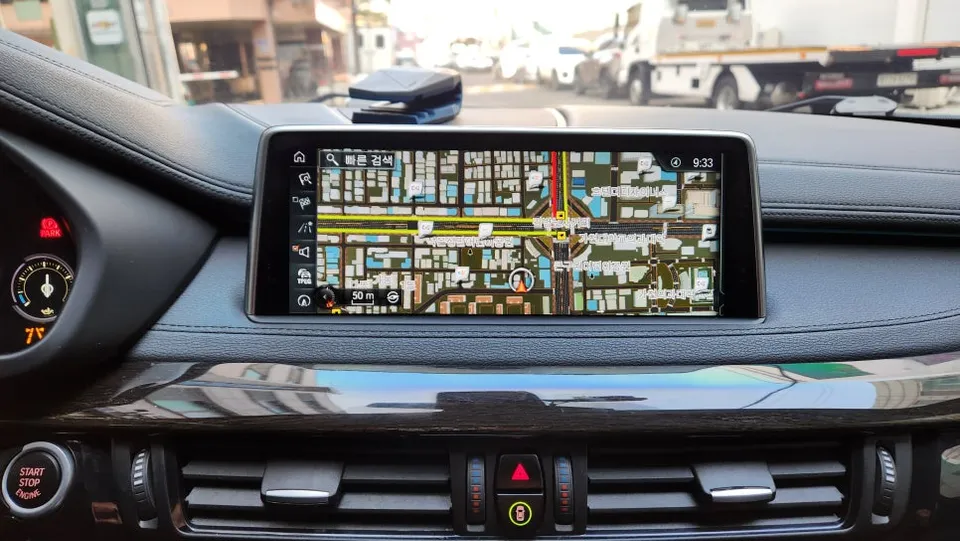
Enhanced Driving Experience with Smart Features
Once installed, switching between your BMW X6 F16's original iDrive menu and the new CarPlay or Android Auto interface is effortless, typically controlled via the existing iDrive controller. Pairing your smartphone via Bluetooth is straightforward, enabling immediate access to a world of apps.
For iPhone users with Apple CarPlay: Enjoy seamless integration with your favorite navigation apps like Apple Maps, Google Maps, Waze, and popular music streaming services such as Spotify or Apple Music. The split-screen functionality allows you to view navigation directions alongside your music player, making every journey more enjoyable. Voice commands via Siri further enhance safety and convenience.
For Android users with Android Auto: Similarly, Android smartphone users can access Google Maps, Waze, Spotify, and other compatible apps. While Android Auto on this specific retrofit might not support touch input directly on the factory screen, it remains fully controllable through the iDrive controller, voice commands, or your smartphone. This ensures you can easily set destinations, manage music, and stay connected while keeping your eyes on the road.
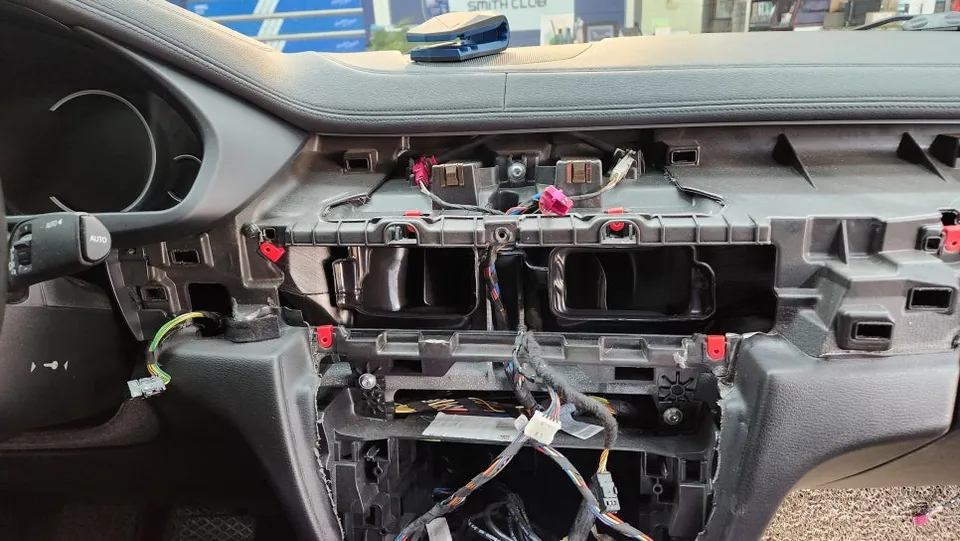
Optional Convenience: Lock Folding Feature
In addition to the infotainment upgrade, many owners opt for the 'lock folding' feature. This small but significant addition automatically folds your side mirrors when you lock the vehicle. Instead of needing to press and hold the lock button, a single press activates the mirror fold, adding a layer of convenience to your daily routine. It’s a practical enhancement that complements the modern feel of the CarPlay/Android Auto upgrade.
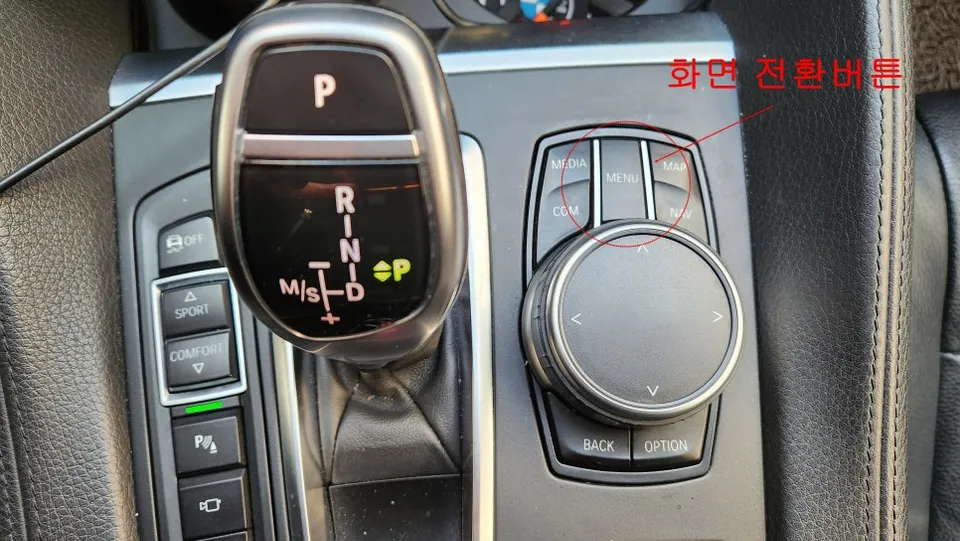
Final Verdict: Is the Upgrade Worth It?
This CarPlay and Android Auto retrofit for the BMW X6 F16 offers a substantial upgrade in functionality without compromising the vehicle's original aesthetic. By utilizing the existing screen, the installation is clean and preserves the factory look. The ability to use familiar navigation and entertainment apps directly on your car's display significantly enhances the driving experience, making it a worthwhile investment for owners seeking modern connectivity. The added convenience of features like lock folding further solidifies its value proposition.
Frequently Asked Questions
Q. How much does Android head unit or CarPlay installation cost for a BMW X6 F16?
The cost for this type of CarPlay/Android Auto module installation in Korea typically ranges from approximately ₩300,000 to ₩500,000 (roughly $220-$370 USD). In the US, similar retrofits can range from $300 to $600 depending on the specific module and installation complexity.
Q. How long does Android head unit installation take on a BMW X6 F16?
The installation process for a CarPlay/Android Auto module typically takes about 2-3 hours. These systems are generally durable with minimal maintenance required, usually just ensuring your smartphone's software is up-to-date.
Q. Is a CarPlay or Android Auto retrofit worth it for a BMW X6 F16?
This retrofit is highly recommended for BMW X6 F16 owners who want modern smartphone integration without replacing their factory head unit. It significantly enhances daily driving by providing access to familiar navigation and entertainment apps on the original screen.
Q. How is an Android head unit installed in a BMW X6 F16?
Installation involves carefully removing dashboard trim to access the factory infotainment system. A specialized interface module is then connected using plug-and-play wiring harnesses, integrating with the original screen and controls. Finally, the dashboard is reassembled and the system is tested.
Q. What is the difference between an Android head unit and a factory infotainment system for a BMW X6 F16?
A factory infotainment system provides the car's original features, while an Android head unit (or retrofit module) adds advanced smartphone connectivity like Apple CarPlay and Android Auto. This upgrade allows you to use your phone's apps seamlessly on the car's existing display.
OhCar Partner Shop