Hyundai Elantra MD Android Head Unit Review: Sound Upgrade

Hyundai Elantra MD Android head unit upgrade with DSP settings significantly improves sound quality. Installation involves replacing the factory unit.
Upgrading Your Hyundai Elantra MD's Infotainment System
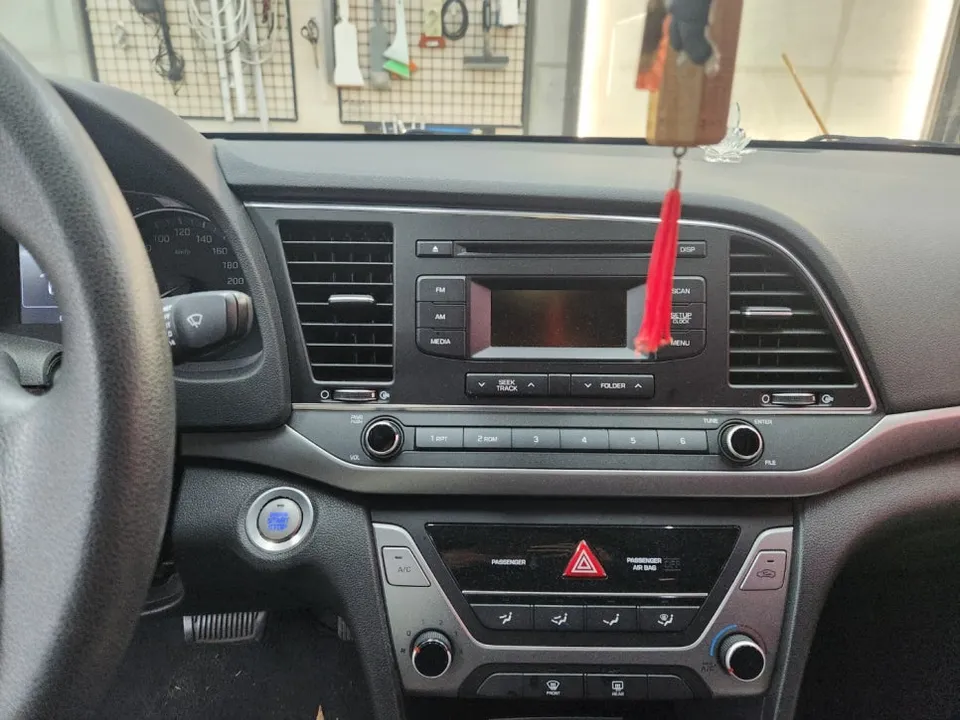
Many car owners look to upgrade their vehicle's infotainment system for a more modern and feature-rich experience. For the Hyundai Elantra MD, an Android head unit offers a compelling solution, especially for those seeking enhanced audio quality. This review focuses on the impact of an Android head unit, particularly when paired with Digital Signal Processing (DSP) settings, on the sound system. The original Korean context highlights a comparison of audio quality before and after DSP tuning on an Elantra MD equipped with a customer-imported Android all-in-one unit. While the specific product was customer-sourced, the demonstration of sound improvement is universally applicable to such upgrades.
Before and After: The Sound Quality Transformation
The core of this review, derived from the Korean source, is the audible difference an Android head unit with DSP settings can make. The demonstration video compares the audio output with and without DSP tuning. While the video itself is the best judge, the description emphasizes that the actual experience in the car is significantly better than what can be captured through a recording, especially when using headphones. The implication is that the Android head unit provides a more robust platform for audio processing, allowing for finer control over equalization, time alignment, and other audio parameters through its DSP capabilities. This leads to a clearer, more balanced, and potentially more powerful soundstage compared to the factory system. The upgrade isn't just about adding features like navigation or app support; it's a substantial improvement for audiophiles.
Installation and Considerations
The installation process for an Android head unit in a Hyundai Elantra MD typically involves replacing the factory stereo. While the specific unit in the Korean example was customer-imported, the general process is similar across many aftermarket installations. It usually requires careful removal of dashboard trim pieces to access the original head unit, followed by disconnecting wiring harnesses and connecting the new unit. Adapters are often necessary to ensure compatibility with the Elantra MD's existing wiring. For those considering this upgrade, it's important to factor in the cost of the unit itself, potential installation fees if not doing it yourself, and any necessary accessories like wiring harnesses or dash kits. Durability is generally good for modern Android head units, but like any electronic component, they can be susceptible to issues if not installed correctly or if exposed to extreme conditions. Maintenance usually involves software updates and keeping the screen clean.
Installation process:
- Carefully remove dashboard trim panels surrounding the factory head unit.
- Disconnect the wiring harness and antenna from the original stereo.
- Connect the new Android head unit using appropriate adapters for power, speakers, and any steering wheel controls.
- Mount the new head unit securely in the dash and reassemble trim panels.
- Power on and perform initial setup, including connecting to Wi-Fi and configuring audio settings.
Frequently Asked Questions
Q. How much does an Android head unit or CarPlay retrofit cost for a Hyundai Elantra MD?
The cost of an Android head unit for a Hyundai Elantra MD can vary, but units similar to the one featured in the Korean example might range from $200-$500 USD, with professional installation adding an additional $100-$300.
Q. How long does Android head unit installation take on a Hyundai Elantra MD?
Android head unit installations typically take between 1 to 3 hours, depending on the complexity of the vehicle's wiring and any custom dash modifications needed. Proper maintenance involves keeping the software updated and cleaning the screen regularly.
Q. Is a CarPlay or Android Auto retrofit worth it for a Hyundai Elantra MD?
An Android Auto or CarPlay retrofit is highly recommended for Elantra MD owners who prioritize modern smartphone integration and enhanced audio capabilities. The value lies in a significantly improved user interface, access to familiar apps, and superior sound processing potential.
Q. How is an Android head unit installed in a Hyundai Elantra MD?
Installation involves removing the factory stereo, disconnecting its wiring, and connecting the new Android head unit using appropriate adapters. The new unit is then secured in the dash, and the trim panels are reassembled.
Q. What is the difference between an Android head unit and a factory infotainment system for a Hyundai Elantra MD?
An Android head unit offers a vastly more customizable and feature-rich experience compared to the factory system, including access to a wider range of apps and advanced audio processing via DSP. It's recommended for users seeking a modern, high-performance infotainment upgrade.
OhCar Partner Shop