Hyundai Santa Fe DM Android Head Unit Upgrade Review
Service Price
$approx. $750–1,150
Estimated price · Actual price may vary by shop
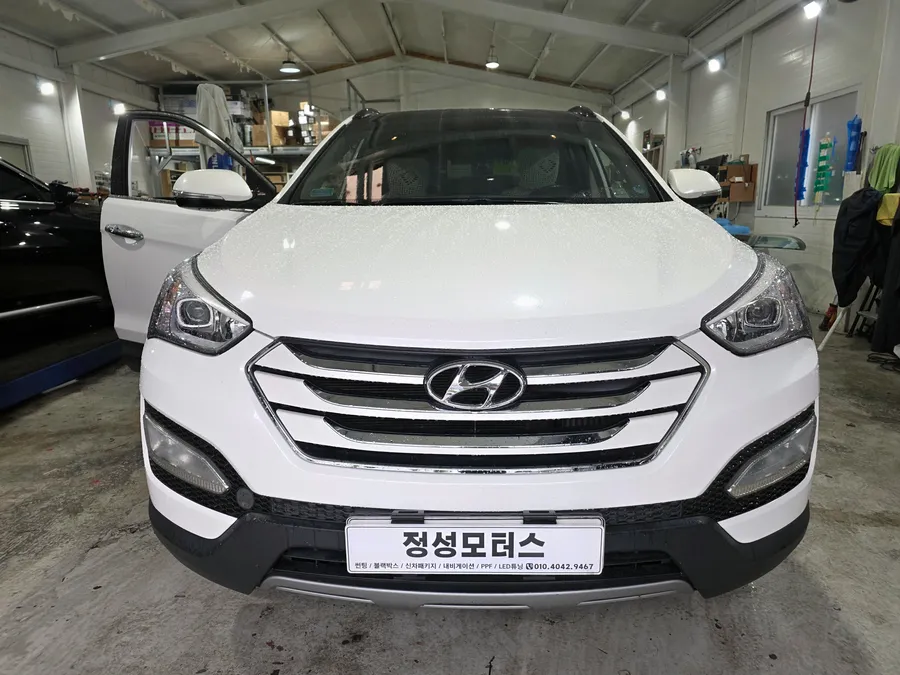
Before
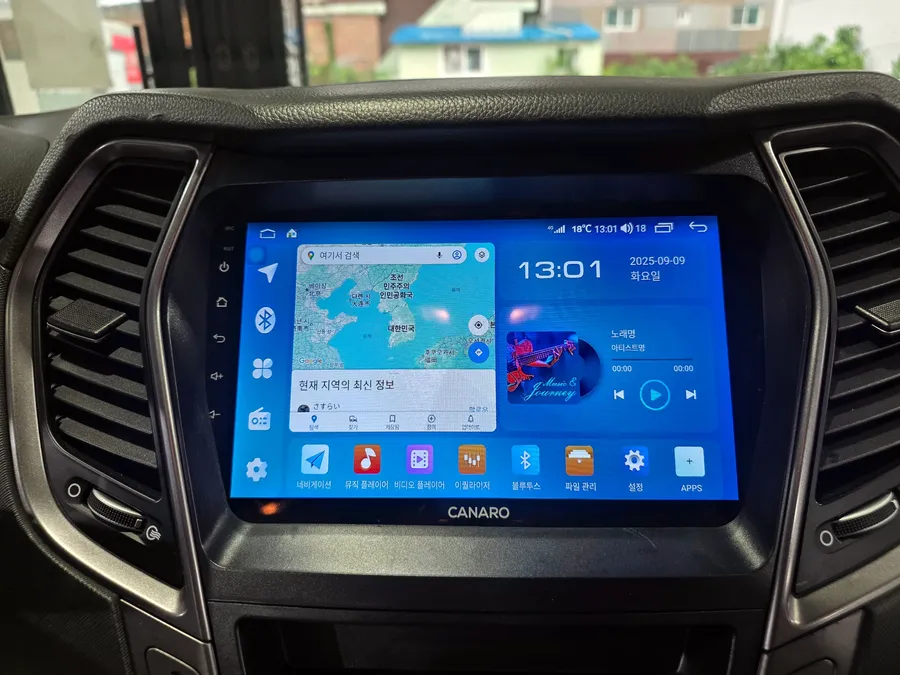
After
Process photos
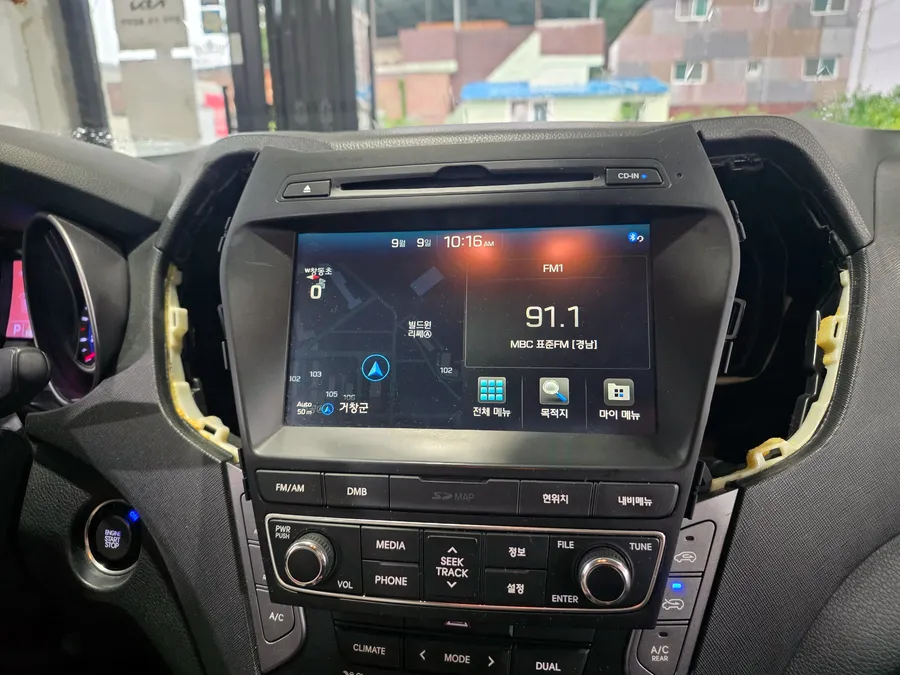
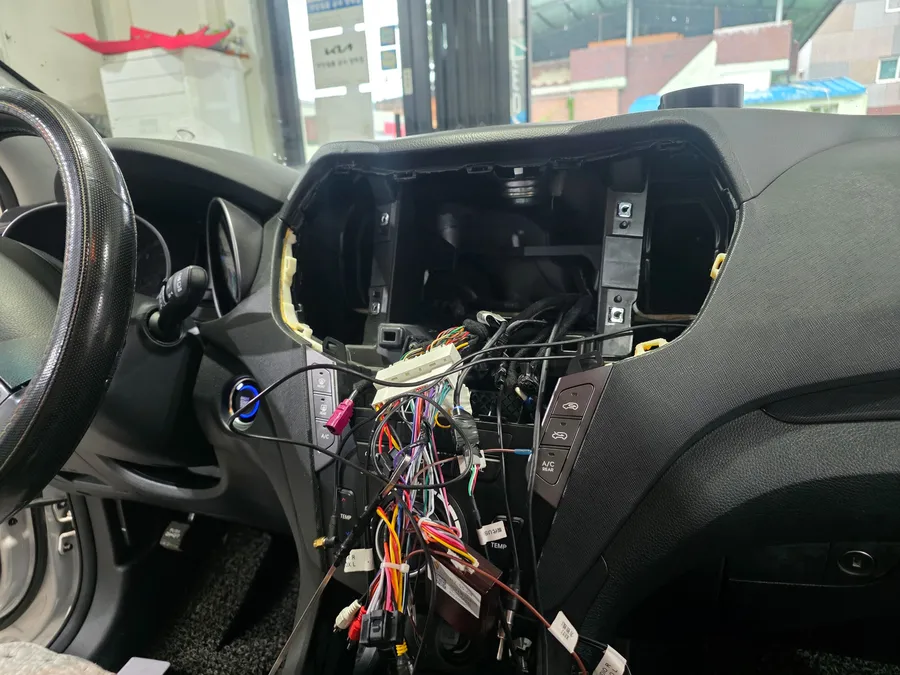
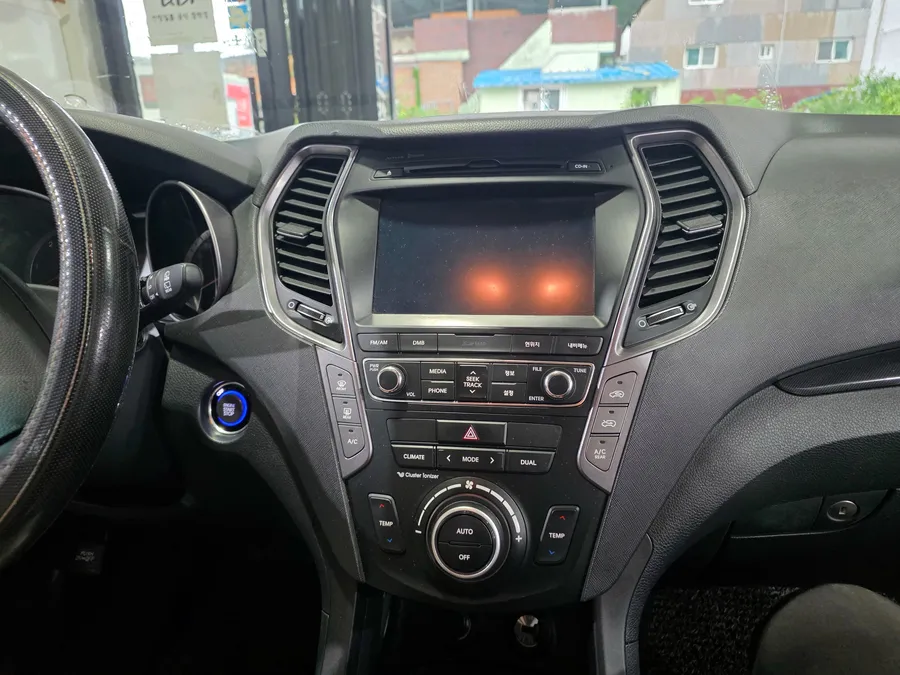
Hyundai Santa Fe DM Android All-in-One head unit upgrade. Seamless navigation & entertainment. Retains factory controls. Installation: 3-4 hours.
Upgrade Your Hyundai Santa Fe DM with an Android All-in-One Head Unit
This review details the process of replacing the stock navigation system in a Hyundai Santa Fe DM with an Android All-in-One unit, specifically the Kanaro Q model. The owner, having previously enjoyed an Android All-in-One in another vehicle, opted for this upgrade to bring enhanced functionality and entertainment to their Santa Fe DM. Android All-in-One units offer a vast array of navigation apps, streaming services, and multitasking capabilities, all while retaining essential factory features like steering wheel controls.
Vehicle: Hyundai Santa Fe DM
Service: Android All-in-One Navigation Replacement
Key Features: TMAP/KakaoNavi, YouTube/Netflix, Split-screen functionality
Installation Time: Approximately 3-4 hours
Why Choose an Android All-in-One for Your Santa Fe DM?
The popularity of Android All-in-One navigation systems stems from their incredible versatility. By simply connecting to a mobile hotspot, users can access a full suite of navigation applications like TMAP and KakaoNavi. Some models even support SIM cards for direct 4G LTE connectivity, ensuring a stable internet connection for both the driver and passengers. This transforms long journeys, offering endless entertainment options such as YouTube and Netflix without interruption. The ability to run multiple applications simultaneously, like watching a movie while keeping an eye on real-time traffic via navigation, is a significant advantage.
Installation Process and Results
The installation began with the careful removal of the original Santa Fe DM navigation system. The Kanaro Q Android All-in-One unit was then precisely fitted into the dashboard, ensuring a seamless integration. All wiring was meticulously handled to guarantee optimal performance and prevent any audio interference. Post-installation checks confirmed that the display was clear and vibrant, and the backup camera functioned perfectly. Crucially, all original steering wheel controls, including volume adjustment and call management, were fully integrated and operational with the new Android system, preserving the vehicle's original usability while introducing modern technology.
Installation Process:
- Carefully remove the factory navigation unit.
- Connect the wiring harness for the Android All-in-One unit.
- Mount and secure the new Android head unit into the dashboard.
- Test all functions, including navigation, audio, video, and steering wheel controls.
- Reassemble dashboard trim pieces.
Frequently Asked Questions
Q. How much does an Android All-in-One head unit cost for a Hyundai Santa Fe DM?
The cost for an Android All-in-One head unit for a Hyundai Santa Fe DM can range from approximately ₩400,000 to over ₩1,000,000 depending on the model and specifications. In the US, similar units typically range from $300 to $800.
Q. How long does an Android All-in-One installation take on a Hyundai Santa Fe DM?
The installation process for an Android All-in-One head unit on a Hyundai Santa Fe DM typically takes about 3 to 4 hours. Proper maintenance involves ensuring software updates are installed regularly and keeping the screen clean for optimal viewing.
Q. Is an Android All-in-One head unit worth it for a Hyundai Santa Fe DM?
An Android All-in-One head unit is highly beneficial for Santa Fe DM owners seeking modern infotainment features like advanced navigation and streaming. It offers a significant value proposition by integrating smartphone-like functionality into the vehicle's dashboard.
Q. How is an Android All-in-One head unit installed in a Hyundai Santa Fe DM?
Installation involves carefully removing the existing head unit, connecting the new unit's wiring harness, and securely mounting the Android All-in-One into the dashboard. Finally, all functions are tested, and dashboard trim is reassembled.
Q. What is the difference between an Android All-in-One and a factory navigation system for a Hyundai Santa Fe DM?
An Android All-in-One offers vastly superior flexibility, allowing app downloads and internet connectivity, unlike the often limited functionality of factory systems. For most users seeking modern features, the Android All-in-One is a clear upgrade.
OhCar Partner Shop