Lexus NX 300h Android Head Unit CarPlay Module Review
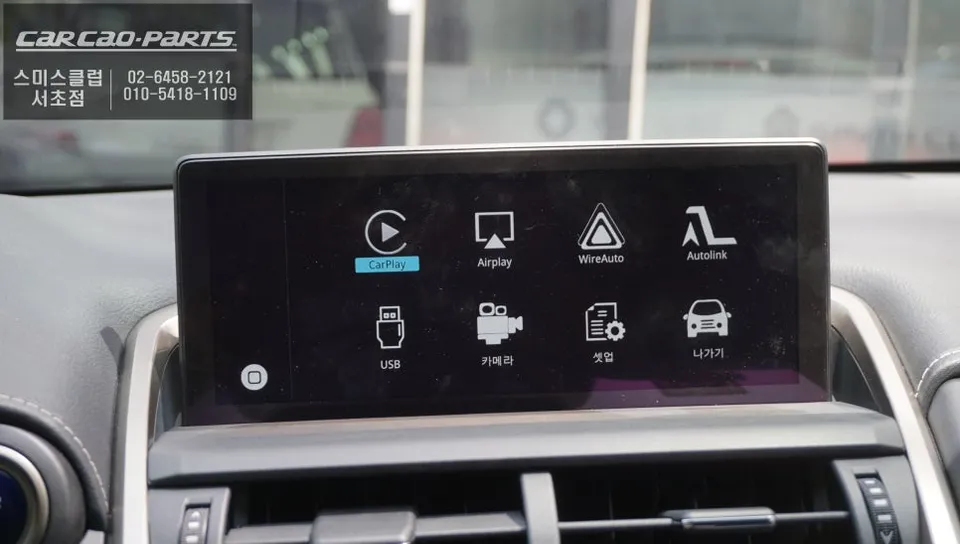
Lexus NX 300h CarPlay module upgrade: Seamless T Map & Kakao Map integration via wired connection. Enjoy real-time navigation.
Why Upgrade Your Lexus NX 300h Navigation?
The Lexus NX 300h comes equipped with a factory navigation system, but it often lacks real-time map updates and the latest traffic information. To overcome these limitations, many owners are opting for a CarPlay module installation. This review details the experience of fitting a CarPlay module to a Lexus NX 300h, enabling full integration with Android Auto and Apple CarPlay. The key benefit is the ability to use popular navigation apps like T Map and Kakao Map directly on your car's display, with up-to-date information.
Vehicle: Lexus NX 300h
Service: CarPlay Module Installation
Installation Method: GVIF Cable Wired Connection (High-Definition)
Supported Systems: Android Auto & Apple CarPlay
Installation Location: Today's Car Seocho Branch
Installation Time: Plug-and-play (Fast Installation)
Seamless Integration with Your Lexus NX 300h Display
The installation process for the CarPlay module on the Lexus NX 300h is designed to minimize disruption to the original system. This module is specifically engineered for Lexus vehicles, featuring a simple plug-and-play wiring setup. This means no cutting or modification of existing wires is necessary, making it easy to revert to the factory setup if desired. High-definition signal transmission is handled by a GVIF cable, ensuring a smooth, lag-free visual experience for navigation and media playback.
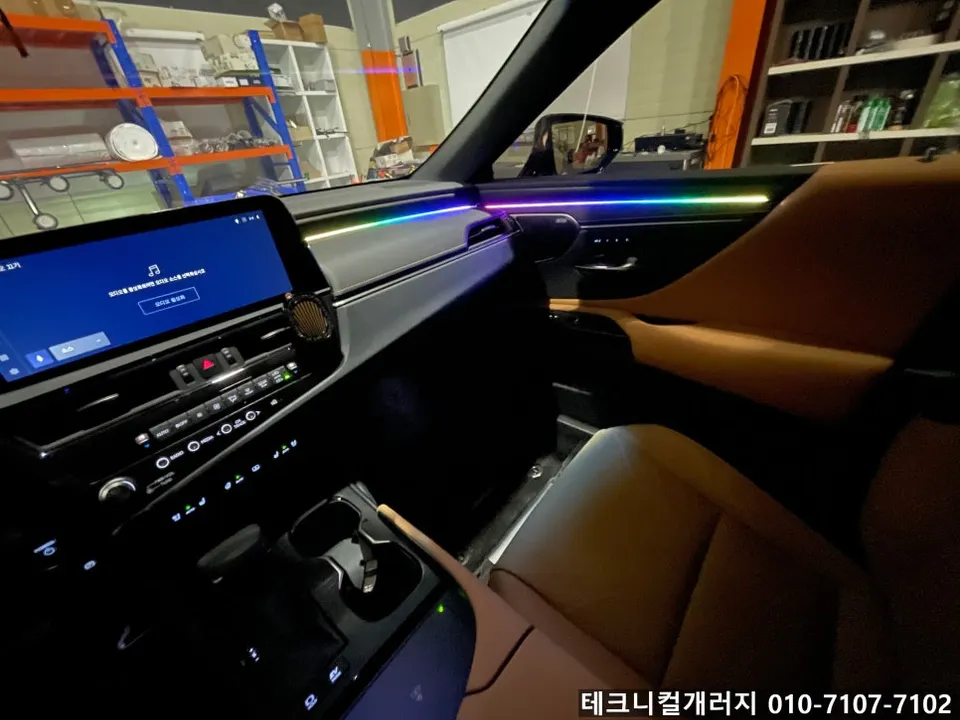
Once installed, the module is discreetly housed, maintaining the clean aesthetics of your NX 300h's interior. Crucially, all original functions remain fully operational. This includes the navigation system, climate control, and voice commands, ensuring a familiar and convenient user experience.
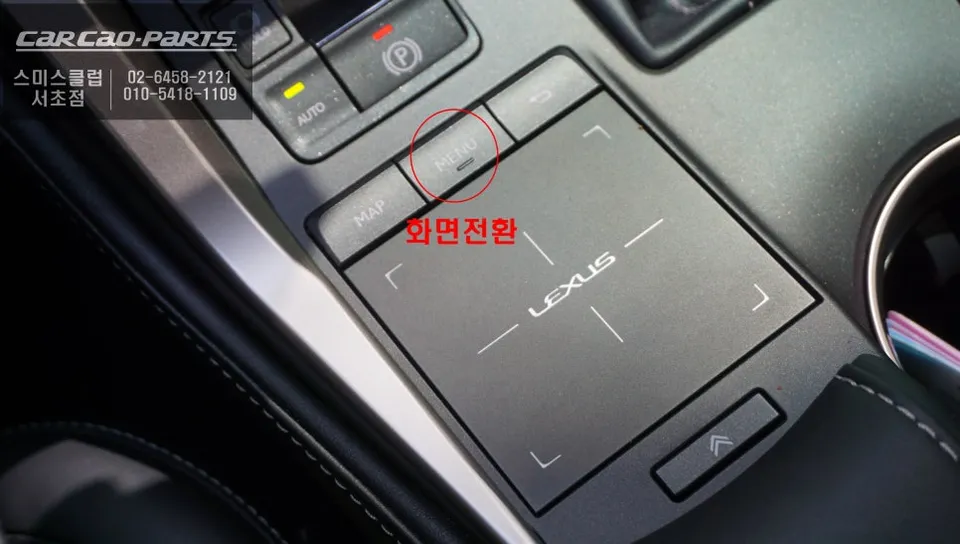
Effortless Switching to CarPlay
Operating the CarPlay module is highly intuitive. You can switch between the factory navigation and CarPlay seamlessly. Simply press and hold the MENU button (located on the steering wheel or dashboard) for about 2 seconds. This action instantly brings up the CarPlay interface. Connect your smartphone to the dedicated USB port (typically found in the center console or near the cupholders), and the system automatically recognizes it, requiring minimal initial setup.
While both wired and wireless CarPlay are supported, a wired connection is recommended for optimal stability during driving. Wireless connections can sometimes experience signal drops, whereas a wired connection provides a consistent and reliable link for navigation and audio streaming.
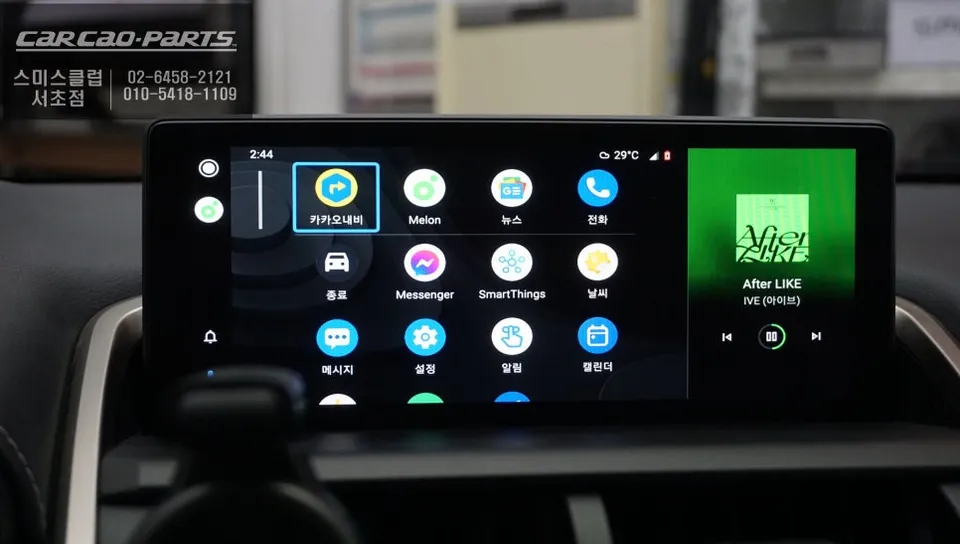
The Power of Real-Time Navigation with T Map and Kakao Map
The most significant advantage of the Lexus NX 300h CarPlay module is the ability to use your smartphone's latest navigation apps directly on the car's screen. Unlike the factory navigation, which relies on stored map data that requires periodic updates via SD card, apps like T Map and Kakao Map offer real-time traffic information and instant map updates. This ensures you always have the most current route guidance, avoiding traffic jams and finding the quickest way to your destination.
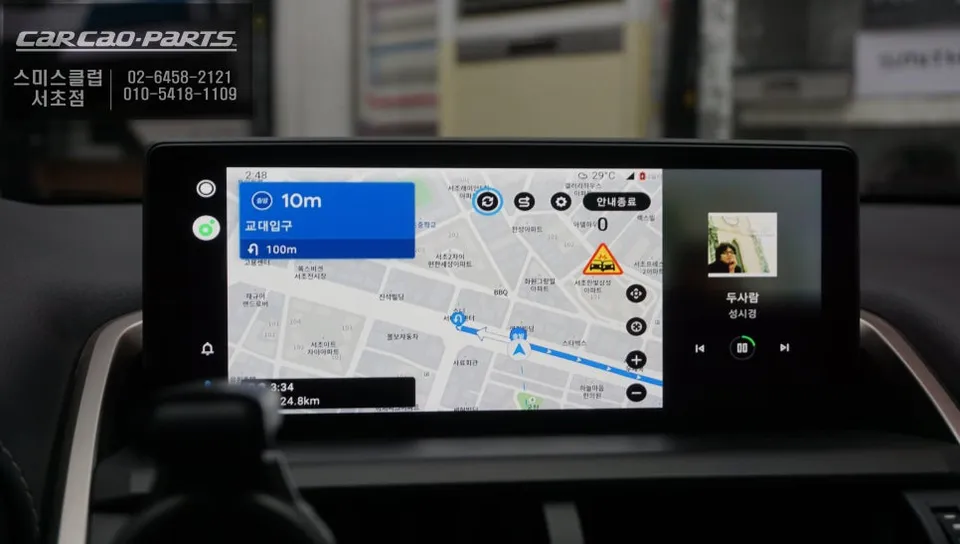
Frequently Asked Questions
Q. How much does the Android Head Unit CarPlay module cost for a Lexus NX 300h?
The cost for this CarPlay module installation on a Lexus NX 300h in Korea was detailed in the original context. Typical US pricing for similar aftermarket head unit upgrades can range from $300 to $1000, depending on features and brand.
Q. How long does the CarPlay module installation take on a Lexus NX 300h?
The installation process is designed to be quick, utilizing a plug-and-play method that typically takes a short amount of time. For longevity, ensure your smartphone's operating system and navigation apps are kept up-to-date.
Q. Is the Android Head Unit CarPlay module worth it for a Lexus NX 300h?
This upgrade is highly beneficial for Lexus NX 300h owners who desire real-time navigation and access to familiar smartphone apps like T Map and Kakao Map. It significantly enhances the vehicle's infotainment system beyond the limitations of the factory unit.
Q. How is the Android Head Unit CarPlay module installed on a Lexus NX 300h?
Installation involves a plug-and-play process using GVIF cables for high-definition signal transmission. 1. Connect the module using the vehicle's existing wiring harness without cutting wires. 2. Integrate the module discreetly within the dashboard. 3. Connect your smartphone via USB to activate Android Auto or Apple CarPlay.
Q. What is the difference between wired and wireless CarPlay on the Lexus NX 300h module?
Wired CarPlay offers superior stability and reliability, preventing connection drops during driving, which is recommended for navigation. Wireless CarPlay provides convenience but may be prone to occasional signal interruptions.
Kakao Parts