BMW 640D CarPlay Installation Review — Native Integration
Service Price
$150+
Estimated price · Actual price may vary by shop
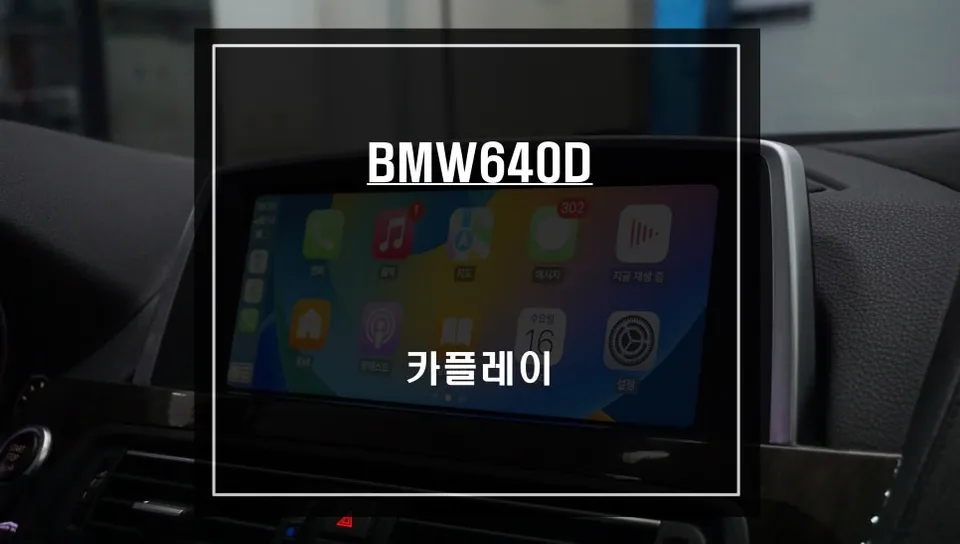
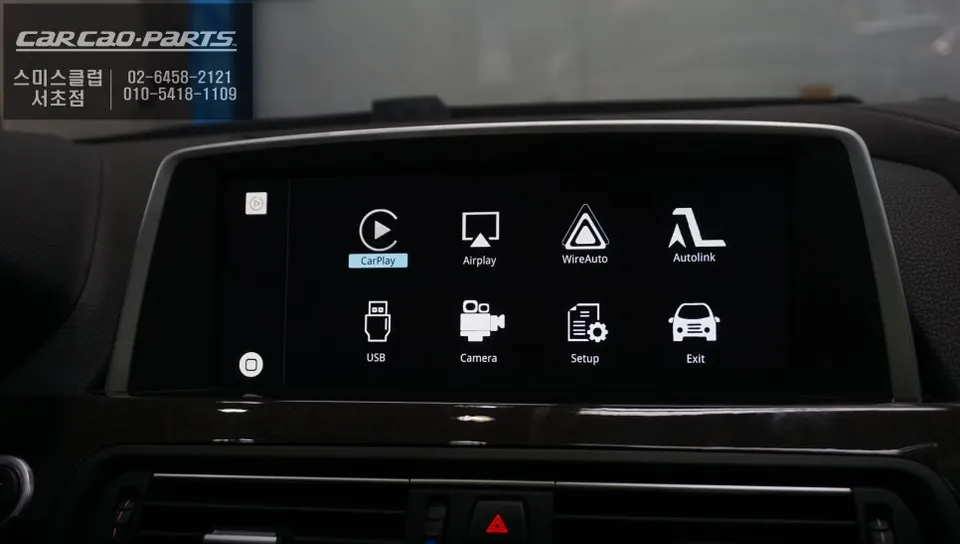
CarPlay installation on BMW 640D: Factory-integrated module. Enables native Korean nav apps on original monitor without wiring damage.
The Frustration of Stock Navigation and the CarPlay Solution
Many BMW 640d owners face a common dilemma: the built-in navigation system feels outdated and inconvenient. This often leads to the ubiquitous dashboard phone mount, with smartphones perched precariously for navigation apps like TMAP or KakaoMap. While newer vehicles typically come standard with Apple CarPlay and Android Auto integration, older luxury imports like the 640d often lack this essential feature, causing significant user frustration. For one BMW 640d owner, this inconvenience was a catalyst for finding a comprehensive solution, integrating their familiar smartphone navigation directly into the car's native display.
Understanding the CarPlay Module for Your BMW 640d
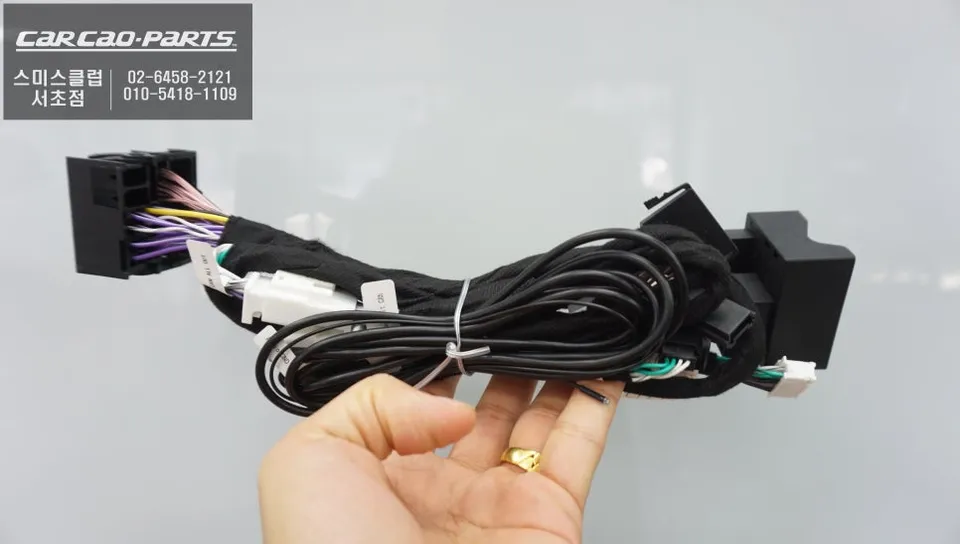
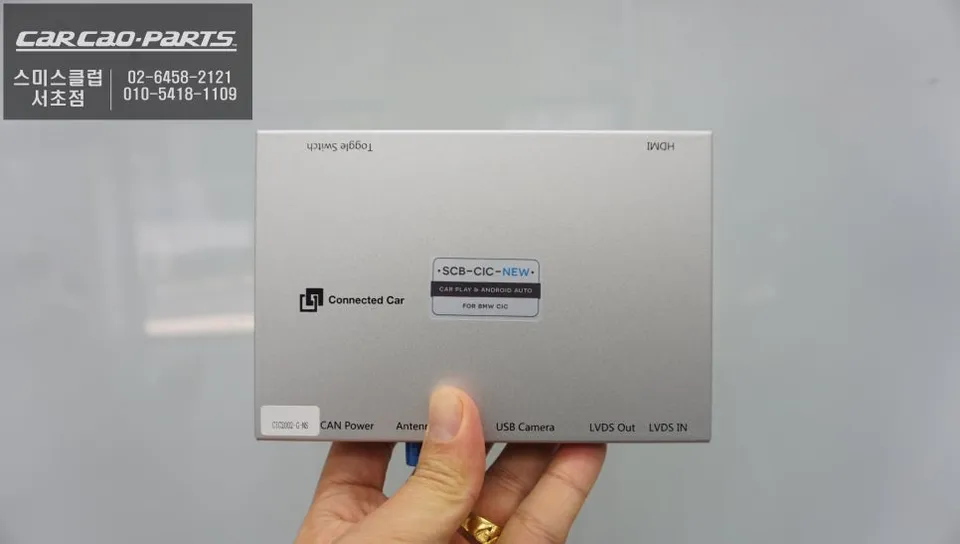
A CarPlay module acts as a bridge, allowing your smartphone to seamlessly integrate with your car's existing infotainment screen. For the BMW 640d, a specialized module is installed that effectively adds CarPlay functionality alongside the original navigation system. A key advantage of this type of module is its non-invasive installation, preserving the original wiring harness.
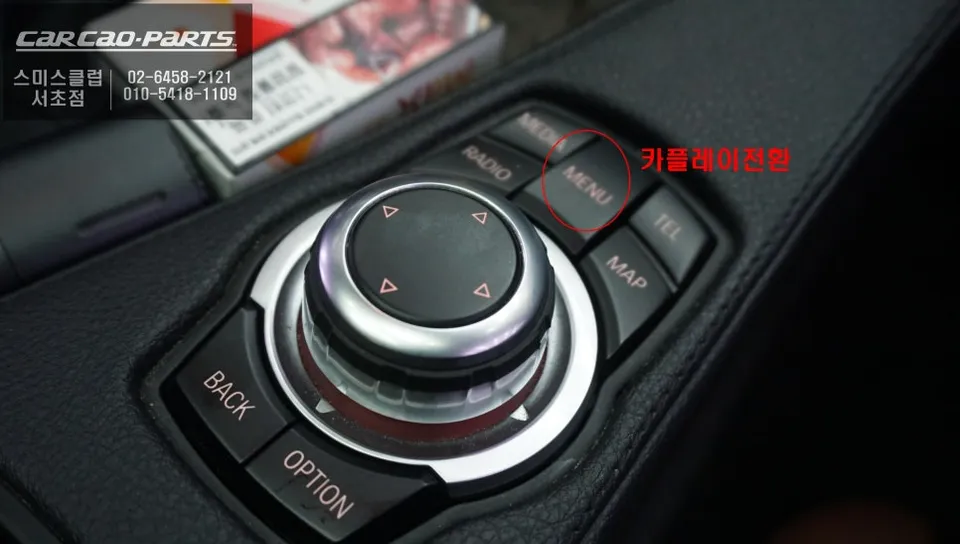
Technically, these modules utilize an LVDS (Low-Voltage Differential Signaling) high-definition interface, ensuring perfect compatibility with the factory monitor. Designed as a plug-and-play solution (1:1 connection), it integrates flawlessly, mimicking a native BMW feature. The system is typically activated by a simple long-press (2 seconds) of the iDrive MENU button, switching the display from the stock navigation to the CarPlay interface. Once activated, connecting your smartphone via USB unlocks the full CarPlay experience.
Before the Upgrade: The Stock Navigation Experience
Prior to the installation, the BMW 640d's factory navigation system presented several limitations. Update cycles for the maps were infrequent, and real-time traffic information often lagged behind actual conditions. This meant that newly opened roads or sudden traffic jams might not appear on the display promptly, leading to suboptimal routing.
The owner found themselves habitually checking their smartphone's navigation app, like TMAP, before each commute to ensure the most efficient route. Relying on a dashboard mount obstructed the view and required either the driver to glance away or a passenger to operate the phone, adding unnecessary complexity and potential distraction. The desire for a direct integration of familiar apps like TMAP onto the car's own screen became a primary motivation for seeking an upgrade.
CarPlay Module Installation Process: Preserving Factory Integrity
The installation process at the service center is designed to be meticulous, focusing on preserving the vehicle's original wiring. The team avoids disassembling the dashboard unnecessarily, ensuring the integrity of the factory setup.
- Locate the factory video input/output (LVDS) connectors behind the original monitor.
- Connect the CarPlay module in parallel to the original wiring, ensuring no factory cables are cut or damaged.
- Install a dedicated USB port, which will serve as the connection point for your smartphone.
- Integrate the module with the car's AUX input for audio output, allowing navigation prompts and music to play through the car's speakers.
This parallel connection ensures that all original functions – including the stock navigation, radio, and other media – remain fully operational until the CarPlay interface is activated. The USB port is strategically placed for easy access, and audio is routed through the car's existing sound system, even supporting music streaming apps like Melon or YouTube Music via CarPlay.
Post-Installation: A Modernized Driving Experience
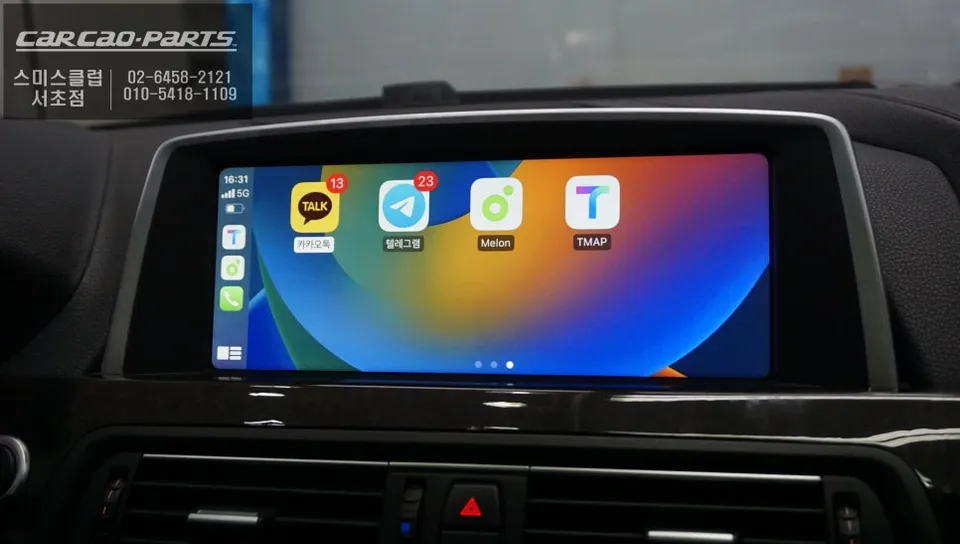
With the CarPlay module installed, the BMW 640d's original screen is transformed into a modern, user-friendly interface. A simple press of the iDrive MENU button seamlessly switches the display to the CarPlay environment, utilizing the full screen real estate. Familiar applications such as TMAP, KakaoMap, and Google Maps are now readily accessible. While direct touchscreen input isn't supported on the factory screen, all functions are intuitively controlled via the iDrive controller and voice commands. For instance, simply stating "Navigate to Gangnam Station" initiates turn-by-turn directions instantly.
The most significant improvement is the ability to leverage real-time traffic data for optimized routing. The owner reported experiencing commutes that were previously 30 minutes now completed in as little as 25 minutes, thanks to dynamic rerouting around traffic congestion. This reduction in commute times and the elimination of navigation-related stress represent a substantial upgrade to the daily driving experience.
Frequently Asked Questions
Q. How much does CarPlay installation cost for a BMW 640D?
Korean pricing for dedicated BMW 640D CarPlay modules typically ranges 800,000–1,500,000 KRW (600–1,100 USD). US installations average $1,200–1,800 depending on dealer labor rates and module compatibility sourcing.
Q. How long does a CarPlay module last on a BMW 640D?
LVDS-based modules are designed for vehicle lifespan with no moving parts or degradation common to wireless modules. Maintain stable power supply and avoid repeated hot-swaps of smartphone connections to prevent connector wear.
Q. Is CarPlay installation worth it for a BMW 640D?
Yes, especially for owners using Tmap/Kakao Maps daily—the factory display integration eliminates smartphone mounting and delivers real-time Korean traffic data the original nav lacks. ROI is strongest for frequent drivers in traffic-heavy regions.
Q. Does CarPlay installation damage BMW 640D factory wiring?
No. LVDS 1:1 matching modules are designed to intercept display signals without cutting or modifying original harnesses. Installation requires only module insertion between factory monitor and existing connectors, preserving full warranty coverage.
Q. Can I switch between CarPlay and original BMW navigation?
Yes. The iDrive MENU button (2-second press) toggles between factory navigation and CarPlay display modes. Both systems remain fully functional and accessible without system restart.
Q. Does BMW 640D CarPlay support wireless or only wired?
This installation uses wired USB connection for CarPlay activation. Some aftermarket modules offer wireless CarPlay add-ons, but the native 640D integration prioritizes stability and faster response over wireless convenience.
Kakao Parts