Mercedes-Benz E-Class W213 Dash Cam Installation Review
Service Price
$under approx. $400
Estimated price · Actual price may vary by shop
Before
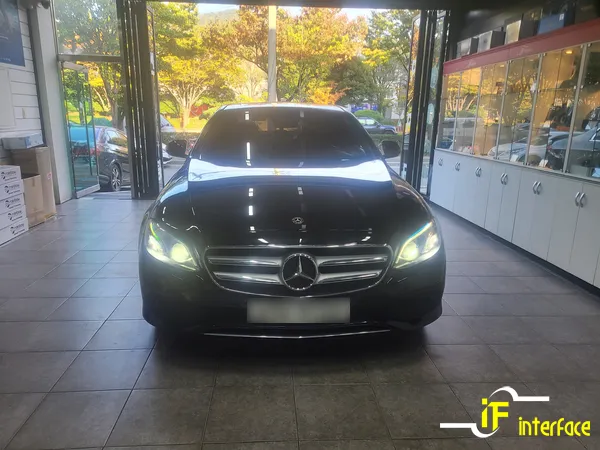
After
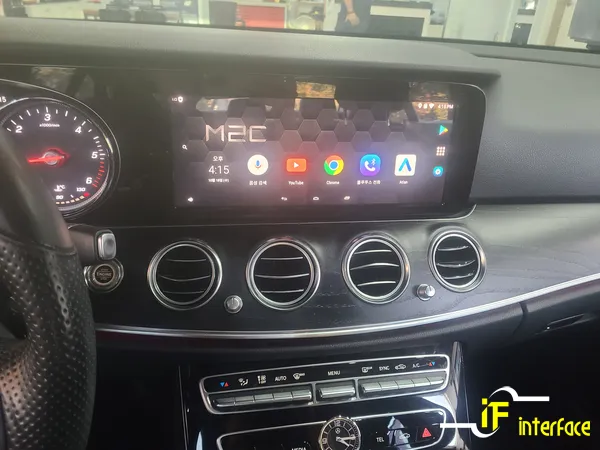
Process photos

Mercedes-Benz E-Class W213 Android Navigation upgrade: Approx. $400. Enjoy touchscreen, apps & better maps.
Upgrade Your Mercedes-Benz E-Class W213 Navigation System
Many owners of the Mercedes-Benz E-Class W213, particularly the E220 model, find the factory navigation system to be less than ideal. A common complaint is the lack of touchscreen functionality, forcing users to rely on the jog dial, which feels outdated in today's fast-paced world. Furthermore, updates can be costly, often exceeding 100,000 KRW (approximately $75 USD), leading to low satisfaction. This review focuses on a popular solution: integrating an Android navigation system, the M2C200A, which offers a significant upgrade without compromising the original system. This installation was performed at Interface, a specialized shop in Gimhae, South Korea. The M2C200A allows for offline use of Atlantean maps and access to Android applications via a data connection, transforming the driving experience.
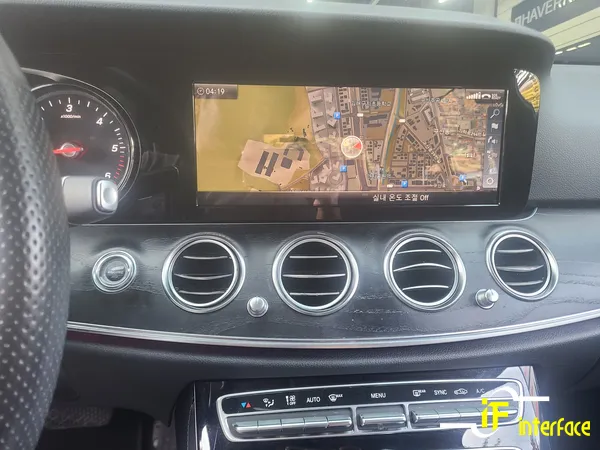
Seamless Integration and Enhanced Features
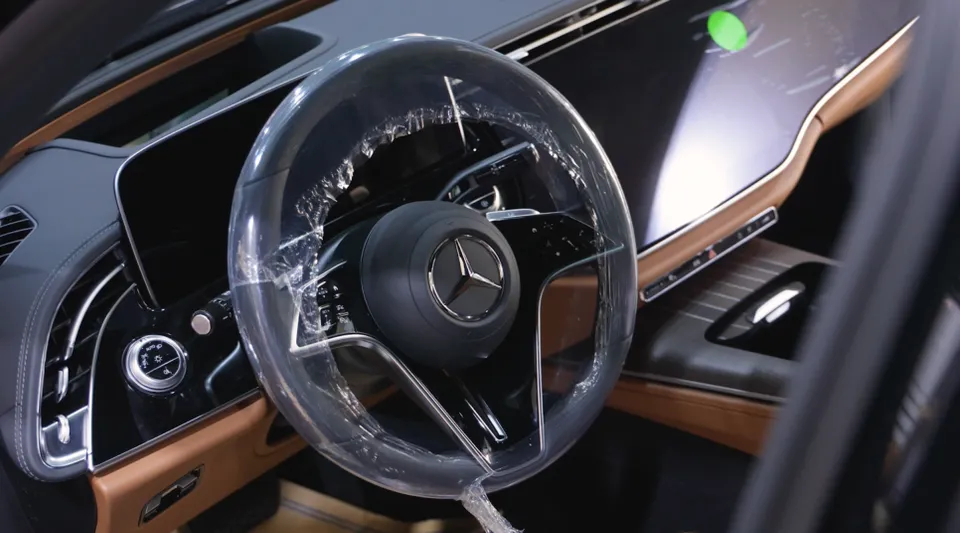
The M2C200A system is designed to work in conjunction with your Mercedes-Benz E-Class W213's existing setup, meaning no permanent modifications are made to the original components. Existing functions are retained, and new capabilities are added. Switching between the original system and the M2C200A interface is done by pressing and holding the 'back' button near the jog dial for about two seconds. The touchscreen functionality is exclusive to the M2C mode; the original system remains non-touch. For the W213's wide monitor, the M2C200A Plus model was installed, providing a clearer, high-definition viewing experience. The system supports offline Atlantean maps, making navigation reliable even without a data connection. For real-time traffic updates and convenience, T-Map and Kakao Navi are accessible via a data connection, eliminating the need for smartphone mounts. Entertainment options like YouTube and Netflix are also available, turning idle moments in the car into opportunities for viewing. The original rear camera functions seamlessly in all modes, activating automatically when reverse gear is engaged.
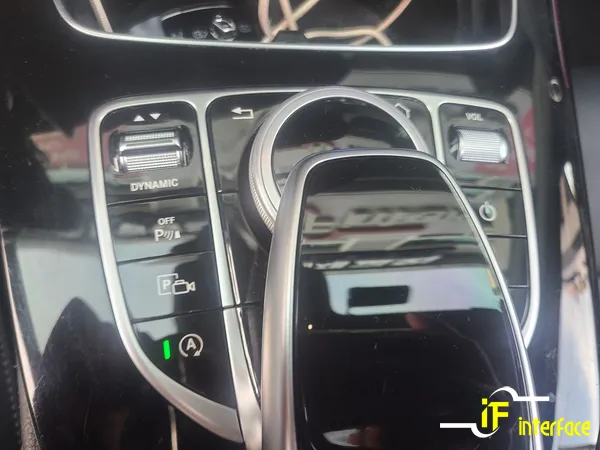
Is an Android Navigation Upgrade Worth It?
For Mercedes-Benz E-Class owners experiencing the limitations of the stock navigation, upgrading to an Android system like the M2C200A offers a substantial improvement in usability and features. The ability to use touch controls, access popular navigation apps with real-time data, and enjoy streaming services directly on the car's display significantly enhances the driving experience. While the initial cost of the unit and installation is a consideration, the increased functionality and convenience often justify the investment, especially for those who frequently use navigation or spend considerable time in their vehicles. This type of upgrade is also available for other Mercedes-Benz classes that suffer from similar stock navigation drawbacks. Beyond navigation, Interface also offers interior enhancements like Burmester-style electric tweeters and ambient lighting for the E-Class.
Installation process:
- The M2C200A module is connected to the vehicle's existing infotainment system without altering original wiring.
- The system is configured to integrate with the car's controls, allowing seamless switching between native and Android modes.
- Touchscreen functionality is enabled for the Android interface via a connected panel.
- Testing is performed to ensure all functions, including navigation apps, media playback, and the rear camera, operate correctly.
Frequently Asked Questions
Q. How much does dash cam installation cost for a Mercedes-Benz E-Class W213?
The specific Android navigation upgrade discussed in this review, which includes enhanced features beyond a basic dash cam, cost approximately 400,000 KRW (around $300 USD) in South Korea. Professional dash cam installation in the US typically ranges from $100 to $300, depending on the complexity and whether front and rear cameras are involved.
Q. How long does dash cam installation take on a Mercedes-Benz E-Class W213?
While this review details an Android navigation system upgrade, a standard front and rear dash cam installation typically takes 1 to 3 hours. Proper maintenance involves periodically checking the camera lens for obstructions and ensuring the recording device is functioning correctly.
Q. Is a hardwired dash cam worth it over a self-install for a Mercedes-Benz E-Class W213?
A hardwired dash cam is often worth the professional installation cost for features like parking mode, which requires a constant power source. For owners seeking seamless integration and advanced features like those of the M2C200A Android system, professional installation ensures optimal performance and warranty protection.
Q. How is a dash cam professionally installed on a Mercedes-Benz E-Class W213?
Professional dash cam installation typically involves 1. routing wiring discreetly through the vehicle's interior panels, 2. connecting the camera to the power source (often hardwired to the fuse box for parking mode), and 3. mounting the camera securely to the windshield or dashboard for optimal view.
Q. What is the difference between a 1-channel and 2-channel dash cam for a Mercedes-Benz E-Class W213?
A 1-channel dash cam records only the front view, while a 2-channel system includes a rear-facing camera for comprehensive coverage. For maximum protection and evidence gathering, a 2-channel dash cam is highly recommended for any vehicle, including the Mercedes-Benz E-Class W213.
Q. What should I know before getting Dash Cam on a Mercedes-Benz E-Class W213? (common regrets and mistakes)
The most common regret is not opting for a system with parking mode, which records even when the car is off. To avoid this, ensure your chosen dash cam setup includes parking mode functionality, ideally professionally hardwired.
OhCar Partner Shop